
From Meeting Notes to Slide Decks: AI-Powered Presentation Workflows
Meetings end. Decisions happen. Tasks get assigned. And then? Silence. Not because your team doesn't care. The notes just never materialize, or they end up rotting in someone's inbox where nobody reads them. Everyone knows the recap matters. Nobody wants to write it.
I have lived this cycle dozens of times. You wrap up a 60-minute product roadmap meeting. Everybody nods, we are aligned. Then the dreaded question: "So... who's writing this up?" Crickets.
Whoever gets stuck with it spends 30-45 minutes scrubbing through the recording, trying to decipher their own handwriting, wondering if it was Jake or Sarah who said they would handle the migration. The recap lands in inboxes two days late. Half the team already forgot what was discussed. Action items? Good luck finding them.
There is a much better way to do this.
The Transcript-to-Slides Pipeline
If your team uses a meeting recording tool like Fireflies, you already have a transcript of every meeting. The raw material is there. The problem is that a transcript is not a recap. A transcript is a wall of text where someone saying "uh, yeah, I think we should probably move that to Q2" is buried between 10 minutes of small talk and a five-minute tangent about lunch options.
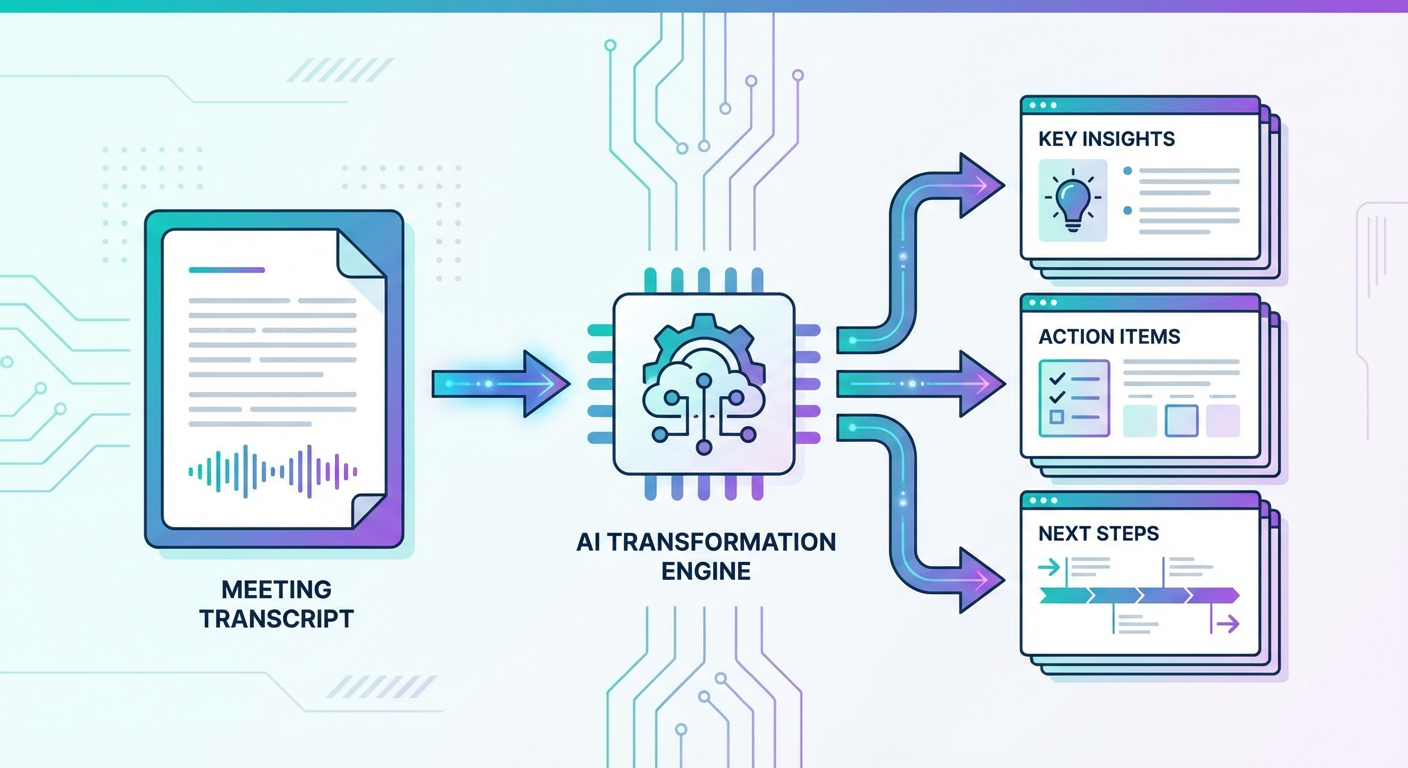
An AI agent rips through that transcript and pulls out what matters. What did you actually talk about? What got decided? Who volunteered (or got volunteered) for what? What is still unresolved? It grabs all of that and assembles a Google Slides deck, one slide per section.
You get a shareable deck that your whole team can click through in two minutes. Everyone knows what happened, what got decided, and what they own.
Why Slides Instead of a Document?
You might ask: why not just generate a meeting summary document? You absolutely can. But slides have a few advantages for this use case.
First, people actually look at them. A two-page meeting summary email gets skimmed. A five-slide deck gets clicked through. The format forces brevity and structure, which is exactly what you want from a recap.
Second, slides are easy to share in async environments. You drop the deck link into Slack or your project management tool and everyone can catch up at their own pace. No scrolling through a wall of text.
Third, they are reusable. Three weeks from now, someone will ask "wait, what did we decide about pricing?" You pull up the deck, point to slide 3, done. Try doing that by searching through email and Slack. You will be there all afternoon.
How It Works in Practice
The workflow is straightforward:
- Your meeting finishes. Fireflies has already transcribed it.
- You tell the agent: "Create a recap deck from our product roadmap meeting yesterday."
- Agent digs through your Fireflies account, finds the right transcript, pulls the full text.
- It chews through the transcript. Pulls out meeting title, who was there, main topics, what got decided, action items with names attached, and open questions.
- Creates a fresh Google Slides presentation. Title slide first, then a slide for each of those sections.
- Hands you a link.
Total time from meeting end to shareable recap: about two minutes.
Now think about the old process. Record the meeting. Wait for someone to grudgingly volunteer. They spend 30-45 minutes on it. Fire it off via email. Half the team misses it. Someone brings it up in Slack. "Check the email." "Which email?" "The one from Tuesday." Nobody finds it. You re-explain everything at the next standup. Rinse, repeat.
The Quality Difference
Here is the weird part: AI recaps are often more accurate than human ones. Not because the AI is a better writer. It is a worse writer. But it has no agenda.
When Sarah from Product writes the recap, she focuses on the product stuff. She breezes past the infrastructure discussion. She might soften a decision she disagreed with. Everyone does this, it is human nature.
The agent reads every word with zero bias. It picks up every decision, even the ones nobody was excited about. It tags action items to the person who actually said "I'll handle that," not who the note-taker assumes should do it. It catches the open question that got glossed over because the meeting was running long.
You end up with a more complete, more honest recap. And you get it in seconds, right when everything is fresh, not two days later when the context has faded.
Making It Part of Your Routine
Just make it a habit. Meeting ends, you run the agent. Two minutes. Deck shows up in your shared Drive folder. You paste the link in Slack. Move on with your day.
Some teams take it further. They use the recap deck as the starting point for the next meeting's agenda. They reference specific slides when following up on action items. They build a library of decision history that anyone can search through.
Your meetings do not change. The follow-through does. And honestly, that is where every team I have worked with loses the plot. The meeting was great. The 48 hours after it? Total black hole.
If your current meeting recap process is "someone will send notes" followed by nothing, give this a shot with your next transcript. The difference in follow-through is wild when people actually have a clear record of what went down.
Try These Agents
- Meeting Transcript to Slide Deck -- Turn your Fireflies transcripts into structured recap presentations
- Auto-Generate Weekly Report Deck -- Automate weekly reporting with template-based slide generation
- Auto-Generate Sales Deck from CRM -- Build personalized pitch decks from HubSpot deal data