
How to Personalize Cold Emails at Scale (Without Losing Your Mind)
Last quarter I ran a test I was weirdly confident about. I took 400 prospects, split them in half, and sent each group a different email. Group A got what I thought was a personalized sequence — first name, company name, a mention of their industry, something about "your team's growth." Group B got a totally generic two-liner: "Hey, we help mid-market SaaS companies book more demos. Interested?"
Group B won. Not by a little. The generic email pulled a 4.2% reply rate. My "personalized" sequence got 2.8%. I stared at the numbers for a full minute before it clicked. My personalization wasn't personalization. It was decoration. I was sticking their name on a template like a monogrammed towel and calling it thoughtful.
That experiment rewired how I think about cold email personalization. There is a canyon-wide difference between emails that contain personal information and emails that feel personal. One is a mail merge. The other is a reason to reply.
The Personalization Spectrum
Most cold email advice treats personalization like a binary — either you do it or you don't. That's not how it works. There's a spectrum, and most people are stuck at the shallow end wondering why their reply rates are flat.
Level 1: Merge tags. First name, company name, title. This is table stakes. Every cold email tool on the planet does this. It doesn't count as personalization anymore. Prospects have been trained to spot {first_name} energy from a mile away. If the only personal thing about your email is their name in the subject line, you're already in the trash.
Level 2: Company-level context. You mention their industry, their headcount, maybe a recent funding round. Better. But still impersonal — you could send the same email to every Series B fintech and change nothing. This is where most SDR teams plateau because the data is easy to get from Apollo or ZoomInfo and easy to templatize.
Level 3: Role-specific relevance. You reference something about what their specific job entails. Not "I saw you're a VP of Marketing" but "I noticed your team's been ramping paid spend on LinkedIn — your CPL benchmarks must be wild right now." This requires understanding what the role actually does at that specific company.
Level 4: Individual-level insight. You mention their LinkedIn post from last week. You reference a talk they gave. You connect something they publicly care about to the problem you solve. This is the level that gets replies, because it proves a human — or something acting like a smart one — actually looked at who they are, not just where they work.
The jump from Level 2 to Level 4 is where cold email personalization either works or falls apart. And it's where most teams quit, because doing Level 4 manually takes 15 minutes per prospect. When you have 200 prospects to email this week, that math doesn't work.
What Actually Counts as Good Personalization
I keep a folder of cold emails I've actually replied to. There are eleven in there spanning two years. Every single one references something specific about me that you couldn't get from a database lookup. Here's what they tend to have in common.
They mention something I did, not something I am. "I saw your post about sales agents replacing SDR busywork" hits differently than "I see you're the CEO of Cotera." One is observation. The other is a LinkedIn scrape.
They connect my world to their product in a non-obvious way. Not "you're in sales tech, we're in sales tech, let's chat." More like "Your article about outbound automation made me think you'd have opinions on how we're handling reply classification — we're doing X and I'm not sure it's right." That email got a reply because it was interesting, not because it was flattering.
They're short. Every good cold email I've saved is under 80 words. The ones with three paragraphs of context and a bulleted feature list? Those live in a different folder. The trash one.
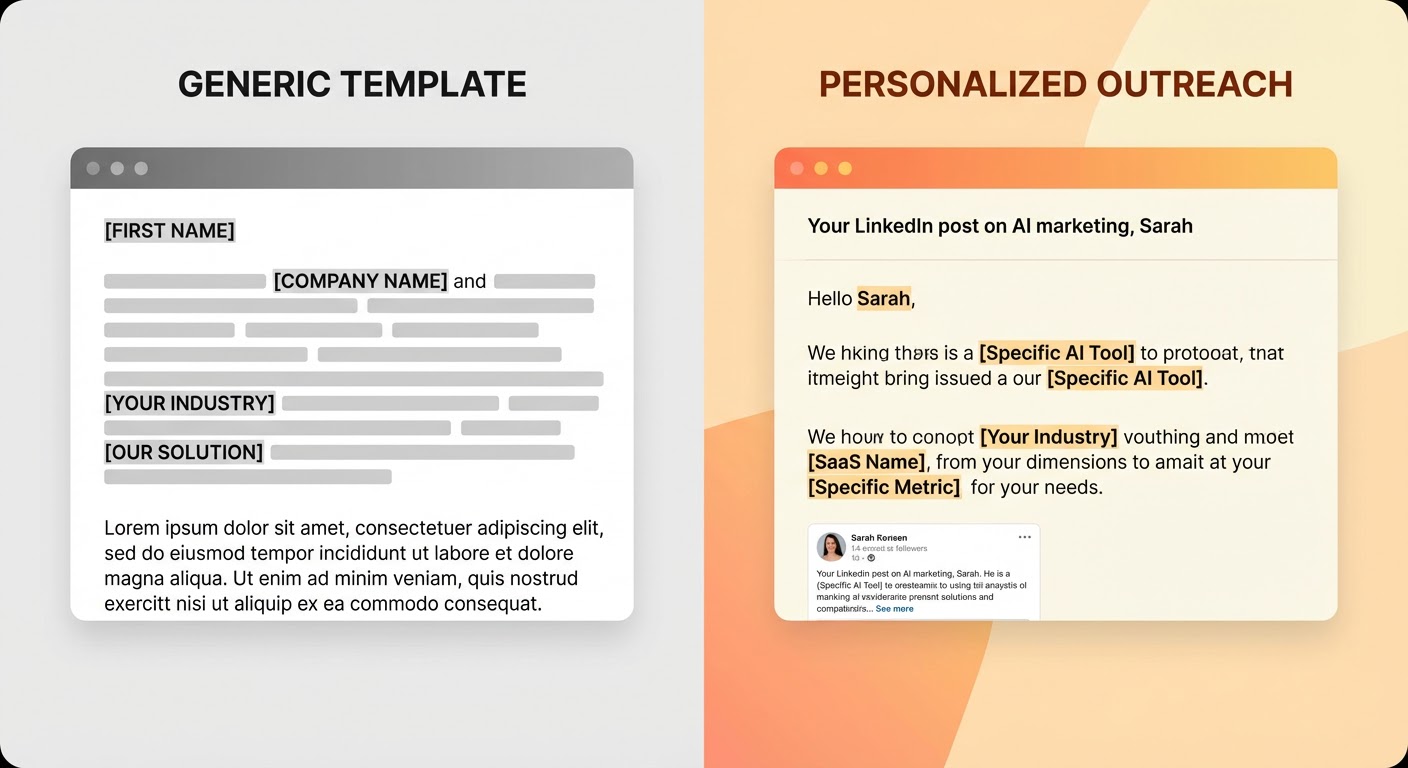
Here's the uncomfortable part: bad personalization actually performs worse than no personalization. When someone opens your email and sees a clumsy attempt — "I noticed your company is doing great things in the AI space" — they don't think "oh, they tried." They think "this is automated garbage pretending to be personal." That's worse than a clean, honest cold pitch. At least the honest pitch doesn't insult their intelligence.
How to Personalize at Scale Without It Taking Forever
The math problem is real. You can't spend 15 minutes researching each prospect when you need to send 150 emails a week. But you also can't skip the research and expect replies. So the answer is making the research fast, not making the emails generic.
Here's the workflow I've landed on:
1. Start with LinkedIn, not your data provider. Apollo and ZoomInfo tell you who someone is. LinkedIn tells you what they care about. Recent posts, articles they've shared, comments they've left, job changes, endorsements they've given. This is where the real personalization material lives. A prospect's last three LinkedIn posts tell you more about what to write than their entire CRM record.
2. Look for trigger moments, not static attributes. Someone who just started a new role is in buying mode for their first 90 days — they're evaluating every tool their predecessor chose. Someone who just posted about a challenge you solve is literally raising their hand. Someone whose company just announced a new initiative in your space has budget allocated. These moments are your opening line.
3. Write a one-sentence observation, not a paragraph. The personalization is the hook, not the body. "I saw your post about outbound reply rates tanking — we're seeing the same thing across our customer base" is all you need. Then pivot to your actual pitch. The observation earns you the right to make the pitch. That's its only job.
4. Batch by pattern, not by template. Instead of writing one template for 200 people, write five templates for five patterns. One for people who just changed jobs. One for people at companies that just raised funding. One for people who posted about a relevant pain point. Each template has a personalization slot that's narrower and more specific than "Hi {first_name} at {company}." The research fills a more targeted gap.
The Multi-Channel Question
Cold email personalization gets more interesting — and more complicated — when you add LinkedIn into the mix. The best-performing sequences I've run in the last six months all coordinated email and LinkedIn touches together.
The trick is not doing the same thing on both channels. If you send a cold email on Monday and then send the exact same pitch as a LinkedIn connection request on Wednesday, you look desperate. If you send a cold email on Monday referencing their LinkedIn post, then connect on LinkedIn on Wednesday with a different angle — maybe commenting on something else they shared — you look like someone who's genuinely paying attention.
Coordinating those touches manually is a scheduling nightmare. You're toggling between Instantly or Lemlist for email, LinkedIn for social touches, and a spreadsheet to make sure you don't double-message someone or send conflicting pitches on the same day. It's the kind of operational overhead that makes SDRs want to quit and go into product marketing.
Why Use an Agent
This is the part where it all comes together. The research layer — pulling LinkedIn activity, recent posts, job changes, company news — is exactly the kind of work an AI agent does well. Not because it's simple, but because it's repetitive and data-heavy. An agent can scan a prospect's last ten LinkedIn posts, identify which one is relevant to your product, and draft a personalization hook in seconds. A human doing the same thing takes ten minutes and gets tired by prospect number fifteen.
The Instantly + LinkedIn Personalized Sequences agent does exactly this — it pulls LinkedIn data for each prospect and feeds personalized context into your Instantly sequences so every email references something real. For teams on Lemlist, the Lemlist + LinkedIn Lead Enrichment agent enriches your lead list with LinkedIn activity before you build campaigns. And if you're running coordinated email-plus-LinkedIn outreach, the HeyReach Multi-Channel Prospector handles the sequencing across both channels so you're not managing it from a spreadsheet.
The difference between "personalized at scale" and "personalized for twenty people before you ran out of energy" is whether the research step is automated or manual. The writing is still yours. The judgment calls are still yours. The research is the part that should have been automated years ago.
The Short Version
Merge tags are not personalization. Company-level context is not personalization. Personalization is referencing something specific about the person — what they posted, what they said, what's happening in their world right now — and connecting it to why you're reaching out. That level of specificity requires research. Research takes time. AI agents do the research in seconds. Your job is the judgment: which insight to lead with, which angle to take, when to send. Stop decorating templates and start doing actual homework. Or better yet, let the agent do the homework for you.
Try These Agents
- Instantly + LinkedIn Personalized Sequences — Build personalized cold email sequences using LinkedIn data piped into Instantly
- Lemlist + LinkedIn Lead Enrichment — Enrich leads with LinkedIn data for hyper-personalized Lemlist campaigns
- HeyReach Multi-Channel Prospector — Run coordinated multi-channel outreach across email and LinkedIn with HeyReach