
Asana Automation Guide: Rules, Workflows, and API Integrations
I was spending an embarrassing amount of time dragging Asana cards around. Forty-ish projects, and my mornings looked like this: move a task to Done, assign the follow-up, ping the designer because the due date slipped again, close the subtasks nobody remembered to close. I was a professional card-mover with a side hustle in project management.
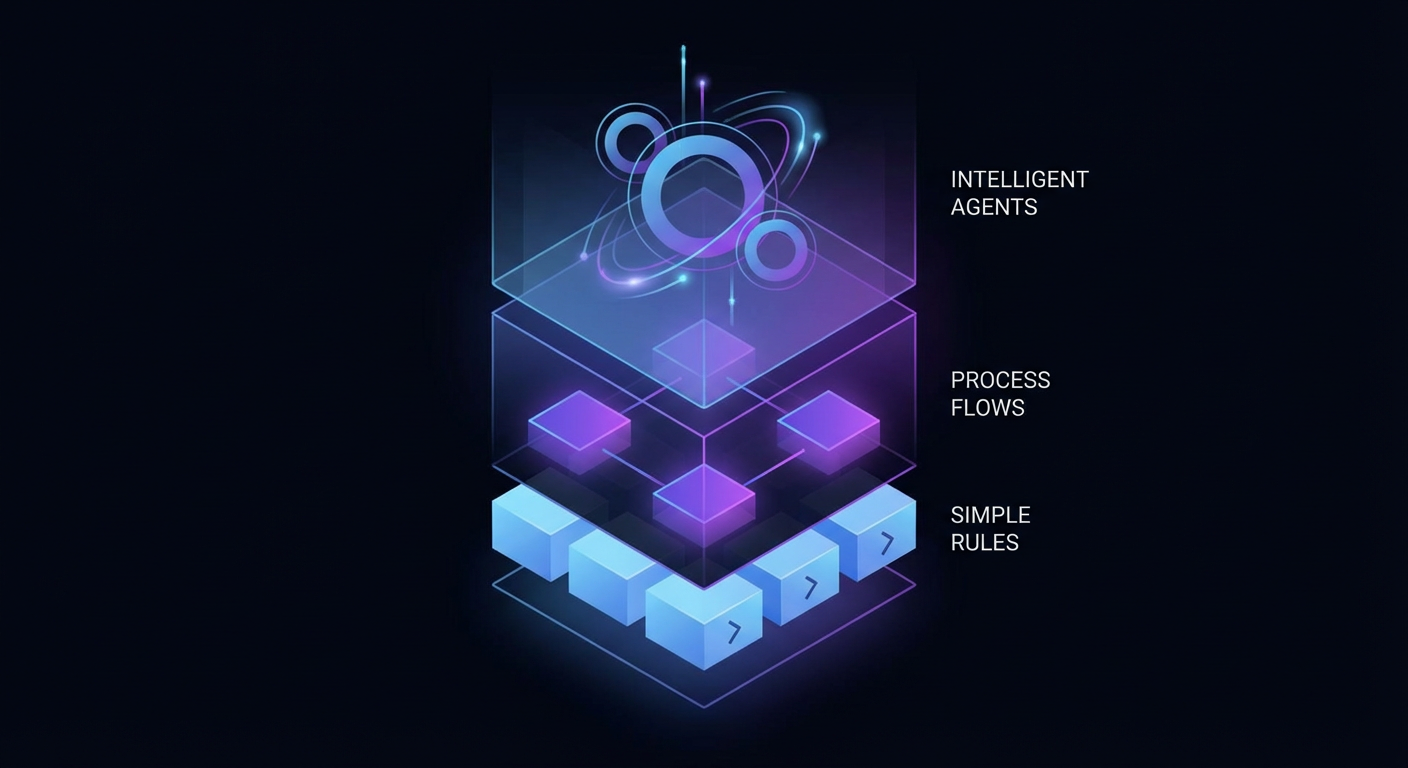
That's what pushed me to actually figure out Asana automation. Not a listicle, not a "top 10 Asana hacks" blog post -- I mean really figure out what's possible, what breaks, and where the ceiling is. What I landed on is that there are three completely different tiers of Asana automation, and most people only know about the first one.
Three Tiers, Three Different Ceilings
Tier 1 -- Asana's built-in rules. You set these up right inside the Asana UI. "When a task lands in the Review column, assign it to Sarah and slap a due date on it." No code. They fire instantly. For basic board hygiene, they're great. I run about fifteen of them right now.
Tier 2 -- Middleware like Zapier or Make. These glue Asana to other software. A HubSpot deal closes, and a Zap creates an onboarding project in Asana. A new Asana task appears, and Slack gets a notification. One tool triggers, another tool acts, middleware handles the plumbing in between.
Tier 3 -- The API, scripts, and AI agents. This is full programmatic access. You can create tasks, search across workspaces, update fields, add comments -- all through code. No templates, no drag-and-drop. A script or an agent decides what to do based on whatever logic you throw at it.
The mistake that trips people up? Trying to jam a Tier 3 problem into a Tier 1 solution. Then they throw up their hands and say Asana automation is half-baked. It's not. They just grabbed the wrong tool for the job.
What the Built-In Rules Actually Get You
I want to be fair to Asana's native rules because they genuinely save me time. Here's my honest hit list:
Section-based routing is the big one. Task hits "In Review," it auto-assigns to the reviewer and gets a due date three days out. That single rule kills maybe twenty manual clicks a day across my boards. Completion triggers are solid too -- task done, moves to the Done section, assignee gets cleared, project lead gets a ping. Due date reminders work as you'd expect. And custom field triggers are handy: set Priority to "Urgent," task jumps to the top and the team channel gets notified.
For a small team running a couple projects, honestly, stop here. You don't need anything else. Set up your rules, enjoy the time savings, move on.
But I run into walls constantly, and I bet you will too once your org hits a certain size. The walls look like this:
Rules don't cross project boundaries. "When this task wraps up in the Engineering project, kick off a QA task in the QA project" -- you can't express that. Each project is its own little universe.
There's no branching logic. You get "when X happens, do Y." You don't get "when X happens, check if Z is true, then do Y or W." Every rule fires unconditionally. No if-else. Nothing resembling a decision tree.
Rules can't reach outside Asana. They can't check your CRM. They can't query a spreadsheet. They can't ping an external API. The rule's world begins and ends inside Asana.
No multi-task reasoning. You'd think "when all subtasks are complete, mark the parent complete" would be table stakes. It's not. Rules operate on individual task events. They don't aggregate or reason across groups of tasks.
A 10-person team probably never bumps into these limits. A 50-person ops org running cross-functional workflows? These constraints start to feel like the software is actively working against you.
Real Scenarios Where Rules Broke Down for Me
The cross-team handoff problem. Sales closes a deal in HubSpot. The onboarding team needs an Asana project with eight tasks, assigned to specific reps based on which region the deal is in, with due dates anchored to the contract start date. Asana's rules can't even see HubSpot, let alone conditionally assign tasks based on deal metadata. I needed at least a Zapier flow for this -- one that listens for HubSpot stage changes and hits the Asana API to build the project.
The Monday morning digest. I wanted a Slack message every Monday: here's how many tasks are overdue across all projects, here's who has the biggest pile of incomplete work, here's which projects are at risk. Generating that requires reading data out of Asana, crunching numbers across projects, and formatting the result for Slack. Rules can't read data. They don't do math. This was a script-level problem from day one.
Intelligent triage. New tasks come in from our internal support queue. I wanted each one automatically categorized, prioritized, and routed to the right person based on what the task description actually says. Not keyword matching -- real comprehension of whether "the deploy pipeline is stuck" should go to infra versus "the homepage copy has a typo" going to marketing. Rules can match on a custom field value. They cannot read a sentence and decide what it means. This required an AI agent.
Going Full API: What Opens Up
Once you're hitting Asana's REST API directly, the constraint list evaporates. You get:
- Task creation with arbitrary assignees, due dates, notes, and multi-project membership
- Text search across an entire workspace, filtered by completion status
- Task updates -- rename, reassign, reschedule, mark complete, append notes
- Comments added programmatically to any task, with optional pinning
- Project listing to map out workspace structure before building anything on top of it
The power is obvious. The catch is equally obvious: someone has to write and maintain the code, handle auth tokens, respect rate limits, and debug the integration when it silently breaks at 2 AM on a Sunday. For teams with a developer handy, fine. For ops teams who are the target audience of Asana in the first place? This is usually where ambitions stall -- trapped between "rules can't do this" and "we can't write API code."
AI Agents Change the Math
Here's what actually shifted things for me.
Zapier-style middleware maps a trigger to a fixed action. Static mapping. You define it, it runs the same way forever. That's fine when the workflow is predictable. But the minute conditions get messy -- the task description is vague, the right assignee depends on who's on PTO this week, the priority requires context from Jira and Slack and your head -- static mappings crumble. You end up with fifteen Zaps for fifteen variations of one workflow. Maintaining that spaghetti is a job in itself.
AI agents skip the mapping entirely. You hand them tools -- "here, you can read tasks, search tasks, create tasks, add comments" -- and you describe the goal: "triage incoming requests, figure out who should own each one, set a reasonable priority." The agent reads the task, weighs the context, checks what's in flight, and makes a call. When conditions change next week, the agent adapts. No new Zap needed. No new rule. The reasoning layer handles the variability that static automation can't.
The practical split is clean: middleware handles predictable automation, agents handle automation that requires judgment. And in my experience, the judgment calls are exactly what eat the most time.
Where Cotera Fits
This is the angle we took with Cotera's Asana tool. We didn't build another drag-and-drop rules engine -- Asana already has one. We built a full CRUD toolset (create, get, list, search, update tasks; add comments; list projects) and wired it into AI agents that chain those operations together with actual reasoning between each step.
So an agent can search for every overdue task in a workspace, read each one, figure out which are truly blocked versus which just need a poke, comment on the blocked ones requesting a status update, and reassign the rest -- all in a single pass. No rules to configure. No Zap chain to maintain. Just tool access plus a clear objective.
The differentiator isn't any single API call. It's that reads, writes, and thinking happen in the same loop. That's the piece native rules and middleware can't give you.
Pick the Right Tier and Move On
Asana automation boils down to matching the tier to the problem. Native rules for board hygiene and simple routing. Middleware when you need Asana talking to external systems through predictable trigger-action pairs. API-level access and agents when you need branching logic, cross-project operations, aggregation, or genuine judgment.
If you've been stuck wishing Asana rules were smarter, the answer probably isn't smarter rules. It's a different tier. Go find the ceiling that actually matches the problem you're trying to solve.