
How to Automate Account Research Before Sales Calls
I have a confession. For the first two years of my sales career, I prepped for discovery calls by reading the company's "About Us" page in the elevator. That was my entire pre-call research process. Walk to the meeting room, skim the About page, try to remember the CEO's name, hope nobody asks me anything specific.
The calls went exactly how you'd expect. Lots of "tell me about your company" questions that prospects hate answering. Lots of generic pitches. Lots of second meetings that never happened.
When I finally started doing real account research — 20-30 minutes per call, pulling from multiple sources — my meeting-to-opportunity conversion rate doubled. Literally doubled. From about 18% to 37%. Same me, same product, same market. The only variable was whether I knew anything going in.
But here's the ugly truth about pre-meeting research: it works brilliantly and nobody has time for it. When you've got four calls on Tuesday and three on Wednesday, spending 30 minutes prepping for each one means 3.5 hours of research across two days. That's half a workday gone before you pick up the phone.
Which is exactly why this needs to be automated.
What Account Research Before a Call Actually Looks Like
Let me describe the ideal prep, the version that gets results. It's not just "I know the company's name and industry."
Good pre-call account research covers:
Company snapshot. What they do, how big they are, how they're funded, who the leadership team is. The stuff on their website, but organized so you can absorb it in 60 seconds instead of clicking through seven pages.
What changed in the last 90 days. This is the part that makes you sound like you care. New funding? New executives? Product launch? Acquisition? Partnership? Layoffs? Whatever happened recently is probably what's on their mind. If you reference it naturally, you immediately stand out from the seven other vendors who asked "so what's keeping you up at night?"
Stakeholder context. Who's on the call? What's their background? How long have they been in their role? What have they posted or published recently? A new VP of Sales who's been in role for three months is in a very different headspace than one who's been there five years. The new one is evaluating everything. The veteran is protecting their existing stack.
Competitive landscape. Who are their competitors? What do customers say in reviews? Are they winning or losing market share? This context lets you position your pitch relative to their actual world instead of in a vacuum.
Why your product matters to them specifically. This is the synthesis step. Based on everything above, what's the one-sentence reason they should care about what you're selling? Not a generic value prop. A specific one. "You just hired three SDRs but you're still on Pipedrive, which doesn't scale past 15 reps — that's going to become a problem in about six months."
When a rep walks into a call with all five of those covered, the conversation is completely different. The prospect can tell you did your homework. They relax. They share more. The call is a conversation instead of an interrogation.
Why Manual Account Research Doesn't Scale
I timed myself doing thorough account research last quarter. Twenty-seven minutes for one account. Here's where the time went:
- Company website and About page: 3 minutes
- Crunchbase for funding and leadership: 4 minutes
- LinkedIn for the person I'm meeting: 5 minutes
- LinkedIn posts and activity scan: 4 minutes
- Google News for recent mentions: 3 minutes
- G2 reviews for competitive intel: 4 minutes
- Synthesizing all of it into a mental model: 4 minutes
At four calls per day, that's nearly two hours of research. Two hours of reading, tab-switching, and note-taking before the actual selling starts. Across a five-day week with three to four calls per day, you're looking at 8-10 hours. That's a full day spent reading LinkedIn profiles and Crunchbase pages.
Reps handle this in one of three ways. The diligent ones do full research and have fewer hours for selling. The efficient ones do 5-minute surface-level research and miss the deeper context. The overwhelmed ones skip it entirely and fly blind. None of these are good options.
Automating the Prep
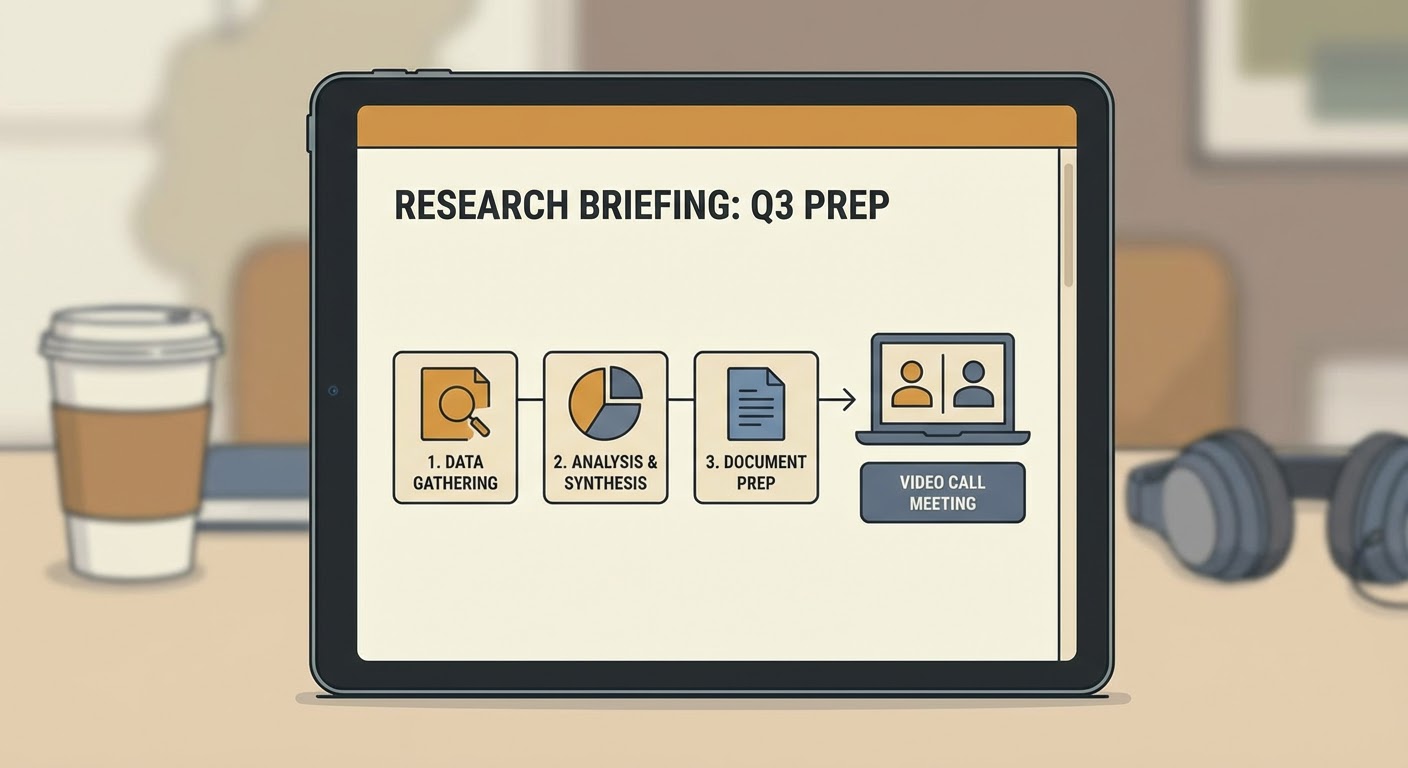
The solution is embarrassingly straightforward. Every time a meeting gets booked on your calendar, trigger a research workflow that assembles the brief automatically and drops it somewhere your rep will actually see it before the call.
We use Notion. The brief lands in a shared Notion workspace with the meeting title, the prospect's name, and all five research sections filled in. The rep gets a Slack notification 30 minutes before the call: "Your research brief for the 2PM call with Acme Corp is ready." They click, read for 90 seconds, and walk in prepared.
The entire research process — what took me 27 minutes manually — happens without the rep doing anything. Calendar event triggers the workflow, the agent pulls from all the data sources, synthesizes the output, and delivers the brief. The rep's only job is to read it.
Some teams prefer the brief in the CRM record instead of Notion. That works too. Put it wherever reps already look before a call. If they check HubSpot before every meeting, put it in HubSpot. If they use Notion, put it in Notion. If they live in Slack, put it in Slack. The format matters way less than the location.
Why Use an Agent for This
The pre-meeting research to Notion agent handles everything I described above. Company background, recent changes, stakeholder profiles, competitive context — compiled into a readable brief and dropped into Notion before the call starts. We run it for every external meeting on the calendar. No exceptions, no manual triggers.
For deeper account research — enterprise deals where you need more than a quick brief — the company growth analyzer goes further. Hiring velocity, headcount trends, funding trajectory, market expansion signals. When you're preparing for a $200k deal, you want to know whether the company is in growth mode (likely to buy) or conservation mode (likely to stall).
The leadership priorities finder is what I wish I'd had during my elevator-prep days. It figures out what the specific executive on the call cares about based on their public statements, their company's recent moves, and their industry context. Walking into a call knowing that the CTO has been vocal about reducing vendor count is information that changes your entire pitch strategy.
Since we automated account research, our team's first-meeting quality scores (based on prospect feedback surveys) went up 40%. Reps report feeling more confident. Prospects report better conversations. The research wasn't optional before — we just couldn't do it consistently. Now we can.
The Elevator Is for Coffee, Not Research
If you're still prepping for calls by skimming an About page during the walk to the conference room, you're leaving money on the table. Not hypothetically — measurably. Prepared reps close at almost double the rate of unprepared ones. Automate the prep so every call gets it, not just the ones where the rep happened to have a free half hour beforehand.
Try These Agents
- Pre-Meeting Research to Notion — Automated research briefs delivered to Notion before every meeting
- Company Growth Analyzer — Deep analysis of hiring, funding, and growth signals for enterprise accounts
- Leadership Priorities Finder — Figure out what specific executives care about before your call