
Best AI Chatbot Platforms in 2026: 10 I Actually Tested
Last April I watched a chatbot tell a paying customer that our return window was 90 days. It was 30. The customer returned a $420 order two months late, customer success had to eat the cost, and the engineering team spent a full day figuring out why the bot hallucinated a policy that didn't exist. That single bad answer cost us roughly $700 when you factor in the refund, the agent time, and the engineering hours. Multiply that by the 11 other wrong answers we found in the logs that week and you start to understand why I became obsessive about evaluating these tools properly.
I've now tested or deployed ten chatbot platforms across three different support organizations over the past two years. Not the "spin up a demo and screenshot the dashboard" kind of testing. I mean routing real tickets, measuring real deflection rates, and watching real customers get frustrated or get helped. One deployment handled 14,000 conversations per month for a mid-market e-commerce company. Another covered a B2B SaaS product with 2,300 paying accounts. The third was a small team of six agents who needed a bot to handle the overnight shift.
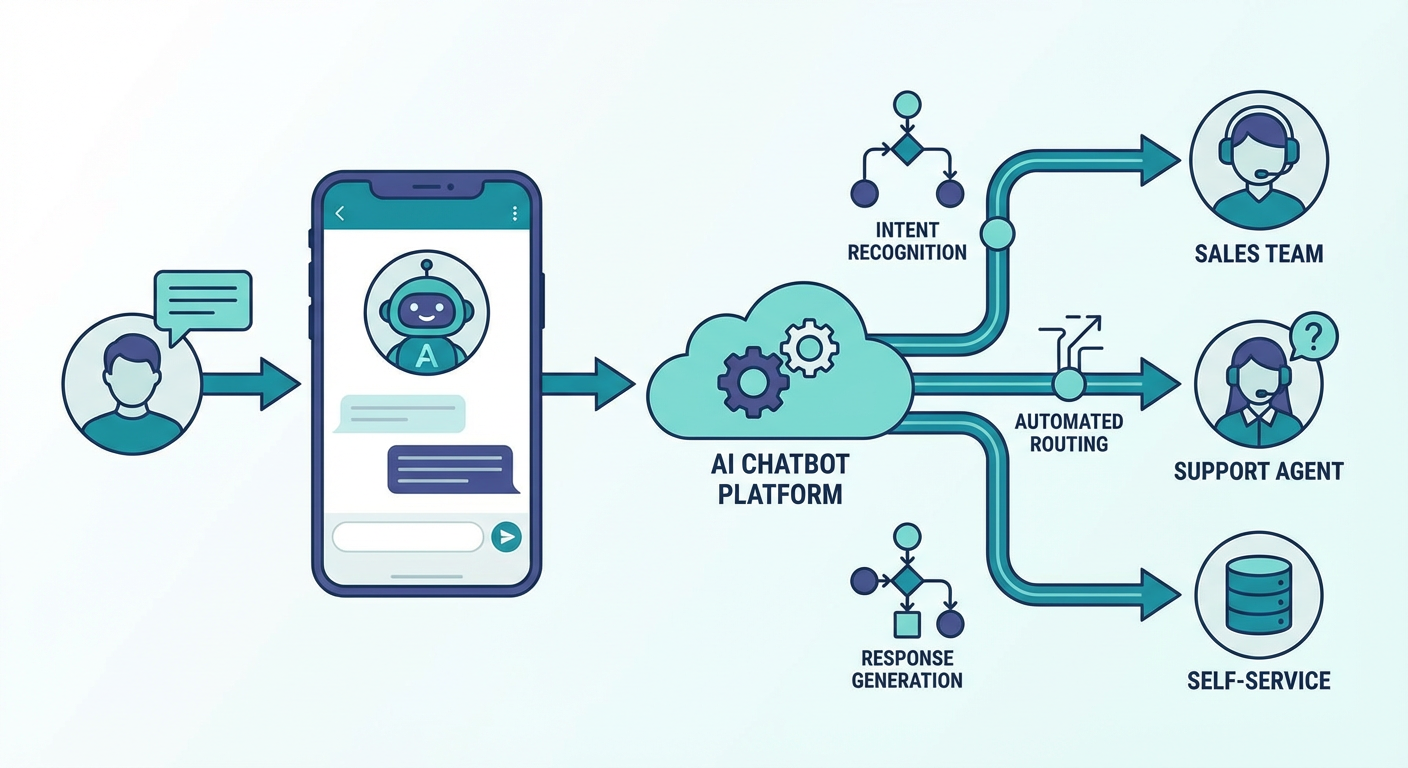
What I learned is that most comparison articles evaluate chatbots on features they list on their pricing pages. That tells you almost nothing about what happens when a customer types "I'm going to cancel" and the bot needs to decide — in real time — whether to offer a discount, route to retention, or just process the cancellation. That routing decision is where the real money is. I even ended up building an Intercom to Slack Escalation Router agent because none of the built-in routing logic was nuanced enough for our edge cases.
| # | Tool | Best For | Pricing |
|---|---|---|---|
| 1 | Cotera | AI agent orchestration for support workflows | Free tier available |
| 2 | Intercom Fin | All-in-one support with AI resolution | From $0.99/resolution |
| 3 | Drift | B2B sales-focused live chat | Custom pricing |
| 4 | Ada | Enterprise automation at scale | Custom pricing |
| 5 | Tidio | Small business live chat + bots | Free tier, from $29/mo |
| 6 | ChatBot.com | Visual bot builder for marketers | From $52/mo |
| 7 | Botpress | Developer-first custom bots | Free tier, pay-as-you-go |
| 8 | Voiceflow | Conversational design for teams | Free tier, from $50/mo |
| 9 | Yellow.ai | Multilingual enterprise support | Custom pricing |
| 10 | Dialogflow (Google) | NLU engine for custom builds | Pay-per-request |
1. Cotera
Free tier available
- AI agents for ticket routing, escalation, and customer data enrichment
- Intercom and Zendesk integrations with real-time sync
- Custom agent builder for support-specific workflows
- Shopify Customer 360 for full buyer context in every conversation
- Free tier covers most support automation needs
Here's the problem with every chatbot platform on this list: they answer questions. That's it. Customer asks something, bot responds. Maybe it routes to a human if it gets stuck. But the actual hard part of support — understanding who this customer is, what they've bought, how many times they've contacted you before, whether they're about to churn — none of that context flows into the conversation automatically.
Cotera solves a different problem than the other tools here. Instead of being the chat widget itself, it's the intelligence layer that sits behind your existing support stack and makes it smarter. The Shopify Customer 360 agent, for example, pulls a complete buyer profile — order history, lifetime value, previous tickets, return patterns — and surfaces it the moment a conversation starts. Your human agents (and your bot) suddenly know they're talking to a $3,200 lifetime customer who's had two shipping issues in the past month, not just "ticket #48291."
The Intercom to Slack Escalation Router changed how our team handles urgent issues. Instead of every escalation landing in a general queue, the agent reads the conversation, determines the category (billing, technical, shipping, retention), assesses urgency based on customer context, and routes it to the right Slack channel with a summary. Our average escalation response time dropped from 47 minutes to 11 minutes because the right person saw it immediately instead of a dispatcher triaging a queue.
We also run the Intercom to Salesforce Conversation Sync for our B2B accounts, which logs every support interaction back to the Salesforce account record. Before this, our account managers had no idea a customer had contacted support three times in a week until the renewal call went sideways.
The limitation is straightforward: Cotera isn't a standalone chatbot. You still need Intercom, Zendesk, or whatever handles your front-line conversations. Cotera is the orchestration and intelligence layer that makes everything else work better. For teams already running a support platform and frustrated by the gaps in routing, context, and cross-tool sync, nothing else I've tested comes close.
2. Intercom Fin
$0.99 per resolution
- AI agent trained on your help center content
- Automatically resolves common questions without human handoff
- Conversation routing based on topic and sentiment
- Native to Intercom — no third-party integration needed
Fin is what happens when a support platform builds AI directly into the product instead of bolting it on. If you're already on Intercom — and a lot of mid-market SaaS companies are — Fin ingests your help center articles, previous conversation data, and custom answers you configure, then handles incoming conversations autonomously. No separate chatbot tool, no widget code to embed, no integration to maintain.
I deployed Fin for a 2,300-account B2B SaaS product. First month: 38% of conversations resolved without a human. By month three, after we improved the help center content it was trained on and added 40 custom answers for edge cases, that hit 52%. The resolution quality was genuinely good for straightforward questions — password resets, billing inquiries, feature documentation. Customers rated Fin-resolved conversations at 4.1 out of 5 on average, compared to 4.4 for human agents. Closer than I expected.
The per-resolution pricing ($0.99 each) sounds cheap until you do the math. At 14,000 conversations/month with 52% automated resolution, that's about $7,100/mo just for Fin — on top of your existing Intercom subscription. For high-volume support teams, that adds up fast. And here's the part Intercom doesn't emphasize: "resolution" means the customer didn't re-open the conversation or contact you again within 48 hours. If the bot gives a mediocre answer and the customer just gives up, that still counts as resolved. I'd estimate 8-12% of our "resolutions" were actually customers abandoning the conversation, not genuinely satisfied ones.
The routing logic is decent for standard cases but rigid for anything nuanced. I built the Cotera escalation router specifically because Fin's built-in routing couldn't distinguish between "frustrated customer who needs retention" and "confused customer who needs a knowledge base link." Both looked similar to Fin's sentiment analysis, but they need completely different handling.
3. Drift
Custom pricing (typically $2,500+/mo)
- AI-powered chat focused on lead qualification and routing
- Calendar booking directly in the chat widget
- Account-based targeting and personalized playbooks
- Salesforce and HubSpot CRM integrations
Drift is really a sales tool wearing a chatbot costume. The entire product is designed around one job: turning website visitors into booked meetings. The AI qualifies visitors by asking a few questions, checks them against your ideal customer profile, and either books a meeting on the right rep's calendar or routes them to a fallback experience. For B2B companies with a sales-led motion, this workflow is gold.
I tested Drift on a mid-market software company's website. In the first 90 days, the chat widget generated 34 qualified meetings that wouldn't have happened otherwise. At their average deal size of $28,000 ARR, even converting a fraction of those meetings paid for the tool many times over. The account-based features are where it gets clever: when a visitor from a target account lands on your pricing page, Drift can trigger a specific playbook — different messaging, faster routing, maybe a direct connection to the assigned account executive. That level of targeting drove noticeably higher engagement than the generic "Hi, how can I help?" approach.
But Drift is expensive. Genuinely expensive. We're talking $2,500/mo minimum, and most companies end up in the $4,000-6,000/mo range for the features that actually matter (the AI, the account-based targeting, the Salesforce integration). And the product is laser-focused on B2B sales. If you need a support chatbot, Drift is the wrong tool. If your sales cycle is self-serve or product-led, Drift is the wrong tool. It's for B2B companies with SDR teams that book demos — and for that specific use case, it outperforms every general-purpose chatbot on this list.
Also worth mentioning: Drift was acquired by Salesloft in 2023, and the product direction has shifted somewhat. Some features that used to be standalone are now bundled into the broader Salesloft platform. If you're evaluating Drift, make sure you're looking at what's included in the chat-specific plans versus what requires the full Salesloft suite.
4. Ada
Custom pricing
- AI-first platform designed for high-volume support
- Automated resolution across chat, email, and voice
- Multi-language support with 50+ languages
- Pre-built integrations with Salesforce, Zendesk, Shopify
Ada is built for scale. When a company handles 50,000+ support conversations per month and needs automation rates above 60%, Ada is usually on the shortlist. The platform ingests your knowledge base, FAQ content, and historical ticket data, then builds an AI agent that resolves conversations across chat, email, SMS, and voice. Not just chat — Ada's push into email and voice automation is what separates it from most competitors.
I evaluated Ada for the e-commerce company running 14,000 conversations monthly. During the pilot, Ada automated 61% of incoming chats with an 87% customer satisfaction score on resolved conversations. The multi-language support was a genuine differentiator: we had about 22% of conversations in Spanish and 8% in French, and Ada handled both without separate bot configurations. With Intercom Fin, we would have needed to maintain separate help center content for each language. Ada translated on the fly and got it right more often than not.
The drawback is that Ada is enterprise-priced and enterprise-sold. No public pricing page, no self-serve signup. You'll talk to a sales rep, do a discovery call, probably sit through a demo, and get a custom quote that starts — from what I've gathered across multiple evaluations — north of $1,500/mo for even modest volumes. Implementation takes 4-8 weeks with their team, not 4-8 hours. And the platform's complexity means you need at least one dedicated person managing the bot's conversation flows, training data, and performance metrics. For companies at the right scale, Ada's automation rates justify the cost. For teams under 5,000 conversations/month, you'll pay enterprise prices for mid-market volumes.
5. Tidio
Free tier available, from $29/mo
- Live chat with AI-powered response suggestions
- Visual chatbot builder with 35+ templates
- Shopify, WordPress, and WooCommerce integrations
- Lyro AI chatbot for automated FAQ responses
If you run a Shopify store or a small business website and you need a chatbot by Friday, Tidio is probably the answer. The setup takes about 15 minutes. Install the widget, connect your knowledge base (or just paste in your FAQ), pick a template, and you're live. I helped a friend set up Tidio for her 8-person DTC brand and we had a working bot handling order status inquiries, return policy questions, and basic product recommendations within an afternoon.
Lyro, their AI chatbot feature, is trained on your support content and handles the most common questions without scripted flows. In the first month, Lyro resolved about 40% of incoming conversations for my friend's store — mostly "where is my order" and "what's your return policy" type queries. Not sophisticated, but those questions represented over half of their support volume. At $29/mo for the Starter plan (which includes 50 Lyro conversations/mo), the ROI is immediate when you're paying a support agent $18/hour.
Here's where Tidio falls off: anything beyond basic Q&A. The visual bot builder works for linear flows (order lookup, FAQ routing, lead capture) but struggles with multi-turn conversations where the customer's intent shifts mid-chat. Complex conditional logic becomes a spaghetti diagram fast. And the AI capabilities, while good enough for small teams, lack the sophistication of Ada or Intercom Fin for nuanced conversations. Tidio also charges for Lyro conversations above your plan limit ($0.50-0.70 each, depending on tier), which can add up if you're scaling.
For businesses doing under 2,000 support conversations per month, Tidio is the sweet spot of price and functionality. Above that threshold, you'll start bumping into limits that make the more expensive platforms worth the investment.
6. ChatBot.com
From $52/mo
- Drag-and-drop conversation flow builder
- AI Assist for generating responses from your content
- Multi-channel deployment (website, Facebook, Slack)
- Built-in analytics with conversation funnel tracking
ChatBot.com is the tool I recommend when a marketing team wants to build a chatbot and nobody on the team writes code. The visual builder is genuinely intuitive — drag conversation blocks, connect them with conditions, test the flow in a simulator, publish. The learning curve is maybe 2-3 hours to build something functional, compared to the 2-3 weeks I've seen teams spend getting comfortable with Botpress or Dialogflow.
The AI Assist feature pulls answers from your website, help docs, or uploaded content and generates responses within the conversation flow. It's not as autonomous as Fin or Ada — you're still designing the overall flow structure — but the AI fills in the response content so you don't have to script every possible answer manually. For a marketing team running a lead qualification bot or a product recommendation wizard, this hybrid approach (structured flow + AI-generated responses) hits a practical middle ground.
Where ChatBot.com underperforms: anything requiring deep integrations or complex logic. The built-in integrations cover the basics (Shopify, WordPress, Zapier, LiveChat), but if you need the bot to pull real-time data from your internal systems or execute multi-step workflows, you'll hit walls fast. The analytics are decent for tracking conversation completion rates and drop-off points but thin on the kind of resolution quality metrics that support teams need. And the pricing scales with the number of active chats — the $52/mo Starter plan includes 1,000 chats. Go above that and you're looking at $142/mo or $424/mo depending on volume.
Best for: marketing teams building lead gen bots, product recommendation flows, or FAQ handlers where the conversation follows a predictable path. Not the right choice for complex support automation.
7. Botpress
Free tier, pay-as-you-go for AI usage
- Open-source chatbot framework with visual and code editors
- LLM-native with GPT-4, Claude, and custom model support
- Knowledge base ingestion for RAG-powered responses
- Self-hostable for data-sensitive deployments
Botpress is what you reach for when you need to build something the off-the-shelf tools can't do. It's an open-source chatbot framework that lets developers design conversation flows using a combination of visual editors and code. The recent pivot to LLM-native architecture means you can plug in GPT-4, Claude, or your own fine-tuned model and build genuinely sophisticated conversational agents — not just decision trees with a chat interface.
The knowledge base feature ingests documents, web pages, and structured data, then uses retrieval-augmented generation (RAG) to ground the bot's responses in your actual content. I tested this with a 200-page technical documentation site and the accuracy was noticeably better than tools that just pattern-match against FAQ entries. The bot could synthesize information from multiple docs to answer questions that weren't explicitly covered anywhere — the kind of thing that makes customers say "wow, the bot actually helped" instead of "the bot told me to check the help center."
The tradeoff: you need a developer. Maybe not full-time, but someone comfortable with APIs, webhooks, and basic JavaScript needs to be involved in the build. The visual editor simplifies a lot, but the moment you need custom integrations, conditional logic based on external data, or anything beyond the templates, you're writing code. Deployment on the cloud is free for basic usage (you pay for AI inference — the LLM calls), but costs scale with conversation volume. Self-hosting is an option for companies with data residency requirements, which is a genuine differentiator if you're in healthcare, finance, or government.
For developer teams that want maximum flexibility and are willing to invest build time, Botpress produces chatbots that outperform any drag-and-drop tool. For teams without engineering resources, look elsewhere.
8. Voiceflow
Free tier, from $50/mo per editor
- Collaborative conversation design canvas
- Prototype and test flows before deployment
- API integrations for dynamic data in conversations
- Multi-channel export (web chat, voice assistants, WhatsApp)
Voiceflow sits between ChatBot.com's simplicity and Botpress's developer-focus. The canvas-based editor lets you design conversation flows visually, but with enough depth to handle real logic — API calls, conditional branching, variable management, and custom functions. Teams use it to prototype, test, and iterate on conversational experiences before deploying them.
What makes Voiceflow different from most builders is the collaborative workflow. Designers, product managers, and developers can all work on the same project. The designer maps out the conversation, the developer wires up the API integrations, and the PM reviews the flow in the built-in prototype mode — all without deploying anything. I watched a three-person team go from concept to working prototype in two days, compared to the two weeks it took the same team to build something comparable in Dialogflow.
The prototype testing feature is underrated. You can simulate conversations, test edge cases, and catch dead ends before a single customer sees the bot. This sounds obvious but most platforms only let you test after deployment, which means your customers are your QA team. We caught 23 conversation dead-ends during prototyping that would have resulted in customer frustration and agent escalations.
The pricing model charges per editor seat ($50/mo on the Pro plan), not per conversation volume. That's good if you have high volume and few editors, but painful if you want the whole team to have access. The free tier is generous enough for solo builders and small projects. The main gap: Voiceflow's analytics and post-deployment monitoring are thinner than dedicated support platforms. You're getting a great design and build tool, but you'll need something else for ongoing conversation quality monitoring.
9. Yellow.ai
Custom pricing
- AI chatbot supporting 135+ languages natively
- Omnichannel deployment across chat, voice, email, and social
- Pre-built industry templates for retail, banking, and healthcare
- Dynamic AI agents that handle multi-turn conversations
Yellow.ai is the platform I'd point to for any company with a genuinely global customer base. The multilingual support isn't an afterthought — it's the core product. 135+ languages, with natural conversation handling that goes beyond simple translation. I evaluated it for a company with support volume split roughly 30% English, 25% Hindi, 15% Spanish, 10% Arabic, and 20% across eight other languages. Yellow.ai handled all of them from a single bot configuration. Every other platform I tested required either separate bot instances per language or produced stilted, obviously-translated responses.
The omnichannel deployment is comprehensive. One bot definition, deployed across your website, WhatsApp, Facebook Messenger, Instagram DMs, voice IVR, and email. For the retail company I evaluated, about 40% of customer conversations happened on WhatsApp — a channel that half the tools on this list don't support natively. Yellow.ai treated it as a first-class channel with rich message formatting, quick replies, and even product carousels.
The downsides mirror Ada's: enterprise pricing, sales-led buying process, multi-week implementation. The platform is powerful but complex. Building effective conversation flows requires their professional services team or a dedicated internal team that understands conversational design. The pre-built industry templates save time on common use cases (order tracking, appointment booking, FAQ handling) but any customization beyond those templates demands real investment. For companies operating across 5+ languages with significant non-English volume, Yellow.ai is probably the strongest option. For English-only or English-primary teams, the multilingual capabilities are overkill and you're paying for features you won't use.
10. Dialogflow (Google)
Pay-per-request (free tier: 1,000 requests/day)
- Google-grade natural language understanding engine
- Intent and entity recognition with pre-built agents
- Integration with Google Cloud services and Vertex AI
- CX edition for advanced conversation flows with state management
Dialogflow is Google's conversational AI platform, and it's really two products. Dialogflow ES (Essentials) is the older, simpler version — good for basic intent matching and FAQ bots. Dialogflow CX is the enterprise-grade version with visual flow builders, state management, and advanced NLU. Most serious implementations use CX.
The natural language understanding is where Dialogflow earns its spot on this list. Google has been training NLU models for decades, and it shows. Intent recognition accuracy in my testing was consistently 3-5 percentage points above Botpress's default models and roughly on par with Ada's. Entity extraction — pulling specific data like dates, product names, order numbers from customer messages — was the best I tested. When a customer writes "I ordered the blue running shoes last Tuesday and they arrived damaged," Dialogflow correctly extracts the product (blue running shoes), the date (last Tuesday), and the issue (arrived damaged) with high reliability.
The CX edition's flow builder handles complex multi-turn conversations with branching, fallbacks, and state management. You can model conversations that span dozens of turns without losing context. For IVR (phone) systems, Dialogflow CX integrates directly with Google Cloud's telephony services, which makes it one of the few platforms that handles both text and voice from a single definition.
The downside: Dialogflow is an engine, not a product. There's no customer-facing chat widget, no analytics dashboard for support metrics, no agent handoff workflow out of the box. You're building on top of an API. Implementation requires a development team, Google Cloud infrastructure knowledge, and 4-12 weeks of build time for anything non-trivial. The pay-per-request pricing is cheap at scale (fractions of a cent per interaction) but unpredictable for budgeting. And you're locked into the Google Cloud ecosystem, which matters if your infrastructure lives on AWS or Azure.
Best for: engineering teams building custom conversational applications where the NLU quality matters more than time-to-market. Not the right choice for support teams that need a working chatbot by next quarter.
How to Choose
The chatbot landscape is crowded, but the right pick depends on two things: what you're trying to automate and what you already have installed.
Already on Intercom and want AI-powered automation? Fin is the obvious starting point. No integration work, no new vendor. Just turn it on and iterate on your help content. Pair it with Cotera's escalation router for smarter routing when Fin hands off to humans.
Running Zendesk and need better escalation workflows? Use Cotera's Zendesk Ticket Escalation to Slack agent to get urgent tickets in front of the right people immediately. The built-in Zendesk routing works fine for simple rules, but falls apart when you need context-aware decisions.
Small business, tight budget, need something by Friday? Tidio. Install the widget, connect your FAQ, and you're live in an afternoon. Won't handle complex support cases but it'll deflect the repetitive questions that eat up agent time.
B2B sales team that needs to book more meetings from website traffic? Drift. It's expensive and narrowly focused, but nothing else qualifies and routes leads in-chat as effectively.
Global customer base with 5+ languages? Yellow.ai. The multilingual handling is genuinely superior to everything else on this list.
Developer team that wants maximum control? Botpress for open-source flexibility, Dialogflow CX for Google-grade NLU. Both require engineering investment but produce better results than any no-code tool for complex use cases.
Marketing team building lead gen or product recommendation bots? ChatBot.com for simplicity, Voiceflow if you want more sophisticated conversation design and prototyping.
Enterprise with 50,000+ monthly conversations? Ada. The automation rates at scale and the omnichannel coverage justify the price and implementation time.
Most support teams end up with two layers: a front-line chatbot (Intercom Fin, Ada, Tidio) handling the customer-facing conversations, and an intelligence layer (Cotera) handling the routing, context enrichment, and cross-tool orchestration that the chatbot can't do on its own.
Try These Agents
- Intercom to Slack Escalation Router — Routes escalated Intercom conversations to the right Slack channel with full context and urgency assessment
- Intercom to Salesforce Conversation Sync — Syncs every support interaction back to Salesforce account records for complete customer visibility
- Shopify Customer 360 View — Pulls complete buyer profiles with order history, lifetime value, and support patterns into every conversation
- Zendesk Ticket Escalation to Slack — Routes urgent Zendesk tickets to Slack with AI-powered categorization and priority scoring