
Best AI Customer Support Tools in 2026: 10 Tested
Last October I woke up on a Monday to 340 unread support tickets. Our Zendesk queue looked like a parking lot after a stadium concert. Half were password resets. A third were variations of "where's my invoice?" buried among a handful of actually urgent bugs that needed engineering eyes within the hour. My support team of four spent the entire morning just triaging -- sorting the pile into "needs a human" and "could've been a canned response." By noon we'd barely touched the real problems.
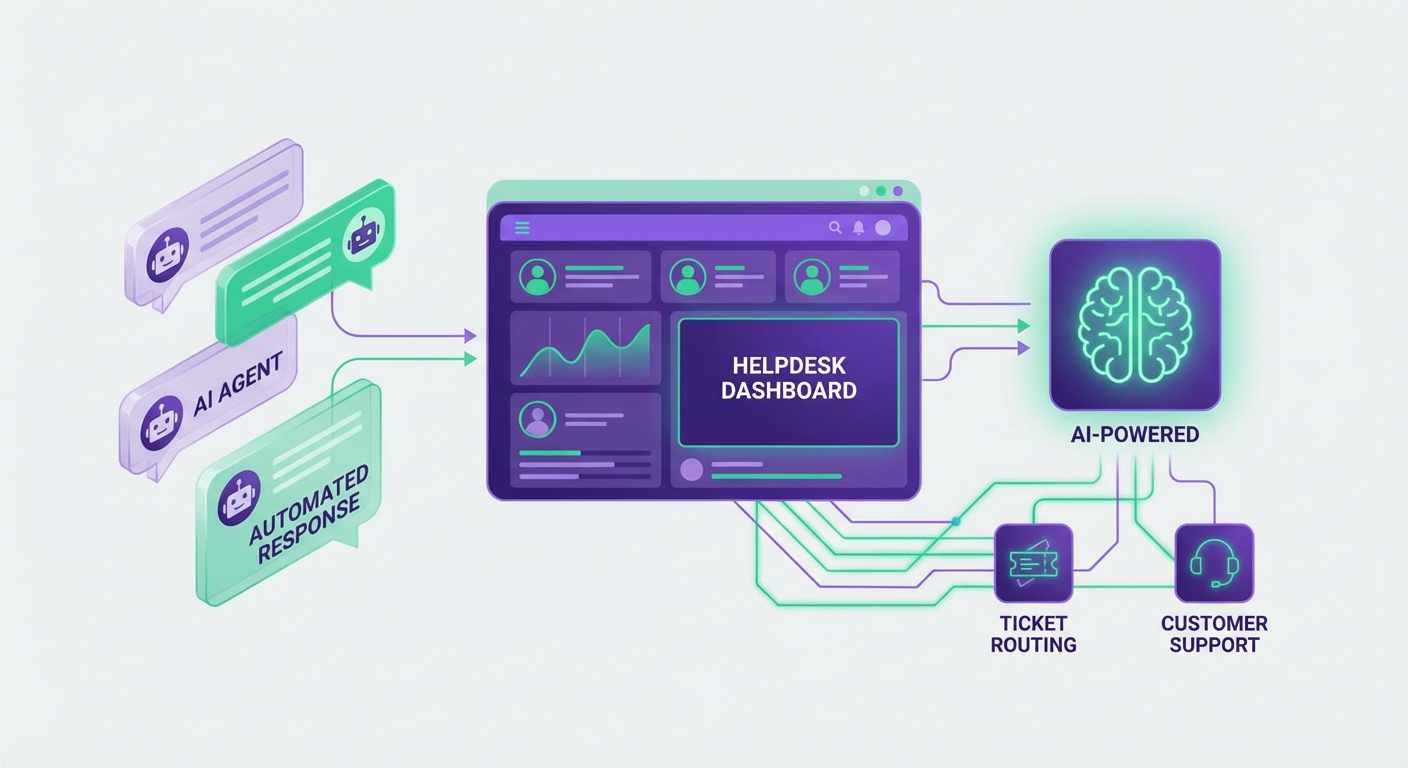
That week I set up a Zendesk Ticket Escalation to Slack agent on Cotera as a stopgap. Within two days it was catching the tickets that actually mattered and pinging our engineering channel before anyone had to manually scan the queue. The password resets and invoice questions? Those got auto-tagged and batched so a single rep could blast through fifty of them in twenty minutes with templated replies.
That experience sent me down a rabbit hole. I spent the next three months testing every AI customer support tool I could get a demo or trial for. Some of them are genuinely useful. A few are transformative. And a disturbing number are just chatbots with a marketing budget. Here's what I found.
| # | Tool | Best For | Pricing |
|---|---|---|---|
| 1 | Cotera | AI agent workflows for ticket routing & escalation | Free tier available |
| 2 | Zendesk | Full-stack enterprise helpdesk | From $55/agent/mo |
| 3 | Intercom | Conversational support + product tours | From $39/seat/mo |
| 4 | Freshdesk | Budget-friendly omnichannel support | Free plan available |
| 5 | Help Scout | Email-first support for small teams | From $50/user/mo |
| 6 | Tidio | Live chat + chatbot for e-commerce | Free plan available |
| 7 | Ada | Automated resolution at scale | Custom pricing |
| 8 | Forethought | AI triage and ticket classification | Custom pricing |
| 9 | Kustomer | CRM-powered support platform | From $89/user/mo |
| 10 | Gorgias | Shopify & e-commerce support | From $10/mo |
1. Cotera
Free tier available
- AI agents for ticket escalation, routing, and trend analysis
- Connects Zendesk, Intercom, and Linear out of the box
- Automated Slack alerts for urgent tickets with full context
- Support trend reporting piped to Google Sheets
- Custom agent builder for any support workflow
Most AI support tools bolt a chatbot onto your existing helpdesk and call it a day. Cotera does something different -- it sits on top of your support stack and runs actual workflows across tools. Instead of replacing your agents with a bot that frustrates customers, it makes your human agents faster by handling the connective tissue between systems.
The Zendesk Ticket Escalation to Slack agent is the one that sold me. It watches incoming Zendesk tickets, identifies ones that match your escalation criteria (severity, keywords, customer tier, whatever you configure), and fires a Slack message to the right channel with the ticket summary, customer history, and a direct link. Before this, our escalation process was "someone notices a scary-looking ticket and pings the team lead on Slack manually." That worked when we had 40 tickets a day. It completely fell apart at 200.
The Intercom to Slack Escalation Router does the same thing for Intercom conversations -- watches for chats that are going sideways (long wait times, negative sentiment, repeat contacts) and routes them to a human before the customer rage-quits. I've also been running the Support Ticket to Linear Bug agent, which is quietly one of the most useful automations I've set up anywhere. It watches for tickets that describe bugs, clusters related reports together, and creates a single Linear issue with all the relevant customer context attached. My engineering team went from getting five separate Slack messages about the same bug to getting one clean ticket with reproduction steps from real users.
For the data-minded folks, the Zendesk Support Trends to Google Sheets agent runs weekly and dumps ticket volume, category breakdowns, and resolution time trends into a spreadsheet. I used to spend Friday afternoons building these reports manually. Now they just appear.
The honest downside: Cotera is a workflow platform, not a helpdesk. You still need Zendesk or Intercom or whatever as your ticketing system. It doesn't answer customer emails for you. It doesn't have a knowledge base or a chat widget. What it does is make everything between your tools smarter -- and in practice, that's been more valuable than any chatbot I've tried.
2. Zendesk
From $55/agent/mo
- Omnichannel support across email, chat, phone, and social
- AI-powered ticket routing and suggested macros
- Extensive marketplace with 1,500+ integrations
- Advanced reporting and custom analytics dashboards
- Knowledge base with AI-suggested articles
Zendesk is the 800-pound gorilla of customer support software, and there's a reason for that. If you need a platform that handles email, chat, phone, social media, and in-app support from a single dashboard -- and you have the budget -- Zendesk does all of it competently. Their AI features have matured a lot over the past year. Automated ticket routing actually works now (it used to be laughably inaccurate), suggested macros save agents real time on repetitive responses, and the Answer Bot can deflect straightforward questions to knowledge base articles without making customers want to throw their laptop.
The integration marketplace is where Zendesk earns its premium. Fifteen hundred integrations means it plugs into basically anything your company already uses. Salesforce, Jira, Slack, Shopify -- all of it. When we were scaling our support operation, the ability to pipe Zendesk data into our analytics stack without building custom connectors saved us weeks of engineering time.
But here's the thing nobody at Zendesk will tell you. Their pricing has gotten genuinely aggressive. $55/agent/month is the starting point. By the time you add the features you actually want -- advanced AI, custom analytics, SLA management -- you're looking at $115/agent or more. For a ten-person support team, that's $13,800/year on the low end. The AI capabilities at the base tier feel like a teaser. You get a taste, then you hit the paywall. I've watched multiple startups adopt Zendesk early, love it, and then face a brutal decision when they need to add their sixth or seventh agent. Also, the admin interface is sprawling. I've been using Zendesk for years and I still get lost in the settings menu. New admins? Budget a solid week just for configuration.
3. Intercom
From $39/seat/mo
- AI chatbot (Fin) trained on your docs and past conversations
- Unified inbox for chat, email, and social messages
- Product tours and in-app messaging for onboarding
- Customer data platform with user segmentation
- Proactive support with targeted outreach
Intercom's big bet is Fin, their AI chatbot, and I'll give them credit -- it's the best first-party chatbot I've tested on any support platform. Fin trains on your help center articles, past conversations, and custom content, then handles incoming chats with responses that actually sound like your brand. During our trial, Fin resolved about 35% of conversations without human involvement. Not "deflected to a help article that the customer ignored." Actually resolved. Customer asked a question, Fin answered it correctly, customer said thanks and left.
The messenger experience is slick. It's the most polished chat widget in the market, and customers genuinely seem to prefer it over the clunky alternatives. The unified inbox is well-designed for teams -- you can see a customer's full history, product usage data, and previous conversations in one sidebar. Product tours and in-app messaging are a nice bonus if you need onboarding flows without building them yourself.
Where I got frustrated: pricing is confusing and it adds up quickly. The $39/seat/mo Essential plan is bare-bones. Fin costs extra on a per-resolution basis -- roughly $0.99 per AI resolution on top of your seat costs. That sounds cheap until your Fin handles 2,000 resolutions a month and suddenly you're paying $2K just for the chatbot. Also, Intercom works best for chat-first support teams. If your customers primarily email you, or if phone support matters, Intercom starts to feel like the wrong tool. Their email support capabilities exist but feel like an afterthought compared to the messenger.
4. Freshdesk
Free plan available (paid from $15/agent/mo)
- Free plan supports up to 2 agents with email and social ticketing
- AI-powered ticket classification and auto-responses (Freddy AI)
- Omnichannel support across email, phone, chat, and social
- Built-in knowledge base and community forums
- SLA management and automation workflows
When I tell early-stage founders they don't need Zendesk yet, Freshdesk is usually what I recommend instead. The free plan gives you email and social ticketing for up to two agents. That's not a trial -- it's genuinely free, forever. For a two-person startup handling 30 tickets a day, you can run a professional support operation without spending anything.
The paid tiers are reasonable too. $15/agent/month gets you automation rules, SLA tracking, and collision detection (so two agents don't accidentally reply to the same ticket). Their AI assistant, Freddy, does ticket classification and suggests canned responses. It's not as sophisticated as Zendesk's AI or Intercom's Fin, but it handles the basics: categorizing tickets by type, suggesting relevant help articles, and flagging priority issues. For most small teams, that's enough.
Freshdesk's actual weakness is the ceiling. Teams that grow past 15-20 agents start bumping into limitations -- reporting gets clunky, the admin controls lack granularity, and the integrations (while numerous) don't always work as smoothly as advertised. I talked to a support lead at a 200-person company who described their Freshdesk experience as "we loved it at 50 customers and outgrew it at 5,000." They migrated to Zendesk the following quarter. Still, for the price-to-value ratio in the sub-$500/month range? Nothing on this list beats Freshdesk.
5. Help Scout
From $50/user/mo
- Shared inbox that feels like regular email
- AI-generated reply drafts based on your knowledge base
- Docs knowledge base with built-in search
- Beacon widget for embedded help and chat
- Collision detection and internal notes for team collaboration
If your customers primarily reach you by email and you want your support tool to feel like Gmail instead of an enterprise control panel, Help Scout is your answer. The shared inbox approach is so intuitive that I've seen new agents start handling tickets within an hour of getting their login. No training videos. No certification course. It just looks like email, with smart features underneath.
The AI reply drafts are a recent addition and they're practical. Help Scout scans your Docs knowledge base and previous conversations, then generates a draft reply when an agent opens a ticket. The agent reviews, edits if needed, and sends. I'd estimate it cuts response time by 30-40% on common questions. Not because the AI writes perfect responses, but because starting from a 70% correct draft is dramatically faster than starting from a blank text box.
Help Scout's philosophy is deliberately opinionated. They don't try to do phone support. Their chat capabilities (via Beacon) are functional but basic compared to Intercom. There's no built-in call center, no social media channel management, no AI chatbot resolving conversations on its own. If you need any of those things, Help Scout will frustrate you. But for teams where email is king -- and honestly, for B2B SaaS companies, email is still king -- Help Scout is the cleanest, least bloated option available. The $50/user/month pricing stings a bit compared to Freshdesk, but you're paying for a product that respects your time by not burying useful features under seventeen levels of menus.
6. Tidio
Free plan available (paid from $29/mo)
- Live chat widget with AI-powered chatbot (Lyro)
- Visual chatbot builder with no-code automation
- Shopify, WooCommerce, and WordPress integrations
- Visitor tracking and real-time website analytics
- Canned responses and quick reply templates
Tidio lives in a very specific niche: small to mid-size e-commerce stores that want live chat and a chatbot without the complexity of Intercom or the cost of Zendesk. If you run a Shopify store, Tidio installs in about two minutes and immediately gives you a chat widget, a visual chatbot builder, and an AI assistant called Lyro that can answer product questions using your store data.
Lyro is the feature worth paying attention to. You feed it your FAQ page, product descriptions, and shipping policy, and it handles the "where's my order?" and "do you ship to Canada?" questions that eat up 60% of e-commerce support bandwidth. During a test on a friend's Shopify store, Lyro correctly handled about 50% of incoming chats during a weekend sale. The ones it couldn't handle got smoothly transferred to a human with full conversation context. No dropped threads, no confused customers repeating themselves.
The visual chatbot builder is drag-and-drop and genuinely easy to use. You can build multi-step flows for order tracking, returns, and product recommendations without writing any code. I built a return request flow in about fifteen minutes, and it worked the first time.
Where Tidio falls short: it's not a ticketing system. If you need email support, phone integration, SLA management, or anything beyond chat, you'll need to pair it with another tool. The analytics are thin. And once you get past about 1,000 conversations per month, the per-conversation pricing on the AI plans starts to add up. For high-volume support operations, the math doesn't work. But for a Shopify store doing $500K-$5M in revenue? Tidio is probably the best value on this list.
7. Ada
Custom pricing (enterprise-focused)
- AI agent that resolves conversations without human handoff
- Supports 50+ languages with automated translation
- Integrates with Zendesk, Salesforce, and major CRMs
- Conversation analytics with resolution tracking
- Custom training on your company data and policies
Ada is betting everything on one idea: AI should resolve support conversations, not just deflect them. And based on what I've seen, they're further along than most. Their AI agent doesn't just suggest articles or transfer to a human. It actually processes refunds, updates orders, changes account settings -- actions that normally require a human touching multiple systems.
During a demo, I watched Ada's agent handle a return request from start to finish. Customer typed "I want to return my order," the agent pulled up order details, confirmed the item was within the return window, generated a return label, and emailed it. The whole interaction took about ninety seconds. No human involvement at all. That's genuinely impressive. Ada claims their best customers see 70%+ automated resolution rates. Even if the real number is half that, it's still a massive reduction in ticket volume.
The multi-language support is another standout. Ada covers 50+ languages with automated translation that actually works, which matters if you're a global brand fielding support in Spanish, German, and Japanese without hiring native speakers for every language.
The catch: Ada is enterprise software with enterprise pricing. They don't publish prices, but based on conversations with two companies using it, expect $30K-$100K+ annually depending on volume and complexity. Implementation takes weeks, not hours. You need clean, structured data for the AI to train on -- if your knowledge base is a mess, Ada will give messy answers. And for anything genuinely complex or emotionally charged (billing disputes, cancellation saves), you still need humans. Ada handles volume. Humans handle nuance.
8. Forethought
Custom pricing
- AI-powered ticket classification and priority scoring
- Intent detection routes tickets to the right team instantly
- Knowledge base suggestions surfaced to agents in real-time
- Workflow automation for repetitive ticket types
- Integrates with Zendesk, Salesforce, and ServiceNow
Forethought focuses on the part of support that wastes the most human time: figuring out what a ticket is about and who should handle it. Their AI reads incoming tickets, classifies them by intent and urgency, and routes them to the right team or queue automatically. This sounds simple, but at scale it's the difference between a 15-minute first response and a 4-hour one.
I talked to a support manager at a mid-size SaaS company who deployed Forethought alongside their existing Zendesk setup. Before Forethought, manual triage ate up about 2.5 hours of a senior agent's day. After deployment, triage was automatic and the accuracy rate was north of 90%. Tickets about billing went to the billing team. Bug reports went to engineering support. Account questions went to the account management queue. The senior agent who used to triage all morning started handling complex escalations instead.
The knowledge base integration is well done. When an agent opens a ticket, Forethought surfaces relevant help articles and past resolutions in a sidebar panel. Not game-changing, but it shaves 30-60 seconds off each response, which compounds over hundreds of tickets.
My concern with Forethought is scope. It's a layer on top of your existing helpdesk, not a replacement. You need Zendesk or Salesforce Service Cloud or ServiceNow underneath. If those platforms already have AI features you're paying for, Forethought overlaps with some of them. The value case is strongest for teams handling 500+ tickets per day where triage accuracy directly impacts SLAs. Below that volume, the ROI gets harder to justify against the custom pricing.
9. Kustomer
From $89/user/mo
- Timeline view shows full customer journey in one screen
- Omnichannel inbox for email, chat, social, and SMS
- AI-powered classification and sentiment analysis
- Built-in CRM with customer data from connected systems
- Workflow automation with conditional routing
Kustomer's differentiator is the timeline. Instead of showing agents a list of tickets, it shows a chronological timeline of every interaction a customer has ever had -- support conversations, purchases, returns, emails, chat sessions, social messages. Everything in one scrollable view. This sounds like a small UX decision, but in practice it transforms how agents handle conversations. Instead of asking "can you give me your order number?" and then clicking between three tabs to find context, the agent already sees everything. I watched a demo where the agent resolved a complex billing question in under two minutes because the customer's purchase history, previous tickets, and account status were all right there.
The CRM integration is native, not bolted on. Kustomer connects to Shopify, Magento, and other e-commerce platforms, pulling in order data, shipping status, and customer attributes automatically. For D2C brands, this means the support agent knows what the customer bought, when it shipped, and what their lifetime value is before typing a single word.
The AI capabilities are solid if not exceptional. Classification, routing, and sentiment detection work about as well as Zendesk's equivalent features. The chatbot (powered by their AI engine) can handle simple queries and hand off gracefully when it's stuck.
The downside is cost and competition. At $89/user/month, Kustomer sits in an awkward middle ground -- more expensive than Freshdesk by a wide margin but without Zendesk's massive integration ecosystem. Meta acquired and then divested Kustomer, which left some uncertainty about the platform's long-term roadmap. If the timeline-centric approach clicks with your team and you're running a D2C brand on Shopify, Kustomer is worth a serious look. Otherwise, Zendesk or Freshdesk will probably serve you just as well for less.
10. Gorgias
From $10/mo (usage-based)
- Built specifically for e-commerce support on Shopify and BigCommerce
- One-click order management: refunds, cancellations, edits from the helpdesk
- AI-powered auto-responses for common order questions
- Revenue tracking ties support conversations to sales
- Macros with dynamic variables pull in order and customer data
If you run a Shopify store and your support volume is primarily "where's my order," "I want a refund," and "this arrived damaged," Gorgias was built for you. Literally. It's the only tool on this list designed from the ground up for e-commerce support. Agents can issue refunds, cancel orders, and edit shipping addresses directly from the helpdesk without opening Shopify in another tab. That workflow integration alone saves agents five to ten clicks per ticket. Multiply that across hundreds of daily tickets and you're recovering hours of productivity.
The revenue tracking feature connects support interactions to actual sales. You can see which support conversations led to additional purchases, which makes it dramatically easier to justify support headcount to leadership. "Our support team generated $47K in additional revenue this month" is a very different conversation than "we answered 3,200 tickets."
Gorgias moved to usage-based pricing recently, starting at $10/month for 50 tickets. That's great for low-volume stores and painful for high-volume ones. A store handling 2,000 tickets per month will pay around $300-$400/month depending on the plan. Still cheaper than Zendesk for a comparable feature set in e-commerce, but the scaling cost surprised a few merchants I talked to.
The AI auto-responses work well for repetitive order questions. Gorgias trains on your macros and past responses, then drafts replies for incoming tickets. Agents review and send. The accuracy on order-status questions is high because Gorgias pulls live Shopify data -- it knows exactly where the package is.
Where Gorgias doesn't work: non-e-commerce companies. The entire platform assumes you're selling physical products through Shopify or BigCommerce. SaaS companies, service businesses, or anyone without an e-commerce backend will find the product confusing. This is by design. Gorgias chose a lane and they dominate it.
How to Choose
I've been asked this enough times that I can usually narrow it down with three questions.
What's your primary support channel? If it's email, look at Help Scout or Zendesk. If it's chat, Intercom or Tidio. If it's a Shopify store, Gorgias. The tool should match how your customers actually reach you, not how you wish they would.
What's your ticket volume? Under 100/day, most tools on this list will work fine. Over 500/day, you need automated triage and routing -- that's where Forethought, Ada, or Zendesk's advanced AI features earn their premium. In between, Freshdesk or Cotera's escalation agents give you the best cost-to-value ratio.
Do you need a helpdesk or a workflow layer? If you're starting from scratch and need ticketing, knowledge base, and chat in one package, buy a helpdesk (Zendesk, Freshdesk, Intercom). If you already have a helpdesk and want to make it smarter without ripping it out, Cotera's AI agents sit on top and automate the stuff between tools -- escalation routing, bug aggregation, trend reporting.
One pattern I keep seeing: teams buy the fanciest tool they can afford, configure 20% of it, and use it like a basic inbox anyway. A fully configured Freshdesk will outperform a half-configured Zendesk every single time. Pick the tool your team will actually use to its full potential, not the one with the most impressive feature list.
Try These Agents
- Zendesk Ticket Escalation to Slack -- Route urgent Zendesk tickets to the right Slack channel with full context
- Intercom to Slack Escalation Router -- Catch Intercom conversations going sideways and alert your team
- Support Ticket to Linear Bug -- Cluster bug reports from support tickets into clean Linear issues
- Zendesk Support Trends to Google Sheets -- Automated weekly support metrics piped into a spreadsheet