
Best AI Tools for Product Management in 2026
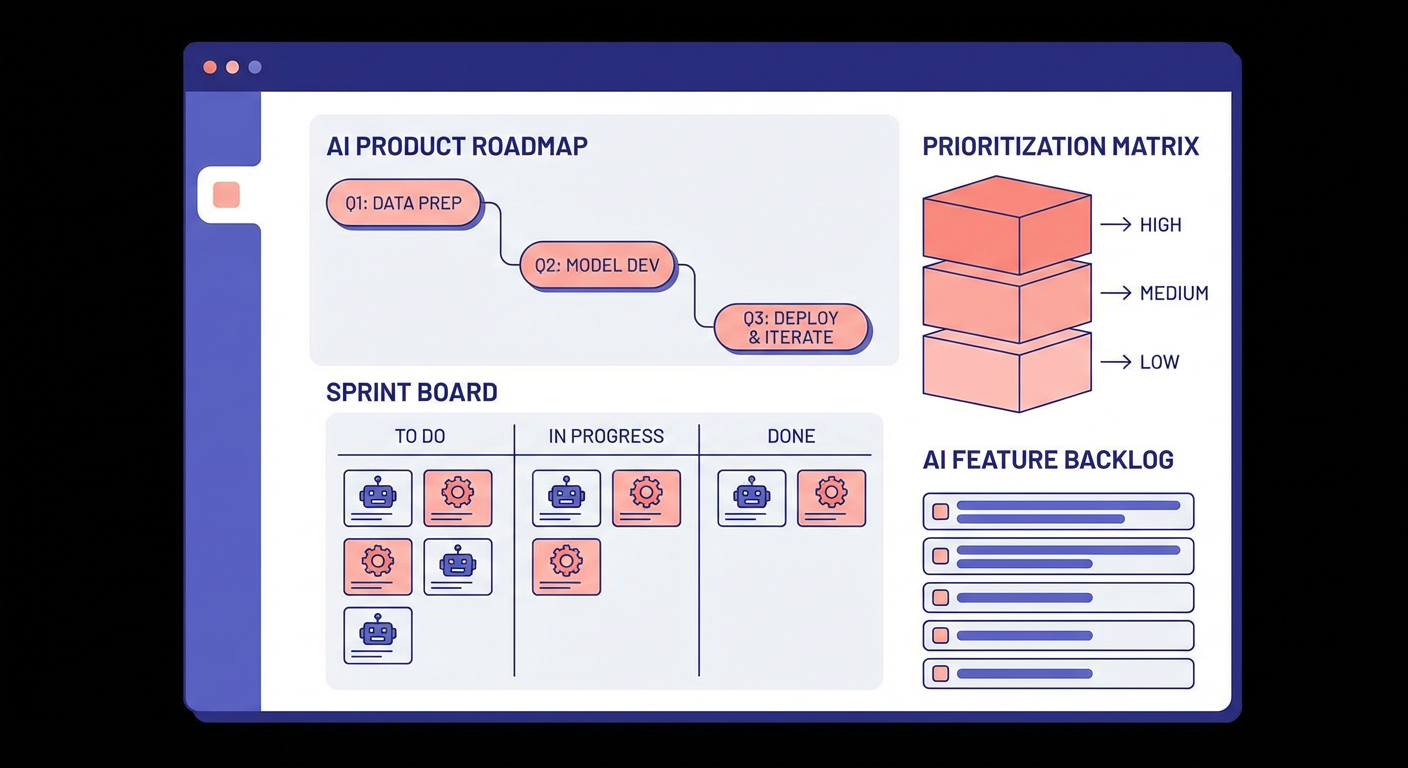
I timed myself doing backlog grooming last quarter. One hundred forty-seven tickets, most of them untouched for half a year. Stale feature requests, vague bug reports with no repro steps, outright duplicates nobody had caught. The whole thing took me a Friday afternoon — closing dead tickets, merging the duplicates, figuring out what was still worth keeping. Then Monday rolls around and there are 12 fresh tickets waiting. Felt like cleaning a house that gets trashed every weekend. That's when I gave up on doing it manually and pointed the Jira Backlog Grooming Agent at our board. It killed 38 stale tickets and spotted 9 duplicates in maybe four minutes. Haven't done a manual groom since.
Backlog grooming is one corner of PM life, though. Sprint reports, roadmap arguments, funnel analysis, the weekly stakeholder update nobody wants to write. The AI tools for product management that I actually find useful split into two groups: ones that handle the operational busywork so you don't have to, and ones that help you figure out what to build. Different problems, different tools.
Here's every tool I looked at, ranked.
| # | Tool | Best For | Pricing |
|---|---|---|---|
| 1 | Cotera | AI agents for PM workflow automation | Free tier available |
| 2 | Productboard | Customer feedback prioritization | From $19/maker/mo |
| 3 | Aha! | Roadmap planning and strategy | From $59/user/mo |
| 4 | Linear | Fast issue tracking for dev teams | Free tier, paid from $8/user/mo |
| 5 | Jira (with AI) | Enterprise project management | Free tier, paid from $7.75/user/mo |
| 6 | Notion AI | Docs, specs, and knowledge bases | Add-on at $10/user/mo |
| 7 | Asana | Cross-functional project tracking | Free tier, paid from $10.99/user/mo |
| 8 | Monday.com | Visual workflow management | From $9/seat/mo |
| 9 | Shortcut | Lightweight dev-focused PM | Free tier, paid from $8.50/user/mo |
| 10 | Fibery | Connected work management | Free tier, paid from $10/user/mo |
1. Cotera
Free tier available
- AI agents that read and write to Jira, Linear, and PostHog
- Automated backlog grooming and duplicate detection
- Sprint status reports generated on demand
- Funnel analysis pulled directly from PostHog data
- Custom agent builder with no code required
Cotera is an agent platform. It's not trying to replace Jira or Linear. You keep whatever PM tool you already have; Cotera plugs in on top and automates the bits that feel like homework. Grooming stale tickets. Writing the Monday morning sprint update. Pulling funnel numbers out of PostHog before a stakeholder meeting.
I run the Jira Sprint Status Reporter every week. It grabs every ticket in the active sprint, checks status, calls out anything stuck in progress for more than five days, and spits out a summary I can drop into Slack. That used to cost me 30 minutes of clicking around and writing bullet points by hand. The PostHog Funnel Tracking Agent is the other one I use a lot — instead of me logging into PostHog and screenshotting drop-off charts for a deck, the agent pulls the numbers and writes up what's happening in plain language.
The difference between Cotera and something like Productboard or Aha! is simple. Those tools want you to work inside them. Cotera doesn't. It just makes the tools you already pay for do more on their own. And the free tier isn't a demo — I've been running everything I described above on it without paying a cent.
2. Productboard
From $19/maker/mo
- Centralized customer feedback collection
- AI-driven feature prioritization scoring
- Roadmap views synced to customer demand
- Integrations with Jira, Slack, Intercom, and Zendesk
Productboard's whole pitch is: stop building what the loudest exec wants and start building what customers actually ask for. You funnel in feedback from support tickets, Slack threads, sales call notes, NPS responses. The AI clusters that feedback and ties it to feature candidates on your roadmap. Then you can see, for any given feature idea, exactly how many paying customers mentioned it and what ARR they represent.
The scoring engine is the reason PMs pay for it. You pick your own criteria — how much revenue is behind this request, how many users it touches, how much engineering effort it takes — and Productboard calculates a weighted rank for everything on the roadmap. When someone in a planning meeting says "but I feel like we should build X," you've got numbers.
Here's the catch. Productboard is only as good as the feedback you put in. If half your support team forgets to tag incoming tickets or your sales reps don't log call notes, the scoring is based on partial data and you'll make the wrong calls. Getting everything wired up — Intercom, Zendesk, Slack, the whole pipeline — takes a few weeks of real work. Once it's humming, it's great. But small teams with a 30-item backlog probably don't need this.
3. Aha!
From $59/user/mo
- Full-featured roadmap and strategy planning
- AI-generated status reports and summaries
- Capacity planning tied to development cycles
- Whiteboard and notebook tools for ideation
Aha! is the tool for PMs who think in terms of company strategy, not just sprint backlogs. You set goals at the top, tie initiatives to those goals, break initiatives into features, assign features to releases. The AI stuff they added recently handles the boring parts — auto-generating status reports from roadmap data, summarizing piles of feature requests, drafting release notes.
What I actually respect about Aha! is the traceability. Your CEO walks into a meeting and asks, "why are we spending three sprints on this?" You can click backward from the feature to the initiative to the company goal. Three clicks, question answered. Most PM tools don't even try to connect daily work to long-term strategy like that.
But $59/user/mo is steep. A product team of ten people pays $7,080/year for Aha! alone. There's also a learning curve that's real — the tool has so many modules and configuration options that a new user will spend their first week just figuring out where things live. If you're a five-person startup that wants to track some features and ship fast, Aha! will feel like driving a school bus to pick up groceries.
4. Linear
Free tier, paid from $8/user/mo
- Keyboard-first interface built for developers
- AI-powered issue triage and auto-labeling
- Cycle-based project management
- Built-in project updates and status tracking
Linear is absurdly fast. Everything about the UI feels instant — keyboard shortcuts for everything, creating a new issue takes two seconds, searching across projects is snappy even with thousands of tickets. The AI triage auto-labels incoming issues, assigns them to the right team, and sets priority based on your project config. Not a replacement for a PM making real prioritization calls, but it kills the morning ritual of sorting through 30 new issues by hand.
Their cycle system is basically sprints but less annoying. You set a cadence, unfinished work rolls over, and the cycle report gives you a clear picture of what actually shipped. I like that project updates are built in — you write a status post attached to the project, and anyone who cares can see progress without DM-ing you.
Linear is opinionated on purpose. If you need eight custom statuses and three approval gates, this isn't the tool. The free plan caps at 250 issues per workspace, which is plenty for a small team but won't work for a 50-person engineering org. If you're building software, your team likes keyboard shortcuts, and you want speed over configurability, Linear is hard to argue with.
5. Jira (with Atlassian Intelligence)
Free tier, paid from $7.75/user/mo
- AI-powered ticket summarization and creation
- Natural language search across projects
- Automated sprint planning suggestions
- Connects with Confluence, Bitbucket, and the full Atlassian suite
You probably already use Jira. Most software teams do. Atlassian has spent two years bolting AI onto it, and some of those additions actually land. The natural language search is the one I'd miss most. Instead of writing JQL — a query language nobody enjoys — you type "bugs on the backend team not updated in two weeks" and it works. That alone saves time if you live in Jira all day.
Atlassian Intelligence also summarizes issue threads. If you've ever opened a Jira ticket with 40 comments and tried to figure out what happened, you know why this matters. The AI condenses the thread into a paragraph. Sprint planning suggestions are newer — the AI looks at your team's velocity and recommends what to pull into the next sprint. Useful starting point, though I always adjust it.
Nobody picks Jira because it's pleasant. You pick it because your company already has it, or because you need the 3,000+ integration marketplace, or because your enterprise compliance requirements rule out everything else. AI makes the daily experience a bit less painful, but Jira is still Jira — layers of custom fields, slow page loads, workflows nobody remembers configuring. If you're starting fresh, look at Linear or Shortcut. If you're already locked in, the AI upgrades are worth turning on.
6. Notion AI
Add-on at $10/user/mo
- AI writing and editing inside your workspace
- Autofill database properties from page content
- Q&A across your entire Notion workspace
- Meeting notes, PRDs, and spec generation
Every PM I know has a Notion workspace full of specs, meeting notes, and decision logs. The AI add-on does what you'd expect: draft a PRD from some bullet points, summarize a meeting transcript, autofill database fields by reading the page body. The workspace-wide Q&A is quietly the most useful feature. "What did we decide about the pricing tier change in January?" and it finds the answer across hundreds of pages.
Autofill is a nice time saver. If you keep feature specs in a Notion database with status, priority, and owner columns, the AI reads the page content and fills those fields in. Not perfect, but it beats doing it manually for every new spec.
At $10/user/mo on top of your existing Notion bill, a ten-person team adds $1,200/year for this. Notion AI is good at words — drafting, editing, summarizing. It cannot tell you whether a feature is worth building. Writing a PRD outline? Sure. Deciding if the PRD describes something customers want? That's a different kind of tool. PMs who use Notion for documentation will like this. PMs looking for analytical horsepower will not find it here.
7. Asana
Free tier, paid from $10.99/user/mo
- AI-powered status updates and progress summaries
- Smart rules for task automation
- Portfolio views across multiple projects
- Goals tracking linked to project milestones
Asana is the pick when "product management" really means "coordinating five teams that all need to ship something together." Marketing launch plans, design reviews, research projects, go-to-market timelines. The AI generates status updates by reading task completion data, flags projects at risk of slipping, and recommends who should own unassigned work based on team workload.
Product leaders tend to like the portfolio view. All your projects on one screen, each with a progress bar and a color-coded status. When your VP asks for a weekly update, Asana writes it from the project data. I've seen product ops folks save an hour a week just by turning that feature on.
If you're a PM whose day revolves around the sprint board and code reviews, Asana will feel off. There's no built-in sprint management. The task model is designed for general work, not software specifically. Asana is at its best when the PM role is more "program manager" than "backlog owner." Cross-functional coordination? Great. Deep engineering workflow? Look at Linear or Jira.
8. Monday.com
From $9/seat/mo
- AI formula builder and task generation
- Highly customizable board layouts
- Automations for recurring PM workflows
- Dashboards with real-time project metrics
Monday.com gives you more layout options than any other tool here. Kanban, Gantt, timeline, calendar, table — you choose, and you can switch between them on the same board. The AI generates tasks when you describe a project ("launch a new feature with beta testing"), writes formulas for calculated columns, and suggests automations after watching how you work.
The automation builder is the real draw. Set a rule: when a task hits "In Review," ping the design lead and auto-create a QA ticket. That's not generative AI, it's workflow automation, but it shaves off hours of manual coordination every week. The AI formula builder actually earns its keep if you track custom metrics across boards — I used it to build a burndown formula I'd been struggling with in spreadsheets.
Monday tries to be the tool for every department, and it shows. Product management works fine on it, but the experience feels generic. Productboard has deeper prioritization. Linear has a faster engineering workflow. Monday gives you breadth at the cost of depth. If your company uses Monday for everything from HR to marketing and you want product in the same place, it works. If you want a tool that thinks like a PM, you'll feel like you're wearing a suit that almost fits.
9. Shortcut
Free tier, paid from $8.50/user/mo
- Clean interface with stories, epics, and milestones
- AI-generated story descriptions and acceptance criteria
- Built-in iteration planning with velocity tracking
- Tight GitHub and GitLab integrations
Shortcut used to be called Clubhouse (before that other Clubhouse happened). It sits in the gap between Linear's minimalism and Jira's everything-and-the-kitchen-sink approach. Stories, epics, milestones, iterations — standard PM concepts, but the interface doesn't make you want to close your laptop. The AI auto-generates story descriptions from a title and suggests acceptance criteria, which is a small thing that saves real time when you're writing 15 tickets in a row.
Velocity tracking and burndown charts are well done here. Shortcut records story points per iteration and gives you clean charts without the configuration overhead of Jira. Useful for PMs who want data on team throughput without building a custom dashboard.
The weak spot is integrations. Shortcut connects to GitHub, GitLab, Slack, and maybe a dozen other services. If your stack is standard, fine. If you need a specific Figma plugin or a Salesforce sync, check the list before committing. Shortcut works best for engineering teams between five and fifty people who want sprint planning that doesn't require a two-week setup project.
10. Fibery
Free tier, paid from $10/user/mo
- Fully customizable work management platform
- AI assistant for writing and data analysis
- Bi-directional linking between any entity types
- Feedback management with clustering and prioritization
Fibery lets you build whatever workspace you want from scratch. Customer feedback linked to feature specs linked to sprints linked to company goals — all bidirectional, all queryable. The AI assistant handles writing (specs, updates, summaries) and can run analyses across your data, like showing which features have the most customer requests behind them.
Feedback collection competes directly with Productboard. Pull requests from Intercom, Zendesk, or a CSV dump, and Fibery's AI clusters similar ones together. Link those clusters to your roadmap features and you get prioritization based on actual demand. Less polished than Productboard's interface, but way more flexible.
The flexibility is also the problem. Setting up a Fibery workspace takes real thought. There's no "click here to get product management" template that just works out of the box. You're designing your own data model. I know PMs who spent a week getting Fibery configured and now swear by it. I also know PMs who gave up on day two. If you like building systems, you'll love it. If you want to start managing work on day one, try something else.
How to Choose
It depends on where your workflow falls apart.
Backlogs piling up with nobody grooming them? Cotera agents handle that on autopilot. Linear's AI triage catches incoming issues too, but it's labeling, not grooming.
Prioritizing without data and losing arguments? Productboard. Or Fibery if you want more control and don't mind a longer setup.
Need a roadmap that traces all the way up to company strategy? Aha! does this better than anyone, but you pay for it — $59/user/mo and a real learning curve.
Small engineering team that wants to move fast? Linear for speed. Shortcut for a bit more structure. Both have free tiers worth trying.
Coordinating launches across engineering, marketing, and design? That's Asana or Monday.com territory.
And if what you really want is an AI layer that sits on top of whatever PM tools you already use, that's Cotera. It plugs into Jira, Linear, PostHog and handles the grunt work — grooming, status reports, funnel analysis — so you can spend your time on decisions that need a human.
Two tools is the right number for most teams. One for tracking work. One for automating the work about the work.
Try These Agents
- Jira Backlog Grooming Agent — Automatically close stale tickets, merge duplicates, and re-prioritize your backlog
- Linear Backlog Grooming Agent — Same grooming automation for teams using Linear instead of Jira
- Jira Sprint Status Reporter — Generate weekly sprint summaries with progress, blockers, and risk flags
- PostHog Funnel Tracking Agent — Pull funnel drop-off data from PostHog and summarize it in plain English