
How to Automate Prospect Research Without Cutting Corners
I used to be religious about prospect research. Before every call, I'd spend 15-20 minutes on LinkedIn, scan their company's newsroom, check Crunchbase for funding history, read their most recent G2 reviews, and look at open job postings to figure out what they were building. My close rate on those well-researched calls was roughly 3x my team average.
Then I got promoted to running the team and stopped doing research because I didn't have time anymore. My reps watched me skip the research and assumed it didn't matter. Six months later, our pipeline quality had dropped noticeably and I couldn't figure out why until one of our SDRs admitted he hadn't researched a prospect in weeks. "You don't do it either," he said. Fair point.
The problem with prospect research was never that it doesn't work. The problem is that it takes 15-20 minutes per prospect and nobody has that kind of time when you're working 50+ contacts per week. So people skip it, or they do a 30-second LinkedIn skim and call it "research."
Automating prospect research fixes the time problem without sacrificing the depth.
What Good Prospect Research Looks Like
Before I talk about automating it, let me define what "good" means. Because most reps think research is checking someone's LinkedIn headline.
Good prospect research boils down to knowing a few things. What does their company do and where are they in their journey? What happened there recently — did they raise money, hire a bunch, lose their CTO? Who is the person you're reaching out to and what's on their mind lately? And most importantly: why on earth would they want to talk to you this week?
That last one is where reps fall down. "We sell CRM software and they have a sales team" doesn't count as a reason. You know what does? "They hired three SDRs last month, their VP of Sales posted about pipeline quality problems on LinkedIn, and they're still running Pipedrive." That's a reason. That's an email opener that gets responses.
When you've done the homework, writing the outreach is the easy part. When you haven't, you end up sending "I'd love to learn more about your challenges" into the void and wondering why the void doesn't reply.
The Manual Research Problem
Let me do some quick math. Fifty prospects a week, fifteen minutes of research each. That's twelve and a half hours. More than a day and a half of your week, gone, before you've sent a single email or picked up the phone.
Nobody actually puts in those twelve and a half hours. Here's what really happens. Monday morning, your SDR is caffeinated and motivated. First ten prospects get thorough research, personalized emails, careful outreach. By Wednesday afternoon the energy is gone. Prospect 30 gets a LinkedIn headline glance and a merge-tag template. Friday? Pure copy-paste mode.
Monday's prospects get a 6% reply rate. Friday's prospects get 0.8%. Same rep, same product, same market. The only difference is how much homework got done.
This is the quality decay curve. Research quality drops linearly as the week goes on because humans get tired, bored, and pressured by other tasks. Automation doesn't have that problem. Prospect number 50 gets the same depth as prospect number 1.
Automating the Five Questions
Every piece of research maps to data that an agent can pull on its own.
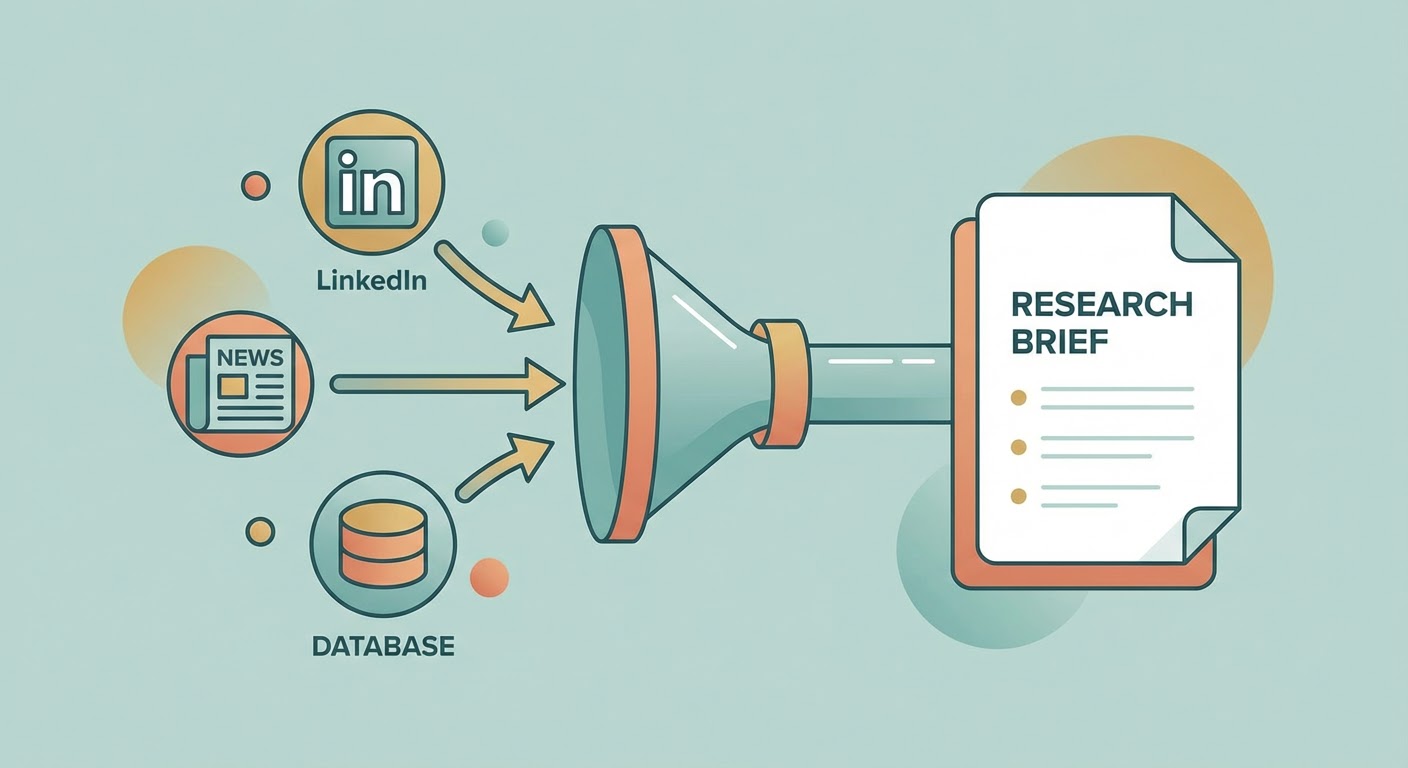
Company context comes from Crunchbase, their website, and G2 reviews. Three tabs of work collapsed into one paragraph. For recent changes, you need news APIs, LinkedIn hiring activity, and job boards. The agent scans all of those and flags what happened in the last 30 days. This is the step reps skip most because manually checking four sources for every single prospect is soul-crushing.
Person-level intel comes from LinkedIn profiles, Twitter, and any public talks or writing. What has this person been saying lately? What do they seem frustrated about? When you can open an email with "Saw your post about outbound being broken — here's what we did about the same problem" instead of "I noticed you're a VP of Sales," the response rate difference is night and day.
Competitive context means checking G2 for how their customers compare them to alternatives, scanning news for competitor moves, and reading how they position themselves. Knowing what a prospect worries about competitively gives you an angle that generic pitches can't match.
And then there's the synthesis — the "why now" question. The agent connects dots across all of these sources. New VP of Sales means the stack is getting evaluated. Three SDR job postings mean they're scaling outbound. They're still on Pipedrive, which doesn't scale well past 20 reps. Put those together and you have a timing signal. A rep could spot that pattern too, but only if they actually did all four research steps first. Most don't.
Building the Research System
The system is simpler than you'd think.
Step 1: Feed it your prospect list. Whether that's from Apollo, a CSV, or your CRM pipeline. The agent needs names, companies, and ideally email addresses and LinkedIn URLs.
Step 2: The agent runs the five-question research. For each prospect, it pulls from the relevant data sources, synthesizes the information, and outputs a research brief. Two to three paragraphs per prospect. Enough context to write a personalized email or prep for a call. Not a 10-page report nobody reads.
Step 3: Review and act. The rep reads the brief (90 seconds), decides whether to reach out and what angle to use, and writes the message. The research did the homework. The human does the judgment and the writing.
Your rep spends maybe 2 minutes per prospect (reading the brief, deciding the angle) instead of 15-20. Over a week of 50 prospects, that's roughly 1.5 hours total instead of 12.5. You just gave your rep back two full working days.
Why Use an Agent for This
The pre-meeting research problem was the first thing we automated, and it had the most immediate impact of anything we've done on the AI side.
The pre-meeting research agent generates a Notion doc before every meeting with company context, stakeholder backgrounds, recent news, and competitive intel. Our reps get a Slack notification 30 minutes before the call with a link to the brief. First meetings improved immediately because reps actually knew something going in.
For prospecting at scale, the AI sales prospecting agent runs the full research workflow across your target list. Not one prospect at a time — the whole batch. Each contact gets the five-question treatment automatically.
The company growth analyzer goes specifically deep on the "what changed" question. Hiring velocity, headcount growth, funding trajectory, market expansion signals. This is the research that surfaces timing triggers — the stuff that tells you when a company is likely in buying mode versus just existing quietly.
Our SDRs told me the biggest change wasn't saving time (though they saved a lot of it). The biggest change was confidence. Walking into a call having actually read a brief about the company makes you sound like you care. Because you do care — you just didn't have time before.
Research First, Everything Else Second
If you automate one thing in your sales workflow, make it prospect research. Not email sequencing. Not CRM data entry. Research. Because good research makes everything downstream better. Your emails are more relevant, your calls are more informed, your targeting improves because you start noticing which types of prospects convert and why. Automation just makes it possible to do research at volume without sacrificing quality.
Try These Agents
- Pre-Meeting Research to Notion — Automated research briefs delivered to Notion before every meeting
- AI Sales Prospecting — Batch prospect research across your entire target list
- Company Growth Analyzer — Analyze hiring, funding, and growth signals for timing triggers
- Apollo Lead Research — Deep individual prospect research using Apollo data