
Sales Prospecting Tools That Actually Do the Work
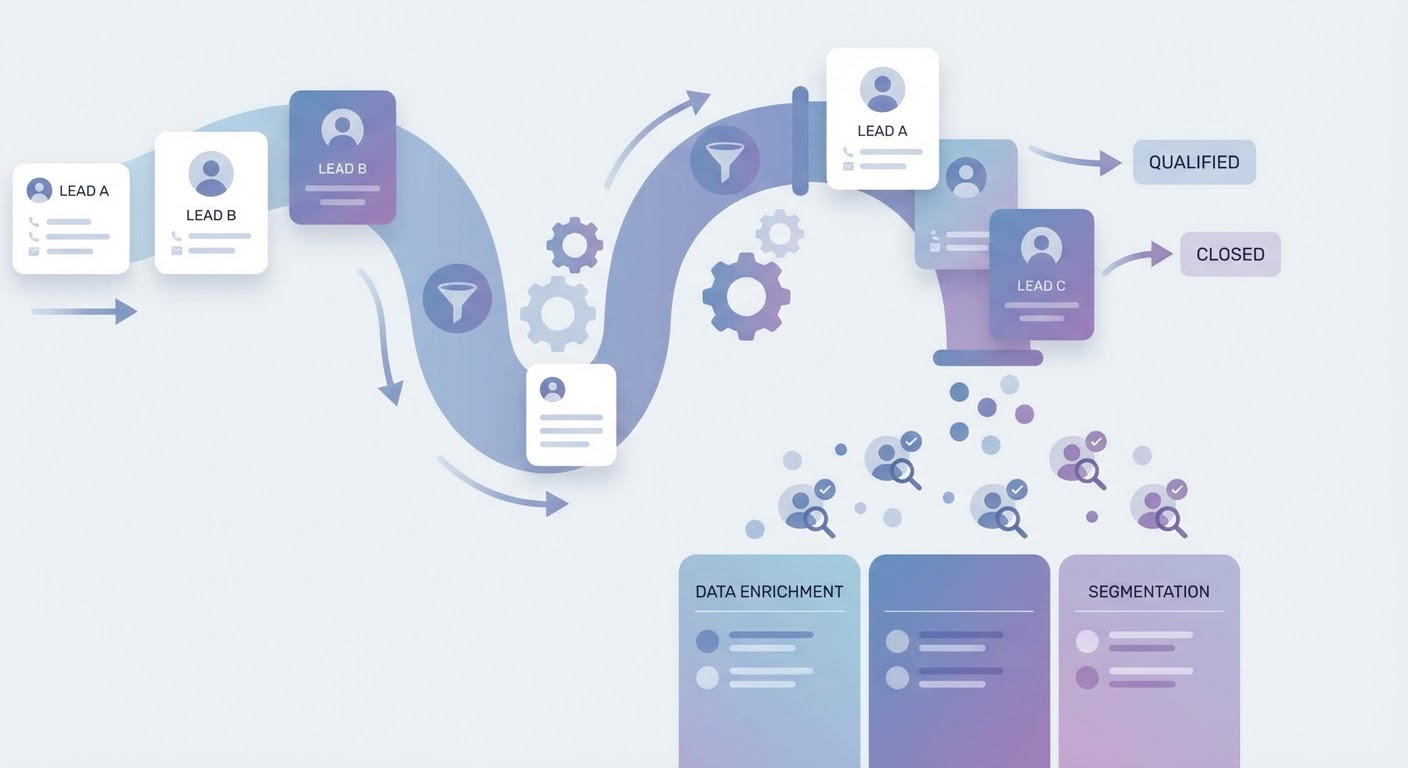
I counted the tabs once. Seventeen. Apollo for contacts, LinkedIn for research, HubSpot for CRM entry, Google Sheets for tracking, Clearbit for enrichment, our email tool for sequences, and about eleven supporting tabs I couldn't even name anymore. This was my prospecting "stack." It was also why I got nothing done before lunch.
The sales prospecting tools conversation has gotten weird. Everyone has a list of twelve tools with feature matrices and G2 ratings, and reading it tells you absolutely nothing about whether you'll actually book more meetings. Because the tool isn't the problem. The workflow is the problem. You're using seven tools to do what should happen in one pass.
So here's what I've learned after watching dozens of sales teams (including my own) blow money on software they barely use: the best sales prospecting tools are the ones that eliminate steps, not add them.
The Stack Problem Nobody Admits
Here's what a typical B2B prospecting workflow looks like in 2026:
- Search Apollo or ZoomInfo for companies matching your ICP
- Export to a spreadsheet
- Go to LinkedIn and verify each person still works there
- Copy their email back into your sheet
- Open Clearbit or a similar tool to pull company data
- Paste enrichment data into your CRM
- Check the CRM for duplicates
- Create contacts and deals
- Build a sequence in your outreach tool
- Write personalization for each prospect (or skip it, be honest)
That's ten steps. Most reps do steps 3 through 8 manually. Every single day. And they wonder why they only make four calls before 2 PM.
The issue with buying "sales prospecting tools" individually is that each tool handles one step. Apollo does search. Clearbit does enrichment. HubSpot stores the data. Instantly sends the emails. They don't talk to each other without duct tape (Zapier, Clay, or a really long afternoon). So you end up managing the integration instead of managing your pipeline.
What to Actually Look For
I've stopped evaluating sales prospecting tools by features. Features are a trap. Every tool has "AI-powered" something now. The question is simpler: how many steps does this tool remove from my workflow?
The tools worth paying for in 2026 do at least three things in one action:
- Search for companies AND pull contacts AND verify emails. One search, not three.
- Enrich contacts AND check for CRM duplicates AND create records. One push, not three.
- Research a prospect AND surface timing signals AND generate a brief. One click, not six tabs.
If a tool only does one thing, it better do that thing so well that it's worth the tab. Most don't clear that bar.
The other thing I look for is whether the tool can handle context. Old-school prospecting tools give you firmographic filters. Company size, industry, location. That's table stakes. The tools that actually move the needle let you search on behavioral and situational signals. Did they just raise funding? Are they hiring for a role your product replaces? Did their CEO just post about a pain point you solve?
Those signals are what separate "matches your ICP" from "might actually respond to a cold email."
B2B Prospecting Tools: The Honest Breakdown
I'm not going to rank fifteen tools with star ratings. That's what G2 is for. Instead, here's how I think about the categories and what matters in each.
Data providers (Apollo, ZoomInfo, Cognism): They all have roughly the same data. Seriously. The differentiation is in coverage for your specific market and how painful the contract is. If you're selling to North American mid-market SaaS, they're all fine. If you're selling to European manufacturing companies, test each one with your actual target list before you sign anything.
Enrichment layers (Clearbit, Clay, Builtwith): Useful if your CRM data is thin. Less useful if you already have Apollo because Apollo does enrichment too. The real question is whether you need enrichment that goes beyond firmographics. Things like tech stack detection, hiring velocity, or recent funding. If yes, you need a proper enrichment layer. If you just need company size and industry, save your money.
Outreach platforms (Instantly, Smartlead, Lemlist): These matter less than people think. The email deliverability and warmup features are basically identical across all of them at this point. Pick whichever one your team already knows. Switching outreach platforms to improve reply rates is like buying new running shoes to run faster. It's not the shoes.
The everything-in-one approach (AI agents): This is where things get interesting. Instead of stitching five tools together, you describe what you want and an agent chains the steps. Search, enrich, verify, deduplicate, push to CRM. It's the prospecting workflow collapsed into one action.
Where AI Prospecting Tools Actually Help
I want to be careful here because "AI prospecting tools" has become one of those phrases that means everything and nothing. Half the tools slapping "AI" on their landing page just added a GPT wrapper to write email templates. That's not what I'm talking about.
The AI prospecting tools that actually change the math do research synthesis. They pull data from five sources, connect the dots, and hand you a brief that tells you something you didn't know. Not "this company has 200 employees and is in fintech." You already knew that. More like "this company posted three engineering jobs last week, their VP of Sales has been there four months, and they just appeared on a Gartner shortlist for the first time."
That second thing is what makes a rep pick up the phone with confidence. It took 45 minutes per prospect when we did it by hand. Now it happens automatically for every single prospect in the pipeline. Same depth, no burnout, no corner-cutting on prospect number 30 because you're tired.
The other place AI prospecting tools win is deduplication and routing. Nobody talks about this because it's boring, but I've personally watched three reps on the same team email the same CFO in the same week because nobody checked HubSpot first. An agent that searches, enriches, AND checks your CRM before creating anything prevents that. It's unsexy but it prevents genuinely embarrassing situations.
Why Use an Agent for This
The core argument for using an AI prospecting agent over a traditional tool stack is time compression. Not "AI is smarter" — just that it chains ten steps into one.
I ran the numbers with our SDR team last quarter. Manual workflow: 3 hours and 20 minutes to get 30 enriched prospects into HubSpot. Agent workflow: 12 minutes for the same 30 contacts with better enrichment data. That's not an efficiency gain. That's a different job description. Instead of spending mornings on data entry, our reps spend mornings on calls and email.
The Apollo to HubSpot Pipeline Builder handles the specific Apollo-search-to-CRM pipeline. One prompt, and it runs the search, pulls contacts, enriches them, checks for existing records in HubSpot, and creates deals. The whole ten-step workflow from earlier in this article, done.
For the outbound side, the same idea applies. Instead of loading prospects into Instantly manually, building sequences by hand, and writing personalization one at a time, the agent builds the campaign from your prospect list with personalization pulled from the research it already did.
Pick Fewer Tools, Not More
If your prospecting stack has more than three tools in it (not counting your CRM), you have a workflow problem disguised as a tooling problem. The answer isn't another tool. It's fewer tools that do more per action.
Figure out how many steps sit between "I have a target account" and "I've sent them something relevant." If it's more than three, that's where your morning went. Collapse those steps and you get your mornings back.
Try These Agents
- AI Sales Prospecting — Full prospecting workflow from ICP search to enriched contact list in one prompt
- Apollo to HubSpot Pipeline Builder — Search Apollo, enrich contacts, deduplicate, and push straight to HubSpot
- Outbound Sales Automation — Build personalized outbound sequences from your prospect research
- Apollo Prospect List Builder — Build clean prospect lists exported to Google Sheets