
Automated Competitor Pricing Alerts: Never Get Blindsided Again
Our head of sales called me at 9 PM on a Tuesday. A deal he'd been working for two months had just gone dark. The prospect had emailed to say they were "re-evaluating options." The next morning we found out why. Our main competitor had slashed their mid-tier pricing by 30% and launched a "switch from [our product]" campaign. We didn't find out from monitoring. We found out from losing a deal.
That was expensive tuition for a lesson I should have learned earlier: in competitive markets, pricing changes happen without warning and the companies that react fastest win. Manual price checking isn't fast. Automated alerts are.
What a Good Pricing Alert System Looks Like
Simple is the goal. A competitor changes their pricing. You find out within 48 hours. The right people on your team get notified with context. Someone takes action.
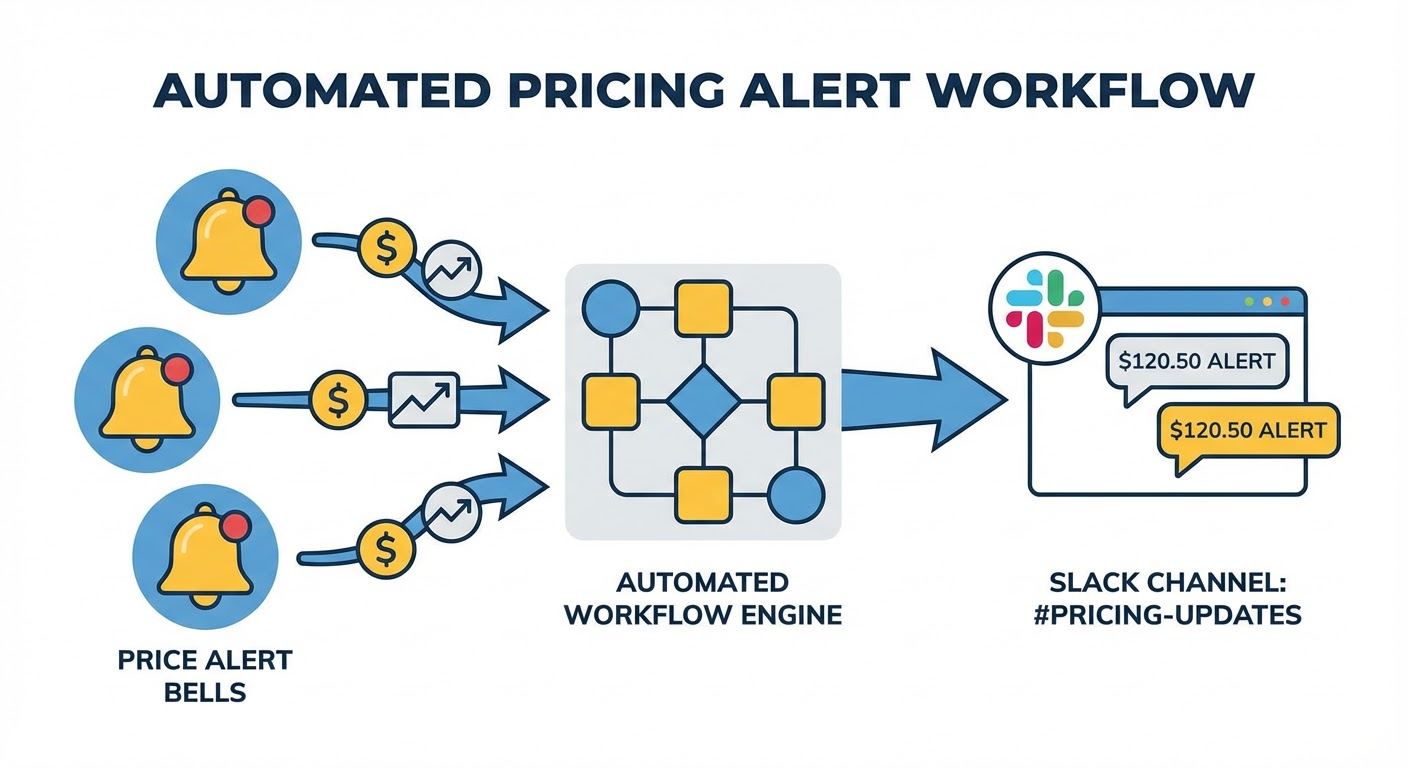
That's four steps. Monitor, detect, notify, act. Most teams have zero of these automated. Some have the first two covered with a website monitoring tool. Almost nobody has the notification routing right. And the "act" step is where most companies completely fall apart — they know the price changed but nobody does anything about it for two weeks.
Let me walk through each step.
Step 1: Monitor (Pick Your Sources)
The pricing page is the obvious one. But it's not the only place competitors announce pricing changes. They also announce them in blog posts ("Introducing our new pricing"), in email newsletters to their customer base (which you should be subscribed to with a personal email), and sometimes in press releases.
I monitor four sources per competitor: the pricing page itself, their blog (filtered for posts mentioning pricing or plans), their email newsletter, and a Google News alert for "[competitor name] pricing." Between these four, we catch pricing changes regardless of where the announcement surfaces first.
The newsletter one is sneaky important. Competitors often email their existing customers about pricing changes before updating the public pricing page. If you're subscribed to their newsletter, you might get 48 hours of advance notice before the change goes public. I've used this head start to update battlecards and brief the sales team before prospects even knew about the change.
Step 2: Detect (Filter the Noise)
Raw change monitoring produces too much noise. A competitor's pricing page might change cosmetically — new testimonials, updated FAQ, seasonal banners — without any actual pricing change. Your alert system needs to distinguish between "the page looks different" and "the price is different."
If you're using a basic website monitoring tool like Visualping, you'll have to filter manually. Every alert requires a human glance to determine if it's real or cosmetic. This works if you're monitoring three competitors and get maybe one alert per week total.
If you want the filtering automated, you need something that understands page content, not just page appearance. AI-based monitoring handles this by parsing the actual pricing elements on the page rather than comparing screenshots pixel by pixel. The difference between "hero image rotated" and "Pro plan went from $99 to $79" is obvious to a human and now obvious to an AI agent.
Step 3: Notify (Route to the Right People)
This is where most setups fail. The alert fires. It goes to... the marketing manager who set it up. Who is in a meeting. Who sees it six hours later. Who forwards it to the head of sales. Who is traveling. Who reads it the next morning. By then, two days have passed and three reps have already been in competitive conversations with stale pricing data.
The notification needs to go to a channel, not a person. A Slack channel dedicated to competitive intelligence is the minimum. When a pricing alert fires, it posts to #competitive-intel. The sales team sees it. The product team sees it. Marketing sees it. Nobody's inbox becomes a bottleneck.
Include three things in the notification: what changed (specific numbers), when it changed (date detected), and a link to the updated pricing page so people can verify. Skip the analysis in the alert itself — that comes later. The alert's job is speed: get the information to the team as fast as possible.
For teams that use Salesforce, deal-level alerts can tag specific reps who have open deals against the competitor whose pricing just changed. Instead of a broadcast to everyone, the reps who need to know immediately get a direct notification with the relevant deal context.
Step 4: Act (The Part Nobody Automates)
Detection and notification are solved problems. The hard part is response. When a competitor changes pricing, what does your team actually do?
Here's our playbook, which we developed after getting burned enough times to write it down.
Within 24 hours: update the competitive battlecard with the new pricing. Include the old price for comparison. Write two sentences on the recommended positioning response.
Within 48 hours: send a sales enablement email to all customer-facing reps. Include the pricing change, what it means for active deals, and the talk track for when prospects bring it up. Keep it under 200 words. Reps don't read long emails from marketing.
Within one week: analyze the broader implications. Is this a one-time adjustment or part of a trend? Does it change our positioning? Should we adjust our own pricing? This is the strategic discussion that happens in the next competitive review meeting, not in a panic the day the change is discovered.
The playbook turns a surprise into a routine. Instead of scrambling to figure out what to do, everyone knows their role. The battlecard gets updated, the team gets briefed, and the strategic conversation happens on schedule instead of in an emergency meeting.
Why Use an Agent for This
The competitor pricing analyzer handles steps one and two — monitoring pricing pages and filtering real changes from noise. It watches the pages continuously and only alerts when actual pricing elements change, cutting through the cosmetic updates that generate false positives.
For routing alerts to the right people at the right time, the Slack-Salesforce deal alerts integration ensures that reps with active competitive deals get notified directly. A pricing change against Competitor B triggers notifications to every rep with an open opportunity where Competitor B is flagged.
The NewsAPI competitor news tracker catches pricing changes announced through press and blog posts before the pricing page updates. That early detection window means your team can be prepared before the public change goes live.
Automating the alert pipeline means the distance between "competitor changed their price" and "our team knows about it" shrinks from weeks to hours. The response still requires humans. But the detection and routing? That's just plumbing. Let the machines handle the plumbing.
Try These Agents
- Competitor Pricing Analyzer — Continuous pricing page monitoring with intelligent change detection
- Slack-Salesforce Deal Alerts — Route competitive alerts to reps with relevant open deals
- NewsAPI Competitor News Tracker — Catch pricing announcements from press and blog coverage
- News Intelligence Monitor — Broader competitive news monitoring for pricing context