
Best Trello Alternatives in 2026: 9 Tools Compared
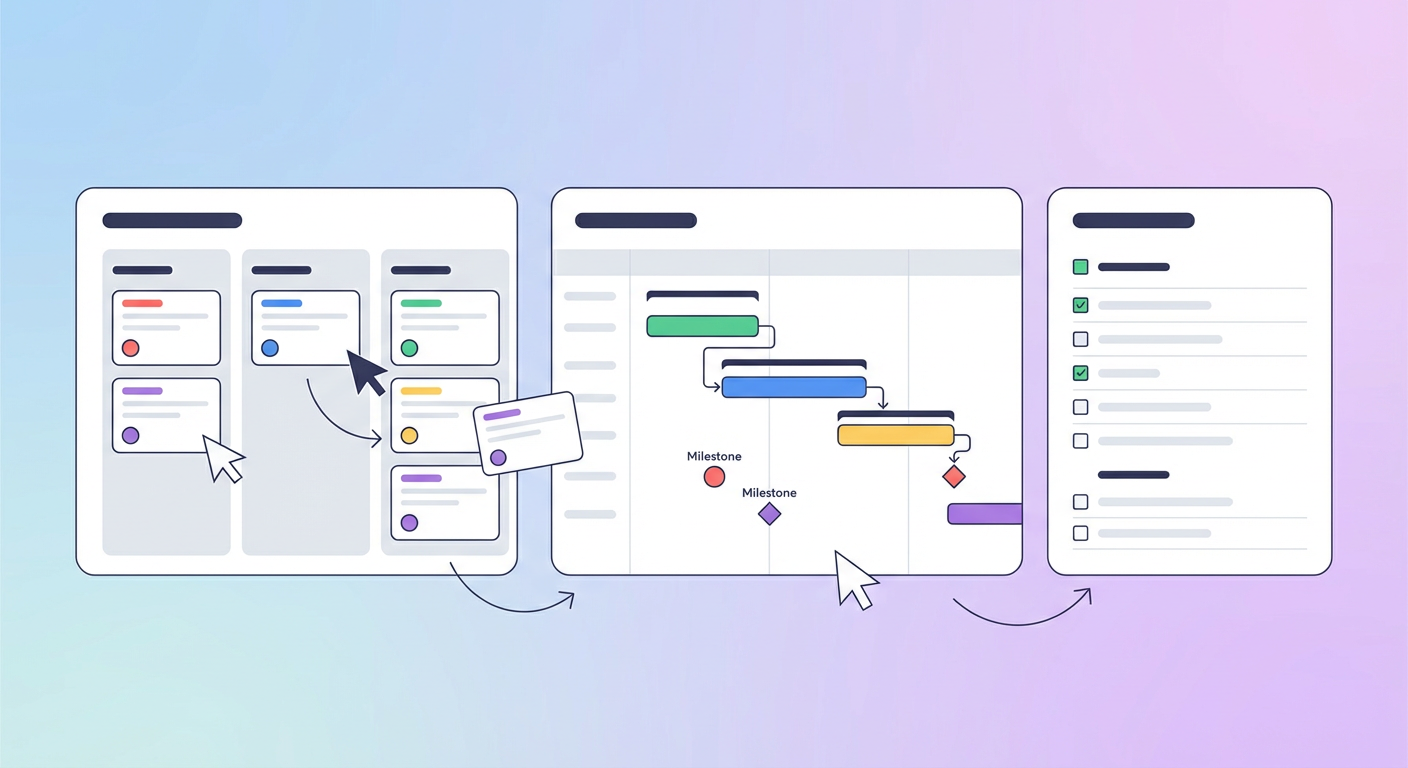
I used Trello for four years. Boards for everything. Sprint planning, content calendars, bug tracking, onboarding checklists. It worked when the team was five people. Then we grew to twenty and I spent more time maintaining Trello boards than doing the work those boards were supposed to track. Cards everywhere, labels nobody agreed on, automations that broke every time someone renamed a column. The free plan ran out of gas. The Premium plan at $10/user/month felt like a lot for what is, at its core, a very nice sticky-note wall.
I started using Cotera's Jira Sprint Status Reporter to pull sprint status across our project tools, and it made me realize the actual problem: Trello doesn't tell you anything about how your team is performing. It shows you where cards are. That's it. No velocity tracking, no workload balancing, no automatic standups. You stare at columns and infer meaning.
So I tested nine trello alternatives. Some are full-blown project management platforms. Some are lightweight task trackers. One is an AI agent platform that works on top of whatever you already use. Here's how they rank.
| # | Tool | Best For | Pricing |
|---|---|---|---|
| 1 | Cotera | AI agents for project and sprint ops | Free tier available |
| 2 | Asana | Structured workflows for mid-size teams | Free for up to 10 users |
| 3 | Monday.com | Visual project tracking with automations | From $9/seat/mo |
| 4 | ClickUp | All-in-one with deep customization | From $7/user/mo |
| 5 | Notion | Docs, wikis, and lightweight PM combined | Free for individuals |
| 6 | Linear | Fast issue tracking for dev teams | From $8/user/mo |
| 7 | Basecamp | Simple project coordination, flat pricing | $15/user/mo or $299/mo flat |
| 8 | Wrike | Enterprise PM with resource management | From $10/user/mo |
| 9 | Todoist | Personal task management on a budget | Free plan available |
1. Cotera
Free tier available
- AI agents that generate sprint status reports automatically
- Standup collection from Slack without extra meetings
- Works across Jira, Linear, Asana, and more
- No per-seat or per-board pricing
- AI-driven sprint and project insights
Trello is a kanban board. Cotera is not. Cotera is an AI agent platform. It tops this list because it handles the project management busywork that Trello and the other eight tools here leave entirely on your plate.
Let me give you a concrete example. The Jira Sprint Status Reporter agent hooks into your issue tracker and writes an actual sprint status report. Not a dashboard full of colored dots. A written brief that says "here's what shipped, here's what's stuck, here's what slipped." I used to blow 45 minutes before standup copying that info out of Trello cards into a Slack message. Now I wake up and the report is already in my inbox. If your team runs Linear, the Linear Sprint Status Reporter does the same thing. Asana shop? The Asana Sprint Status Reporter has you covered.
The Slack Scheduled Standup Collector is the one my team talks about the most. You pick a time, the agent pings everyone in Slack, and it assembles the responses into one readable update. We killed our daily standup meeting two months ago. Nobody misses it.
The gap between Cotera and tools like Asana or Monday.com is simple: those tools give you a place to organize work. Cotera does the reporting work for you. It writes the status updates and surfaces what's behind schedule. But it won't replace your PM tool. You still need boards, task assignments, and due dates. Cotera is the ops layer that plugs into whatever PM tool you end up choosing from this list.
2. Asana
Free for up to 10 users
- Multiple views: list, board, timeline, calendar
- Workflow Builder with conditional logic
- Portfolios for tracking multiple projects
- Custom fields and forms for intake
- Goals feature for OKR tracking
Most people land on Asana after they hit Trello's ceiling. The board view still exists (so switching doesn't feel like starting over), but you also get lists, timelines, calendars, and portfolios. Portfolios are the upgrade I cared about most. I used to keep a meta-board in Trello just to track the status of my other boards. Felt ridiculous even at the time. Asana makes one click of Portfolios replace that entire hack.
The Workflow Builder is the real reason to switch. You write rules like "when a task moves to Review, assign it to the design lead and slap a two-day deadline on it." Trello's Butler can do basic automation, but it always felt duct-taped on. Asana's version feels like it was built by the same team that built the rest of the product, because it was. Free tier covers 10 users. Starter runs $10.99/user/month annually and opens up Timeline, custom fields, and the workflow engine.
Complexity is the trade-off, and it's real. Asana throws a lot at you: projects, sections, subtasks, custom fields, six different views. I've onboarded people who needed a full week before they stopped asking "where do I put this?" And if you want reporting that goes beyond basic counts, you need the Advanced plan at $24.99/user/month. That's $7,400+ a year for a 25-person team. But for teams between 10 and 50 people who maxed out what Trello boards can do, Asana is the most obvious next step.
3. Monday.com
From $9/seat/mo
- Colorful, spreadsheet-style board interface
- Automations with 250+ templates
- Integrations with 200+ tools
- Time tracking and workload views
- Dashboards that pull from multiple boards
Monday.com looks like a spreadsheet had a baby with a project tracker, and somehow it works. The interface is column-based. You define columns for status, person, date, priority, and whatever else you need. Then you color-code everything. It sounds chaotic, but non-technical teams love it. Marketing, HR, and operations teams tend to gravitate here because the learning curve is almost zero.
Automations are the real selling point. Monday has 250+ pre-built automation recipes. "When status changes to Done, notify the client and move item to the Completed group." "When a date arrives, send a reminder to the owner." These are the same kinds of things you'd set up in Trello's Butler, except Monday gives you more triggers, more actions, and recipes that actually work consistently. The Standard plan at $12/seat/month is where most teams land, since the Basic plan at $9 doesn't include automations or integrations at all.
The seat minimum is the catch. You need at least three seats. Plans go up in multiples of five after that, so a team of six people pays for ten seats. That pricing math gets annoying fast. Reporting is functional but shallow compared to tools like Asana or ClickUp. And Monday's free plan is limited to two seats and three boards, which is basically useless for real work. If your team is non-technical, visual, and needs something that "just makes sense" when they open it, Monday is a strong Trello alternative. Engineers and product teams should look elsewhere.
4. ClickUp
From $7/user/mo
- Every view type: list, board, Gantt, calendar, mind map
- Built-in docs, whiteboards, and goals
- Sprint management with velocity tracking
- Custom automations and templates
- AI assistant available as add-on ($7/user/mo)
ClickUp tries to be everything. Task management, docs, whiteboards, goals, time tracking, sprint planning, chat, email management, CRM. If a feature exists in any project management tool anywhere, ClickUp probably has a version of it. And at $7/user/month for the Unlimited plan, the price-to-feature ratio is hard to beat.
Sprint management is what Trello can't give you at all. ClickUp does sprints with velocity targets and burndown charts built in. I built a dashboard view showing overdue tasks grouped by assignee in about five minutes. Doing that in Trello would have required a Power-Up, a third-party integration, and probably divine intervention.
The downside? ClickUp earned its "tries to do everything" reputation honestly. I onboarded a new PM last quarter and watched her spend twenty minutes trying to figure out how to create a basic task. The free plan gives you 60MB of storage, which is nothing. And that AI assistant? It's $7/user/month extra on top of your paid plan. So a 20-person team on Unlimited with AI is paying $280/month, not $140. The app can also get sluggish on bigger workspaces. ClickUp is the Swiss Army knife of project management. Every feature you could want is in there somewhere. Whether your team will actually find those features and use them without losing their minds is a different question.
5. Notion
Free for individuals
- Databases that work as boards, lists, timelines, or calendars
- Built-in wiki and documentation platform
- Templates for almost every workflow
- AI built into Business and Enterprise plans
- Flexible enough to build almost anything
People pick Notion when they want one workspace for everything and don't care about having a "real" PM tool. It's a document and database platform. The project management part comes from building database views that happen to look like kanban boards or timelines or calendars. One database, multiple views. Trello can't do that.
The connected workspace is where Notion actually beats Trello. Your project board, meeting notes, team wiki, and product specs all live in the same tool. When I was on Trello, linking a card to a document meant pasting a Google Docs URL and hoping nobody broke it. In Notion, the doc and the task are the same thing. Plus plan runs $10/user/month and covers most small teams.
Here's where it gets rough. Notion has no sprint features. No workload balancing. No real resource management. Notifications are borderline broken. I've had teammates move tasks on a shared board and I didn't find out until three days later because Notion didn't bother telling me. Every team also builds their workspace differently since the tool is so flexible, so there's zero consistency when you're trying to get a company-wide view of anything. Notion works for teams under 20 who want docs and light project tracking in one tab. Past that, you'll wish you'd picked a real PM tool.
6. Linear
From $8/user/mo
- Keyboard-driven interface built for speed
- Cycles (sprints) with automatic scheduling
- GitHub and GitLab integration with auto-close
- Roadmap planning with projects and milestones
- Triage queue for incoming requests
Linear is what happens when engineers build a project management tool for engineers. The interface is fast. Not "fast for a web app" fast. Actually fast. Keyboard shortcuts for everything. Creating an issue takes about two seconds. Moving it through stages takes one. If your team uses Trello because Jira is too slow and too cluttered, Linear is the answer you're looking for.
Cycles give you real sprint management. Set a two-week cycle, and Linear schedules it, tracks progress, and rolls unfinished issues into the next one. Merge a pull request on GitHub and the linked issue closes itself. The triage queue is my favorite feature. Bug reports and requests pile up there instead of interrupting your team in real time, and you can batch-process them in ten minutes. $8/user/month feels right for what you get.
Who shouldn't use Linear? Basically anyone who's not building software. No Gantt charts. No resource management. No pretty dashboards your VP of Marketing will understand. The free plan is solo-only. Add one teammate and you're on a paid plan. Linear also has strong opinions about how you should work, and it doesn't bend. If you like that structure, it feels like the tool is thinking for you. If you don't, it feels like a cage. For engineering teams that hate Jira and have outgrown Trello? Best tool on this list, no contest.
7. Basecamp
$15/user/mo or $299/mo flat
- Message boards, to-dos, schedules, and file storage
- Hill Charts for visual progress tracking
- Automatic check-ins replace standup meetings
- Flat pricing at $299/mo for unlimited users
- No feature gating between plans
Basecamp does things its own way. No kanban boards. No Gantt charts. No sprint points. Instead, you get message boards, to-do lists, schedules, campfires (group chat), and automatic check-ins. It's less "project management software" and more "team coordination tool." The people who love Basecamp really love it. The people who want a Trello replacement with more features will find it baffling.
The pricing model is the standout. Basecamp Pro Unlimited costs $299/month flat, regardless of how many people use it. For a 50-person company, that's about $6 per person. For a 100-person company, it's $3. No per-seat math. No surprise invoice when you add five contractors for a month. The Plus plan at $15/user/month works for smaller teams, but Pro Unlimited is where the value kicks in.
Basecamp has no timeline view, no dependencies, no custom fields, no automations, and no real reporting. Hill Charts are interesting (they show whether work is in the "figuring things out" phase or the "making it happen" phase), but they're not a replacement for the tracking features that every other tool on this list provides. Basecamp works for teams that coordinate projects through discussion and to-do lists. If you need task dependencies, workload management, or sprint tracking, you need something else.
8. Wrike
From $10/user/mo
- Gantt charts with task dependencies
- Resource management and workload balancing
- Custom request forms and approval workflows
- Time tracking built into tasks
- Cross-tagging to share tasks across projects
Wrike sits in the enterprise project management space alongside tools like Smartsheet and Microsoft Project. It's not a Trello competitor in the way Asana or Monday are. It's what you move to when you have 100+ people, multiple departments running projects simultaneously, and you need resource management that actually works.
The Gantt charts with dependencies are real. Not the watered-down version you get in lighter tools. You can set finish-to-start, start-to-start, and other dependency types. Resource management shows who's overloaded and who has capacity. Cross-tagging lets a single task appear in multiple projects without duplicating it, which sounds small but saves hours of confusion in large organizations. The Business plan at $25/user/month is where most features unlock.
Wrike is too much for small teams. The free plan caps you at 200 active tasks, which a five-person team will burn through in a month. The interface feels corporate and dense compared to Trello's simplicity. Learning Wrike takes weeks, not hours. And the Team plan at $10/user/month is missing most of the features that make Wrike worth using (no Gantt charts, no time tracking, no automations). You're realistically starting at $25/user/month, which means a 20-person team pays $500/month. That's a different budget conversation than Trello's $10/user. For enterprise teams managing complex, multi-department projects, Wrike earns that price. For everyone else, it's overkill.
9. Todoist
Free plan available
- Natural language task input ("meeting tomorrow at 3pm")
- Clean, distraction-free interface
- Labels, filters, and priority levels
- Available on every platform including CLI
- Karma system for productivity streaks
Todoist isn't a project management tool. It's a personal task manager that happens to have team features. And if you're leaving Trello because you realized you don't actually need boards and workflows, you just need a place to track your own work, Todoist is the cleanest option available.
The natural language input is why people stay. Type "email client proposal Friday at 2pm p1" and Todoist creates a task with the right due date, time, and priority level. No clicking through date pickers or dropdown menus. The interface is minimal in a way that Trello used to be before it got cluttered with Power-Ups and Butler. Pro costs $4/month (annual). Business is $6/user/month. That's cheaper than almost everything else on this list.
Todoist has no kanban boards in the traditional sense. The board layout exists but it's limited compared to Trello. There's no Gantt chart, no timeline, no resource management, no sprint planning. Collaboration features are thin. You can share projects and assign tasks, but there's no real-time editing, no comment threads on tasks, and no workflow automations. The recent price hike (Pro monthly went up 40% in late 2025) annoyed a lot of long-time users. Todoist is for individuals or very small teams who need a to-do list that works everywhere. It's not a Trello replacement for teams that actually use Trello's collaboration features.
How to Choose
It depends on where your project management workflow breaks down.
Need more structure than kanban boards? Asana gives you workflows, timelines, and portfolios on top of the board view you already know. Monday.com does something similar with a more visual, spreadsheet-style approach that non-technical teams pick up faster.
Want one tool that does everything? ClickUp has every feature you can think of, at $7/user/month. You'll spend time learning it, but you won't need to buy a second tool.
Engineering team that hates Jira and Trello? Linear. It's fast, opinionated, and built for the way developers actually work.
Want docs and tasks in one place? Notion combines a wiki, a database, and a lightweight PM tool. Works well under 20 people. Gets messy above that.
Large org with complex projects? Wrike for enterprise resource management and dependencies. Basecamp if you want simple coordination and flat-rate pricing for big teams.
Just need a personal to-do list? Todoist is $4/month and works on every device.
And if the part of project management that's broken isn't the board or the task list but the time you spend writing status reports, running standups, and figuring out what's stuck, that's what Cotera was built for. It sits on top of your PM tool and handles the sprint ops work so you don't have to.
Try These Agents
- Jira Sprint Status Reporter — Generate sprint status reports from your Jira boards automatically
- Linear Sprint Status Reporter — Pull sprint updates from Linear without manual check-ins
- Asana Sprint Status Reporter — Create sprint summaries from your Asana projects in seconds
- Slack Scheduled Standup Collector — Collect async standups from your team in Slack on a schedule