
Competitive Benchmarking Template You Can Steal (and Actually Use)
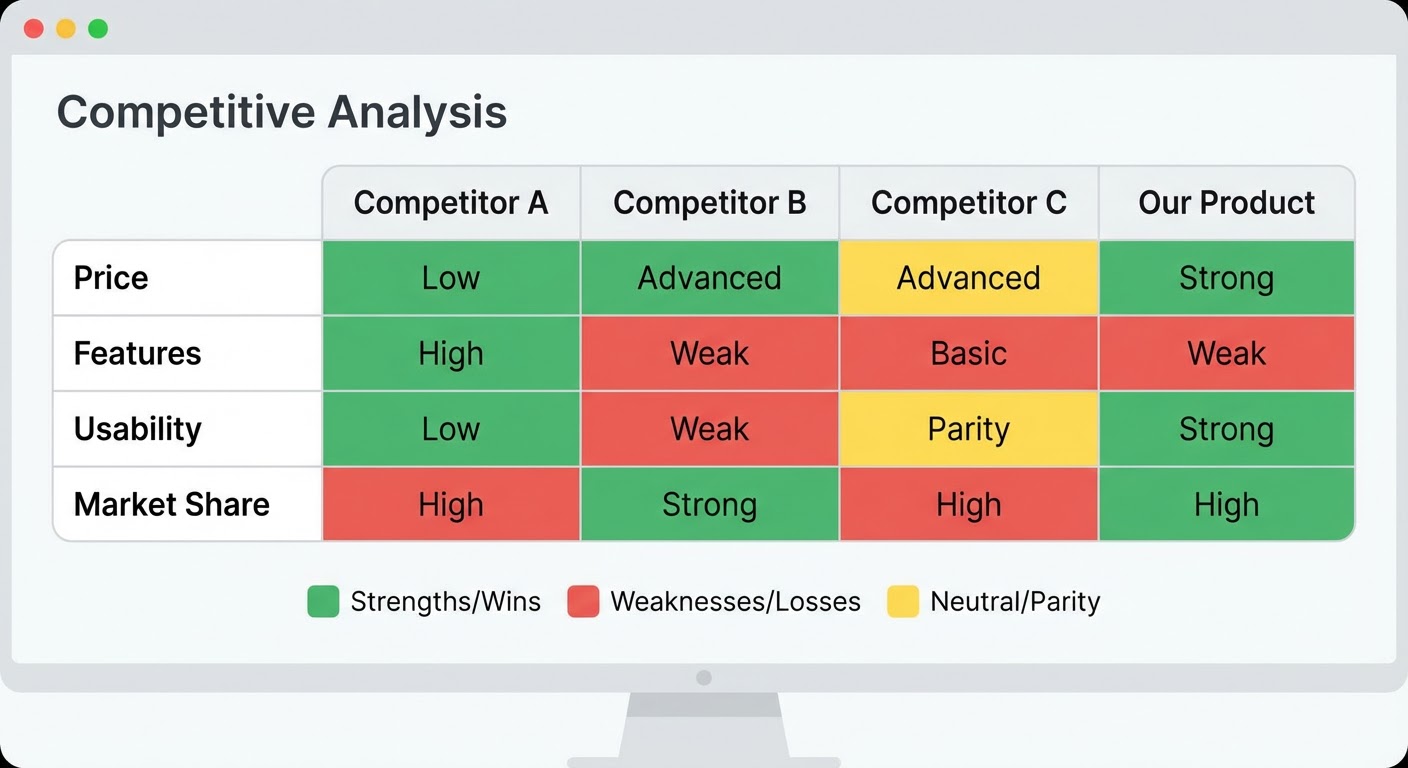
Every competitive benchmarking template I've ever found online has the same problem. It's a grid with 47 rows, columns for every competitor you can think of, and cells that say things like "Customer Retention Rate" and "Brand Perception Score." Great in theory. In practice, you fill in maybe 12 of the 47 rows, leave the rest blank because you can't find the data, and then never open the spreadsheet again.
I've been through this cycle four times at different companies. Download a fancy template. Get excited. Realize you can't fill half the cells because nobody publishes their customer retention rate. Abandon the template. Go back to ad-hoc competitor research whenever someone on the leadership team asks a question.
The template I use now has eight rows. That's it. Eight rows I can actually fill with real data, update monthly, and reference during actual business conversations. Here's the template, where the data comes from, and how to keep it alive.
The Template Structure
Open a Google Sheet. Seriously, don't use anything fancier. Notion looks pretty but nobody updates Notion databases. Airtable has too many features. A spreadsheet is boring and that's why it works. People know how to use spreadsheets.
Column A is the metric name. Columns B through F are your competitors (pick four max — any more and the sheet becomes a nightmare to maintain). Column G is "You" — your own company's numbers for comparison. Column H is "Source" — where you got the data, so the next person can update it without asking you.
Row 1: Traffic trend (up/down/flat, plus percentage if you have it). Row 2: Primary traffic channel. Row 3: G2 rating and review count. Row 4: Pricing tier (low/mid/high and approximate price point). Row 5: Feature launches last 90 days (just the count). Row 6: Hiring velocity (are they growing, shrinking, or flat). Row 7: Recent funding or financial news. Row 8: Your win rate against them.
That's the template. Print it, frame it, whatever. The point is that every single row can be filled with publicly available data (except win rate, which comes from your CRM). No guessing. No blank cells. No fictional "brand perception scores" that nobody can actually measure.
Filling It In the First Time
First time takes about two hours for four competitors. After that, monthly updates take 30-45 minutes. Here's where each piece comes from.
Traffic trend: SimilarWeb free tier. Go to each competitor's domain. Look at the 3-month trend line. Write "up 15%," "down 8%," or "flat." Don't overcomplicate this. The direction matters more than the exact number because SimilarWeb's numbers are estimates anyway.
Primary traffic channel: Same SimilarWeb page. It breaks down traffic by organic, paid, referral, social, and direct. Write down whichever one is biggest. If a competitor gets 55% of traffic from paid search, that tells you something different than one getting 55% from organic. The channel tells you their strategy without them publishing a strategy doc.
G2 rating and review count: Go to G2. Find their product page. Write down the star rating and total review count. The review count matters because a 4.7 with 12 reviews is very different from a 4.3 with 800 reviews. Also skim the three most recent reviews for themes — you won't put this in the template but it informs your thinking.
Pricing: Check their pricing page. Screenshot it (important — pricing pages change and you want a record). Note the starting price, the most popular tier, and whether they changed anything since last month.
Feature launches: Visit their changelog, product blog, or release notes page. Count how many things they shipped in the last 90 days. You don't need to evaluate each feature. The velocity itself is the signal.
Hiring velocity: LinkedIn company page, "People" tab, filter by "Joined in [time period]." Or check their careers page. Are they posting 50 jobs or 5? Growing teams ship faster and signal where a company is investing.
Recent news: Google their company name plus "funding" or "news." Takes two minutes. If they raised $50M last month, that goes in the cell. If nothing happened, write "none." Both are useful information.
Win rate: Pull this from your CRM. Deals where you competed against them, wins versus losses. If you're not tracking this, start. It's the most actionable number on the whole sheet.
Why Most Templates Die (and How to Prevent It)
Templates die for three reasons, and they're all about maintenance, not creation.
Reason one: no owner. The template exists in a shared drive. Everyone can edit it. Nobody does. Assign one person per competitor. That person is responsible for updating their four columns monthly. Spread the work. If one person owns all five competitors, they'll burn out by month three.
Reason two: the data gets stale. When the numbers haven't been updated in two months, people stop trusting the sheet. Then they stop checking the sheet. Then the sheet is dead. Monthly updates on the same day keep the data trustworthy. I use the first Tuesday of each month. It's on the team calendar as a recurring 30-minute block.
Reason three: nobody references it. You build the template but never pull it up in meetings. Make it a habit: every pipeline review, someone opens the competitive tab for 60 seconds. "Any changes worth noting?" Usually the answer is no. But the habit keeps people aware that the data exists and is current.
Making It Smarter Over Time
After three months of consistent updates, you'll start seeing patterns the template wasn't designed to show. One competitor might be consistently growing traffic while their G2 rating drops — they're acquiring users but not retaining them. Another might have flat traffic but started hiring aggressively — they're about to make a push.
Add a "Notes" row at the bottom. One sentence per competitor capturing the trend you're noticing. "Competitor C: appears to be pivoting to enterprise based on pricing change + 3 enterprise SDR job postings." Those notes are worth more than any individual data point because they represent your team's accumulated judgment over time.
After six months, you'll have enough historical data to spot seasonal patterns and long-term trends. Archive each month's snapshot as a separate tab. Don't delete old data. The historical comparison — "where were they six months ago versus now" — is where the real competitive insight lives.
Why Use an Agent for This
The template is the easy part. The annoying part is checking SimilarWeb, G2, pricing pages, LinkedIn, and news sites for four competitors every single month. That's roughly 20 browser tabs and an hour of clicking around. Which is exactly why the template dies — the update process is boring and repetitive.
A competitor traffic analysis agent handles rows 1 and 2 automatically. Traffic trends and channel breakdowns, pulled monthly, dropped into your spreadsheet. The G2 competitive battlecard generator handles row 3 and gives you the review theme analysis as a bonus.
For the pricing monitoring (row 4), the competitor pricing analyzer watches pricing pages and flags changes. Instead of remembering to screenshot four pricing pages every month, you get an alert when something actually moves.
The agent doesn't replace the analysis — you still write the notes row, you still decide what matters, you still present it in pipeline reviews. It just replaces the hour of tab-switching grunt work that kills templates. Your competitive benchmarking template survives because the update process went from annoying to automatic.
Try These Agents
- Competitor Traffic Analysis — Automated traffic trends and channel breakdowns for competitors
- G2 Competitive Battlecard Generator — Review analysis and competitive positioning from G2 data
- Competitor Pricing Analyzer — Monitor and alert on competitor pricing page changes
- Google Sheets Competitor Traffic Report — Drop competitor data directly into a shared spreadsheet