
How to Automate Win Loss Tracking (The Part Nobody Wants to Do)
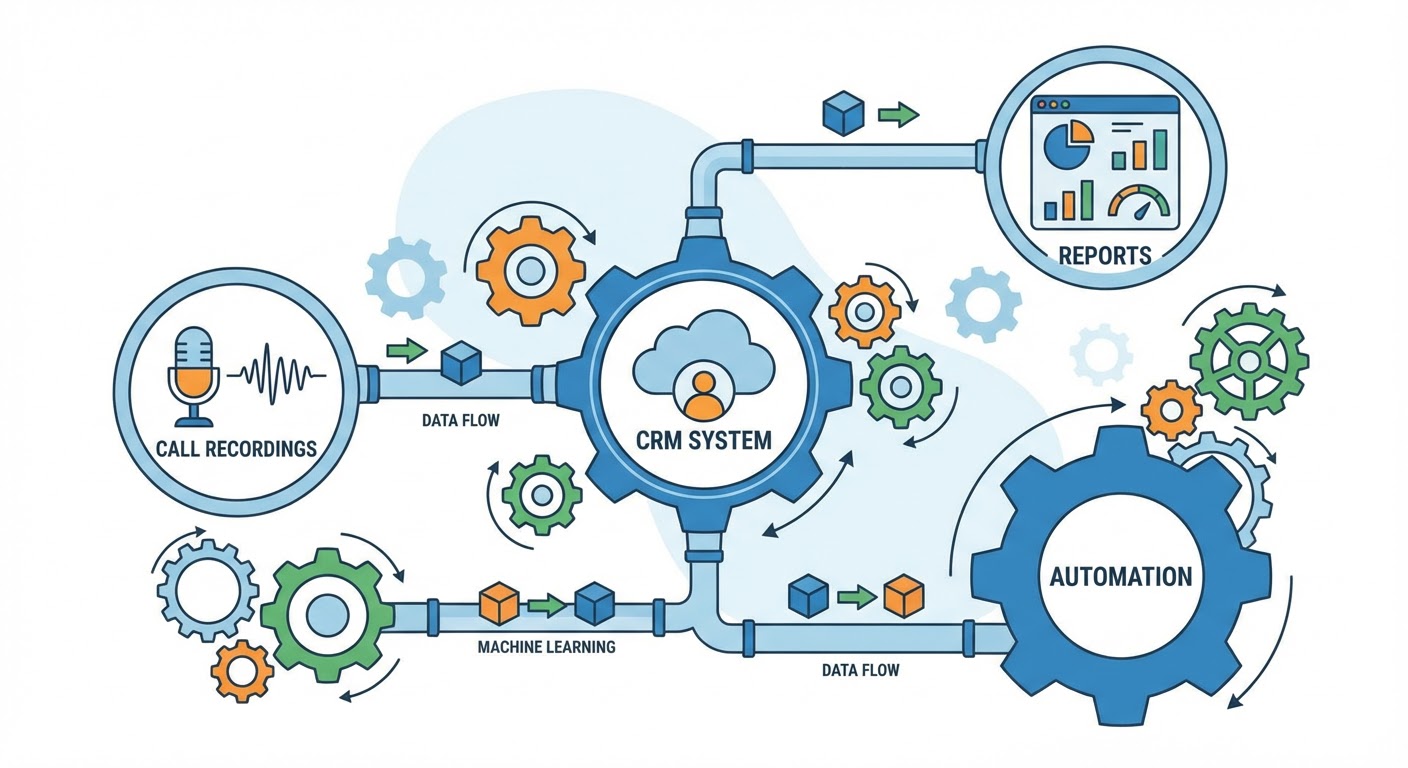
Every win loss program I've seen die followed the same trajectory. Month one: leadership mandates that reps fill out a competitive debrief form after every closed deal. Month two: compliance drops to about 60%. Month three: 30%. Month four: the spreadsheet is a ghost town and nobody mentions it in sales meetings anymore.
The problem was never that reps didn't care about competitive intelligence. The problem was asking them to do data entry. Reps are coin-operated — they do the things that close deals, and filling out a win loss form doesn't close deals. You can mandate it. You can tie it to compensation. You can shame them in team meetings. It still won't stick because you're fighting human nature.
The fix is automation. Make the data collection happen without the rep lifting a finger. Or at least without them lifting more than one finger.
The Data You Need Versus the Data You Want
Most win loss forms ask for too much. The form I inherited at one company had 12 fields, three of which were multi-select dropdowns with 15+ options each. No wonder nobody filled it out.
You need four pieces of data from each closed deal. That's all.
The outcome: won or lost. Your CRM already captures this automatically when a deal moves to closed-won or closed-lost.
The competitor: who were you competing against? This is the one field that usually requires rep input, but you can reduce friction dramatically. More on that in a minute.
The primary reason: why did the buyer choose what they chose? One sentence. Not an essay.
The confidence level: is this based on what the buyer told you, or what you're guessing? Huge difference.
Everything else — deal size, sales cycle length, industry, segment — already lives in your CRM. Don't ask reps to re-enter data that's already in the system.
Automating Competitor Detection From Calls
Here's where it gets interesting. If your team records sales calls (Gong, Chorus, or similar), the competitor data is already captured. Buyers mention competitor names in discovery calls, demo calls, and negotiation calls. The audio is recorded. The transcript exists.
A Gong competitive intel tracker scans those transcripts automatically and logs which competitors were mentioned, in which calls, at which deal stage. That means the "competitor" field in your win loss tracking populates itself. No rep input needed.
The tracker picks up things reps forget to mention. In my experience, reps report competitive mentions about 40% of the time. They mention Competitor A in a discovery call, move on to the demo, close the deal, and forget that Competitor A was ever in the picture. The transcript doesn't forget.
It also catches indirect competitive mentions that reps don't flag. A buyer saying "we're looking at building this internally" is a competitive signal (you're competing against the status quo). A buyer saying "our CEO saw something at a conference" is a competitive signal (there's a vendor you don't know about yet). Reps rarely log these. Call analysis catches them.
Automating the "Why" From Deal Data
The "why did we win or lose" question is harder to automate because it requires interpretation. But you can get close.
Pull loss reasons from the deal stage where the deal stalled. If a deal progressed through discovery, demo, and proposal, then died at "technical evaluation," the loss likely relates to a product gap or integration issue. If it died at "proposal review," it's probably pricing or procurement friction. The stage data tells you the approximate category of loss without anyone answering a question.
Combine that with call transcript analysis. If the last three calls in a lost deal heavily discussed pricing, and the deal died at proposal review, you can reasonably code that as a pricing-related loss. A Gong Salesforce deal updater can push these signals from call data into your CRM automatically, so your loss reasons populate from actual conversation data instead of rep memory.
The accuracy won't be perfect. You'll miss the political losses, the relationship losses, the "their CEO played golf with our champion's boss" losses. But it catches the 70-80% of loss reasons that are product, pricing, or process related. And it does it without asking anyone to fill out a form.
The Weekly Automated Report
Once you have automated data collection feeding into your CRM, the reporting becomes trivial.
Build a weekly email or Slack message that summarizes: deals closed this week (won and lost), competitors mentioned in those deals, most common loss stage, and any new competitor names that appeared for the first time.
This takes about an hour to set up and zero minutes per week to maintain. The G2 review win loss analyzer can add an external layer — what public reviews are saying about the same competitors you're seeing in deals. If your internal data says you lose to Competitor B on "ease of use" and their G2 reviews say the same thing, you've validated the finding across two independent data sources.
Send the report on Monday morning. Make it three paragraphs max. Don't attach a dashboard link that nobody will click. Put the information directly in the message. I learned this the hard way — dashboards get ignored, but the numbers in the email get read because they're right there.
When You Still Need Humans
Automated tracking catches the patterns. Humans figure out what the patterns mean.
If your automated data shows win rate dropping against Competitor A for three consecutive months, that's a pattern worth investigating. But the data won't tell you why. Did Competitor A ship a new feature? Did they hire a better sales team? Did your champion at three accounts all leave? Those answers come from buyer interviews.
The automation-first approach says: let machines identify which patterns deserve human investigation. Then invest interview time where it matters most. Five targeted interviews guided by data will teach you more than 20 random interviews.
Why Use an Agent for This
The Gong competitive intel tracker is the backbone of automated win loss tracking. It turns your recorded calls into a structured competitive dataset without any manual data entry. Every competitive mention, logged and contextualized.
The Gong Salesforce deal updater pushes call-derived insights directly into your CRM. Instead of competitive intelligence living in a separate tool that nobody checks, it lives in Salesforce where reps and managers already work.
The G2 review win loss analyzer validates your internal findings with external data. When your call data and review data tell the same story, you can act with confidence. When they tell different stories, you've found something worth investigating deeper.
Stop asking reps to fill out forms. Start extracting intelligence from the data you already collect.
Try These Agents
- Gong Competitive Intel Tracker — Automated competitive mention extraction from calls
- Gong Salesforce Deal Updater — Push call intelligence into your CRM automatically
- G2 Review Win Loss Analyzer — External validation of internal win/loss patterns
- Gong Call Summary Slack — Call-level competitive summaries delivered to Slack