
How to Create a Competitor Map in Under an Hour
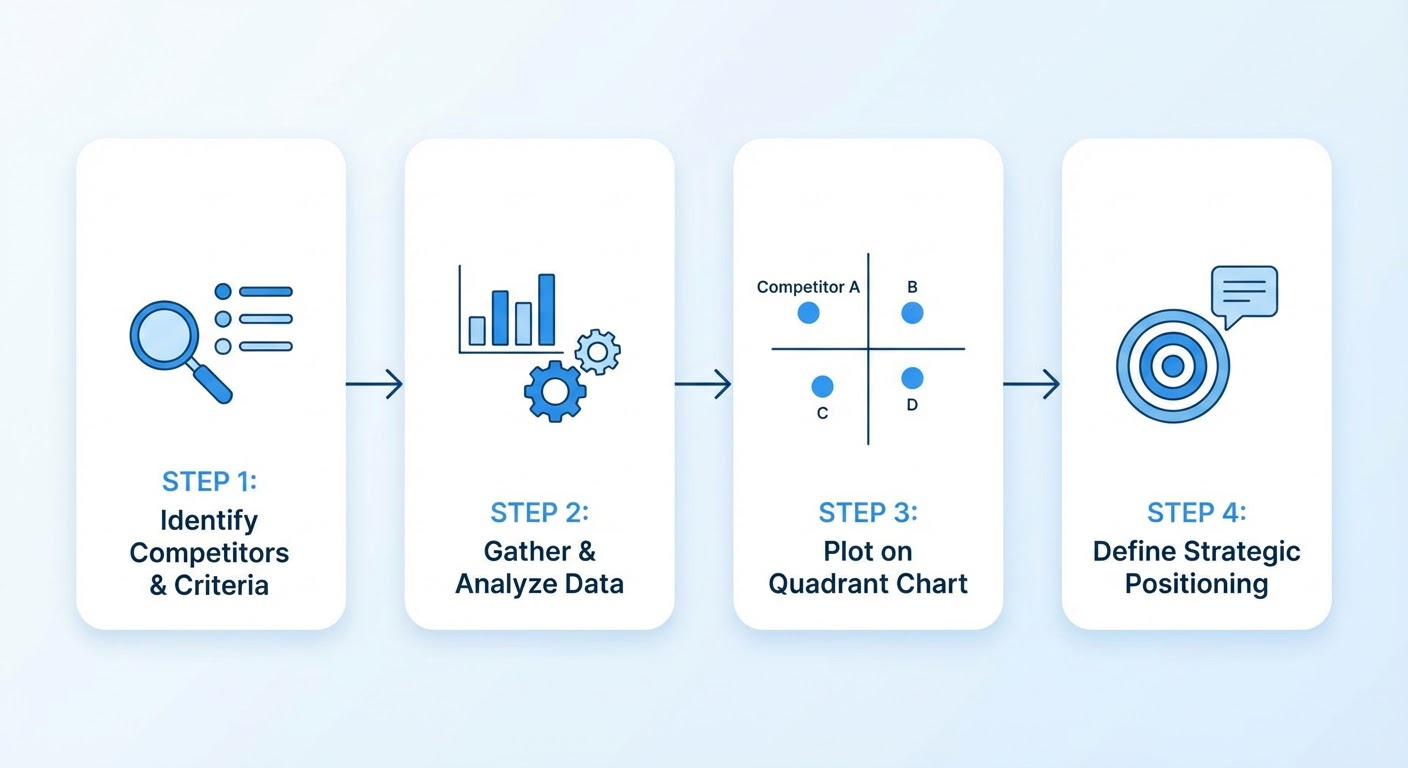
I made my first competitor map in business school. Two axes, four quadrants, little dots with company logos. The professor loved it. It was also completely wrong — I picked axes that looked smart in a classroom and had nothing to do with how buyers actually made decisions.
Years later I figured out the trick. A good competitor map doesn't start with axes. It starts with buyer conversations. The axes come from how your customers already think about the market, not from how you want them to think about it.
Here's how to build one that's worth the time.
Step 1: Pull Your Competitor List From Deals, Not From Google
Open your CRM. Filter closed deals from the last six to twelve months — both wins and losses. Look at the competitor field (if you have one) or read the deal notes. Write down every company name that shows up.
If your CRM doesn't track competitors, go talk to five sales reps. Ask them: "who do you run into most often?" Their answers will cluster around three to five names. Those are your Tier 1 competitors. Write them down.
Don't Google "top competitors in [your space]" and use that list. Google results include companies you'll never actually compete against. Analyst reports include companies that haven't been relevant in years. Your deal data is truth. Everything else is speculation.
You want somewhere between three and eight competitors on your map. Fewer than three isn't really a map. More than eight turns into clutter that obscures the patterns you're trying to see.
Step 2: Pick Axes Your Buyers Actually Care About
This is where most maps go wrong. People pick axes like "innovation" vs. "market share" or "breadth" vs. "depth." These sound strategic. They're also vague enough to be meaningless.
Go read your last 10-15 sales call notes. What do buyers consistently ask about? What do they compare you on? The two themes that come up most often become your axes.
For a project management tool, the axes might be "ease of setup" and "enterprise features." For a marketing analytics platform, maybe "real-time data" and "customization." For our product, the axes that actually mattered were "speed to first insight" and "data source breadth." We only figured that out after reading 30 deal notes and seeing those two themes over and over.
Bad axes to avoid: anything you can't measure or observe (like "innovation"), anything that puts you in the best quadrant by definition (that's not a map, it's marketing), and anything generic enough to apply to any industry.
Step 3: Gather the Data
For each competitor on your list, you need enough information to place them on your two axes. Here's where to get it.
Product trials and demos are the gold standard. Sign up for competitor free trials. Actually use the product for a day. Nothing tells you more about positioning than the product itself. If Competitor A takes 10 minutes to set up and Competitor B takes two weeks of professional services, that's your ease-of-setup axis right there.
Review sites give you the customer perspective. G2 and Capterra reviews mention specific strengths and weaknesses. Read the three-star reviews specifically — they're the most balanced and usually compare the product to alternatives.
A Crunchbase competitor tracker tells you the business context: funding stage, headcount, growth rate. A well-funded competitor with 500 employees is playing a different game than a bootstrapped team of 20. That context affects where you plot them.
Win/loss interviews from your own buyers are the best data source and the one most teams skip. When a buyer chose Competitor B over you, ask them why. Their answer tells you exactly where that competitor sits relative to you on the dimensions that matter.
For traffic and content positioning, run a market mapper to understand which segments each competitor targets and how their market presence compares.
Step 4: Plot and Sanity-Check
Open whatever tool you're comfortable with — Google Slides, Miro, even pen and paper. Draw your two axes. Plot each competitor.
Now sanity-check with your sales team. Show them the map and ask "does this look right?" They'll immediately catch mistakes. "No, Competitor C is way easier to set up than that — they just launched a self-serve product last month." Good. Move the dot. The map should match reality, not your assumptions.
Also look for gaps. Empty quadrants on your map aren't accidents. If no competitor occupies the "easy to set up + deep customization" quadrant, that's either a huge opportunity or an impossible combination. Figure out which one.
The SimilarWeb lookalike prospector can reveal competitors you missed — companies similar to the ones on your map that you haven't encountered in deals yet. They might be adjacent players moving into your space, and a map that spots them early gives you lead time to prepare.
Step 5: Make It Usable
A competitor map locked in a strategy deck is decorative. A useful map lives where your sales and marketing team can access it and gets referenced in actual conversations.
Put the map in your competitive battlecard. When a rep is prepping for a call against Competitor B, the map shows them where Competitor B sits and how to position against them. "They're strong on customization but slow to set up — lead with our speed to first insight."
Reference the map in your positioning documents. Your messaging should exploit the quadrant you own. If you're in the "fast and flexible" quadrant and nobody else is, that's your positioning.
Update the map when competitors move. Check quarterly at minimum. Most quarters, nothing changes. When a competitor launches a major product, raises a big round, or shifts pricing, update their position. The map is a living document, not a one-time project.
Why Use an Agent for This
The research phase is where an agent saves the most time. The Crunchbase competitor tracker pulls company data for your entire competitor list in one shot instead of you visiting five separate pages and taking notes. Funding, headcount, recent news — all in a format you can immediately use for positioning.
The Crunchbase market mapper identifies companies you should be watching but aren't. It scans adjacent markets and highlights companies that match your competitor profile but haven't shown up in your deals yet. That's how you catch the indirect competitor before they become a direct one.
Map the competitors that matter. Use axes buyers care about. Keep it updated. Skip the 47-company scatter plot.
Try These Agents
- Crunchbase Competitor Tracker — Company data for building your competitor map
- Crunchbase Market Mapper — Find adjacent competitors and market positioning
- SimilarWeb Lookalike Prospector — Discover competitors you haven't encountered yet
- Competitor Traffic Analysis — Understand competitor digital positioning