
How to See Your Competitor's LinkedIn Ads (and Decode Their B2B Playbook)
LinkedIn is where B2B companies go to light money on fire. Average CPCs run $5-15, sometimes way higher. Nobody keeps spending at those rates unless it's working. So if your competitor has been running LinkedIn ads consistently for months, they've cracked something. And thanks to the LinkedIn Ad Library, you can see every ad they're running right now.
I find competitor LinkedIn ads way more interesting to dissect than Meta or Google ads. Why? Because LinkedIn targeting is absurdly specific. That ad wasn't aimed at "adults 25-54 interested in technology." It was aimed at "VP of Engineering at SaaS companies with 200-1000 employees." The copy practically screams who they wrote it for.
The LinkedIn Ad Library
LinkedIn launched their Ad Library in 2023. Free, no login, shows every active ad from any company page.
- Go to a company's LinkedIn page
- Scroll to the "Posts" section
- Click the "Ads" tab
Or go to linkedin.com/ad-library and search by company name. The direct search is faster when you want to check a bunch of competitors without clicking through individual pages.
One thing that's annoying: LinkedIn only shows active ads. No archive, no history. Kill an ad Tuesday, check Wednesday, it's gone forever. This makes LinkedIn the one platform where you really do need to check regularly. If you're looking once a quarter you're missing most of what happens.
What Ad Format Tells You
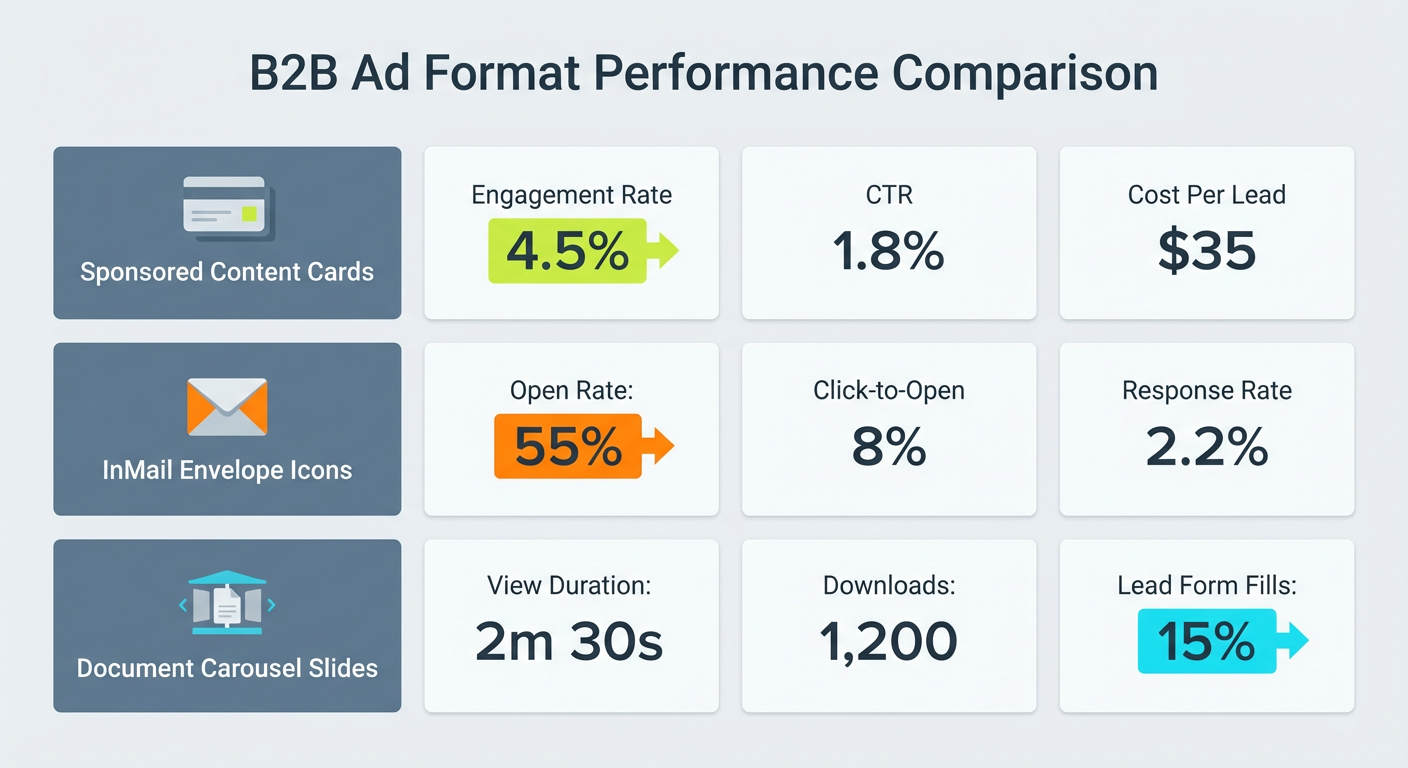
LinkedIn runs three main ad types, and the choice is a strategy signal.
Sponsored Content is the feed ad. Single image, video, carousel, or document. It's the workhorse. Competitors leaning heavily on sponsored content are playing a broad awareness game, trying to get in front of as many accounts as possible.
Message Ads (InMail) go straight to the inbox. Bad news: you won't see these in the Ad Library because they're private. Good news: if you personally receive one from a competitor, save it. That copy was tested and it's pointed at someone with your exact job title.
Document Ads let people swipe through a PDF right in the feed. Competitors running document ads have made a bet that their audience responds to education more than sales pitches. Usually a sign of a content-led growth motion.
All single-image ads with "Book a Demo" buttons? Sales-led B2B. Mix of document ads and video thought leadership? They're trying to build trust first, sell later.
Reading the Targeting From the Copy
LinkedIn keeps targeting parameters locked down. But honestly, B2B ad copy does the detective work for you. These companies basically announce who they're targeting in the first sentence.
"Attention RevOps leaders." "For teams managing 50+ enterprise accounts." "CFOs: your FP&A process is broken." There's zero subtlety. The copy IS the targeting config, written out in plain English.
Here's what to track across all their active ads:
- What job titles keep showing up? (Director, VP, C-suite, IC roles?)
- What company size are they going after? ("startup" vs "enterprise" vs "scaling team")
- Any industry callouts? ("SaaS companies," "financial services")
- What pain point does the first line hit?
If four of their ads all open with some version of "RevOps teams wasting 10+ hours cleaning data," that pain point won. They probably tried five other openers and killed them all. The survivor is the one that actually made people stop scrolling.
Decoding What They're Offering
B2B LinkedIn ads almost never go for the direct sale. The offer tells you where in the funnel they're fishing.
Top-of-funnel: "Download the 2026 State of RevOps Report." "Watch the webinar." They're collecting emails and building nurture lists. Whatever topic the content covers is the narrative they think their market cares about right now.
Mid-funnel: "See how Acme Corp reduced churn by 40%." "Take the free assessment." They're qualifying. If a competitor pushes case studies hard, they've learned their buyers need proof before they'll book a call.
Bottom-funnel: "Book a demo." "Start free trial." "Talk to an expert." Going direct at $10+ CPCs. Either very high deal sizes justify the cost, or they have strong data that LinkedIn traffic actually converts for them.
Track the ratio. When 80% of their ads push a whitepaper and only 20% push demos, they're running a content flywheel. When it's the reverse, they've gone full direct response. Both are valid. Knowing which one your competitor runs tells you how they think about the buyer journey in your market.
Why Use an Agent for This
LinkedIn's Ad Library is the most barebones of all the platforms. No performance data. No historical archive. No way to see what died. You have to check often, and you have to remember what was there last time.
A PPC competitor analysis agent monitors ads across LinkedIn, Google, Meta, TikTok, and Reddit all at once. It picks up on things you'd miss doing monthly spot checks: a competitor quietly switching from whitepaper offers to demo CTAs, or a new pain point appearing across three ads that wasn't there last month. You can also run a market intelligence agent alongside it to cross-reference their ad messaging with hiring patterns, product launches, and SEO moves.
Your B2B competitors are spending serious money on LinkedIn advertising. At $10+ per click, every word in those ads got argued over in a meeting. The LinkedIn Ad Library lets you read the final draft for free. Go look.
Try These Agents
- PPC Competitor Analysis Tool — Spy on competitor ads across Google, Meta, TikTok, LinkedIn, and Reddit in minutes
- Market Intelligence Agent — Full-spectrum competitor research covering hiring, reviews, keywords, and news
- Landing Page Teardown — Rip apart competitor landing pages for conversion and messaging patterns
- SEO Competitor Analyzer — Uncover what keywords competitors rank for and where the content gaps live
- LinkedIn Content Tracker — Monitor competitor LinkedIn content and engagement patterns
- LinkedIn Post Performance Tracker — Track which LinkedIn posts get the most engagement