
A Win Loss Analysis Template You'll Actually Maintain
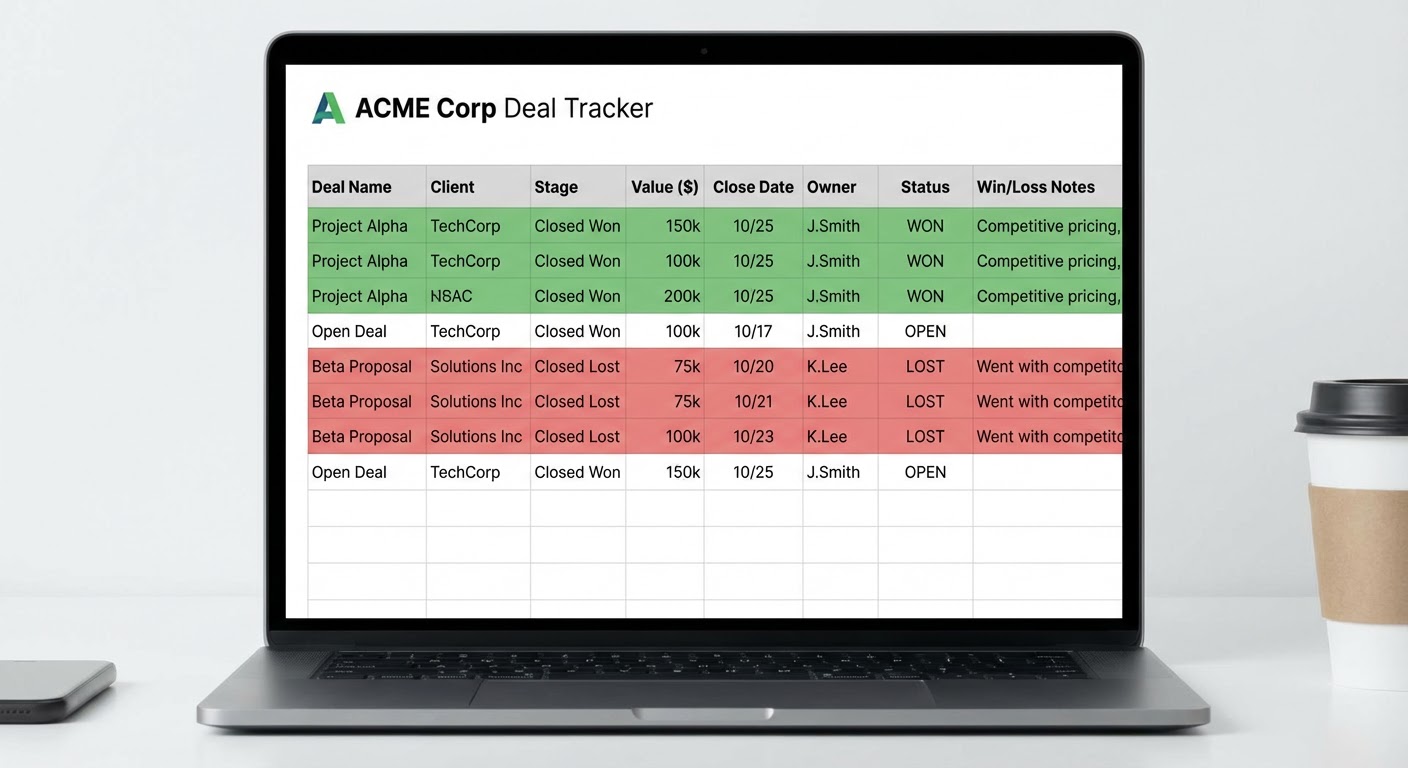
I inherited a win loss tracking spreadsheet at my last company. It had 23 columns. Twenty-three. "Competitor mentioned," "competitor tier," "loss category," "loss subcategory," "loss severity," "decision committee size," "evaluation duration in days," "number of demos conducted," "proof of concept status," and on and on. You know how many rows had complete data? Four. Out of maybe 80 closed deals.
The person who built it meant well. They wanted comprehensive data. What they got was an empty spreadsheet that nobody touched because filling out a single row took 15 minutes.
Here's my version. It has seven columns. Every row takes two minutes to complete. It's been running for over a year and the completion rate is above 90%.
The Core Template
Seven columns. That's the whole thing.
Deal name. Whatever your CRM calls it. Copy-paste from Salesforce or HubSpot.
Outcome. Won or lost. That's it. No "stalled" or "postponed" or "deferred." If the deal isn't closed, it doesn't go in the spreadsheet yet.
Primary competitor. The one company the buyer was most seriously comparing you to. Not all the vendors on the shortlist. The one that mattered. If there wasn't a specific competitor, write "status quo" — they were considering doing nothing.
Top reason. One sentence explaining why the deal was won or lost, from the buyer's perspective. Not your opinion. Theirs. If you haven't talked to the buyer, write what the rep believes and flag it as unverified. "Buyer said our implementation timeline was 3x longer than Competitor A" is good. "Price" is too vague to be useful.
Source. Where did the reason come from? "Buyer interview," "rep debrief," "CRM notes," or "assumption." This column matters more than people think. It tells you how much to trust the data. A row sourced from a buyer interview is gold. A row sourced from an assumption is a hypothesis.
Deal size. ARR or total contract value. You need this because win/loss patterns often differ by deal size. You might win 80% of deals under $20K and lose 60% of deals over $100K. That's an entirely different problem set.
Date closed. When the decision was made. You'll use this for trend analysis.
That's the template. No subcategories. No severity rankings. No multi-select tag fields. Just the data that helps you find patterns.
The Interview Template (For When You Talk to Buyers)
Not every deal gets a buyer interview. Aim for 5-8 per month. Prioritize lost deals against your top competitors and won deals where the decision was close. Here's the script:
"Can you walk me through how you evaluated solutions?" Let them talk for 3-5 minutes. Don't interrupt. Take notes on which vendors they mention, what criteria they used, and what their process looked like.
"What were the two most important factors in your decision?" Two. Not three. Not "what were the factors." What were the two most important. Forcing a small number forces real prioritization.
"If you chose a different solution, what was the main thing they did better?" For losses, this is your learning moment. For wins, this reveals what almost went wrong.
"Anything else that influenced the decision that I haven't asked about?" Magic question. Gets the stuff they were polite enough not to volunteer.
Record the highlights in your spreadsheet's "top reason" column. If the interview reveals something different from what the rep reported, update it. The buyer's version wins.
Monthly Reporting Format
Once a month, look at your template and produce a one-page summary. I mean literally one page. If your win loss report is longer than one page, people won't read it. I've tested this.
Paragraph one: the numbers. "We closed 15 deals this month. Won 9, lost 6. Win rate: 60%. Lost 4 deals to Competitor A, 2 to status quo."
Paragraph two: the pattern. "Three of four Competitor A losses cited implementation speed. This is up from one mention last month. Our average implementation is 6 weeks versus their advertised 2 weeks."
Paragraph three: what we're doing about it. "Product team is evaluating a streamlined onboarding flow for SMB deals. Sales team is adjusting their talk track to address implementation timeline proactively in discovery. Updated battlecard is live."
That's the report. Send it to sales leadership, product, and marketing. Don't schedule a meeting to review it. Let people read it. If someone wants to discuss it, they'll respond.
Scaling With Data From Other Sources
Your interview-based template captures depth. Adding automated data sources gives you breadth.
A G2 review win loss analyzer pulls competitor comparison data from hundreds of reviews. It won't tell you why you lost a specific deal, but it shows aggregate patterns: "Customers switching from us to Competitor A mention data export limitations 3x more than any other factor." That kind of quantitative signal validates or challenges what you're hearing in interviews.
A Gong call summary pushed to Slack gives you a lightweight way to catch competitive signals from every recorded call without listening to every call. When competitive mentions spike in a specific deal stage, that's worth investigating.
For pipeline-level analysis, a Salesforce pipeline export to Google Sheets lets you cross-reference your win loss data with pipeline stages, deal velocity, and conversion rates. If deals where Competitor B is mentioned take 40% longer to close than average, that's intelligence your forecasting needs.
Why Use an Agent for This
The G2 review win loss analyzer gives you the quantitative backbone that interview data alone can't provide. Five interviews per month is great qualitative data. But when someone pushes back and says "that's just five opinions," you want the review data to show the same pattern across hundreds of buyers. The combination is hard to argue with.
The Gong call summary for Slack catches competitive signals you'd otherwise miss. Not every deal gets a formal win loss review. But every recorded call contains data. The agent extracts competitive mentions automatically so you're learning from deals that fall outside your interview sample.
The Salesforce pipeline export connects win loss findings to pipeline operations. It's one thing to know you lose to Competitor A on implementation speed. It's another to see that those deals take 2x longer to close and have a 15% lower conversion rate. That data makes the case for prioritizing the fix.
Keep the template simple. Fill it out consistently. Let agents add scale. Read the patterns.
Try These Agents
- G2 Review Win Loss Analyzer — Automated competitive pattern detection from reviews
- Gong Call Summary Slack — Competitive signal extraction from sales calls
- Google Sheets Salesforce Pipeline Export — Pipeline data for win loss cross-referencing
- Gong Competitive Intel Tracker — Systematic competitive mention tracking