
Best Qualtrics Alternatives in 2026: 9 Tools Compared
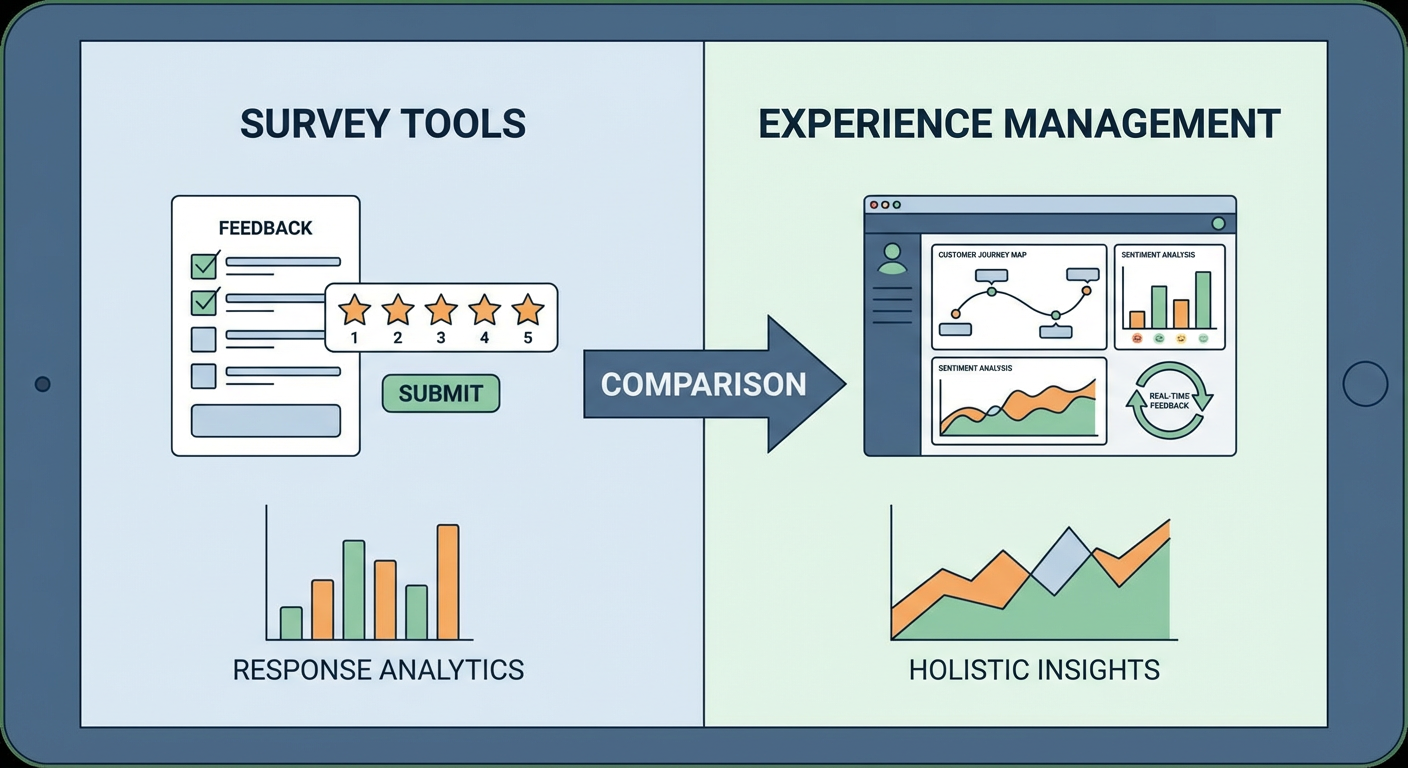
I spent eight months on Qualtrics at a previous company. We sent quarterly NPS surveys, a post-purchase feedback form, and the occasional employee pulse check. That was it. Three use cases, $30,000+ per year. I asked our ops lead what percentage of Qualtrics we actually used. She said "maybe 15%." We were renting a Boeing 747 to fly across town.
Look, Qualtrics is a good product. I won't pretend otherwise. The branching logic is the best I've used, and the analytics go deeper than anything else on the market. If your company runs a global experience management program spanning CX, EX, and brand tracking, Qualtrics earns that price tag. But I keep meeting teams who are just sending surveys and skimming the results. They don't touch the advanced features. They just need to collect opinions and figure out what people are telling them.
So I started rethinking the stack. A Customer Feedback Analyzer agent can read through survey responses, reviews, and support tickets and pull out the patterns, no six-figure contract needed. Combine it with a cheaper survey tool and you spend less while learning more. Here's how I'd rank the options.
| # | Tool | Best For | Pricing |
|---|---|---|---|
| 1 | Cotera | AI-powered feedback analysis | Free tier available |
| 2 | SurveyMonkey | General-purpose surveys | Free tier, paid from $25/mo |
| 3 | Typeform | Beautiful conversational forms | Free tier, paid from $29/mo |
| 4 | Google Forms | Free surveys with zero setup | Free |
| 5 | Medallia | Enterprise experience management | Custom pricing |
| 6 | SurveySparrow | Recurring surveys and CX workflows | From $19/mo |
| 7 | Alchemer | Mid-market survey flexibility | From $55/mo |
| 8 | Jotform | Form building beyond surveys | Free tier, paid from $34/mo |
| 9 | Forsta | Research-grade survey platform | Custom pricing |
1. Cotera
Free tier available
- AI agents that analyze survey responses and open-ended feedback
- Sentiment analysis across reviews, tickets, and survey data
- Competitor review monitoring and comparison
- Custom agent workflows for any feedback source
- Works alongside any survey tool you already use
Cotera isn't a survey builder. It's the layer that makes your survey data actually useful. The difference matters because most teams don't have a survey problem. They have an analysis problem. Responses pile up in spreadsheets. Open-ended comments go unread. NPS scores get reported quarterly but nobody explains why the number moved.
I run the Customer Feedback Analyzer agent after every survey closes. Give it your response export and it reads every open-ended comment, groups them by topic, flags the complaints that keep showing up, and pulls out the quotes worth reading. Our analyst used to spend two days on this after each quarterly survey. Now it takes minutes.
The thing I like about Cotera vs. Qualtrics or Medallia: you're not stuck analyzing data inside the same tool that collected it. The Sentiment Analysis agent chews through any text. Survey responses, app store reviews, support tickets, tweets. Doesn't matter where the words came from. The Review Monitoring agent watches G2, Capterra, Trustpilot, and Google Reviews for you and sends a weekly digest. And the Competitor Review Analysis agent does that same monitoring on your competitors' profiles, so you know how your feedback stacks up against theirs.
The free tier handles enough analysis for a small team running monthly surveys. You keep your existing survey tool (or pick a cheaper one from this list) and let Cotera handle the part that Qualtrics charges $30K/year for: turning responses into decisions.
2. SurveyMonkey
Free tier, team plans from $25/user/mo
- Question bank with 1,800+ expert-written questions
- Built-in analytics and cross-tab reporting
- Dozens of pre-built survey templates
- Integrations with Salesforce, HubSpot, Slack, and more
Everyone's used SurveyMonkey at some point. Your dentist sends SurveyMonkey surveys. Your kid's school sends SurveyMonkey surveys. That market saturation exists because the product actually works. The template library has pre-built surveys for customer satisfaction, event feedback, employee engagement, and probably 50 other categories I haven't explored. Pick one, tweak the questions, send the link. Results appear in a dashboard within hours.
The question bank is where SurveyMonkey adds value over simpler tools. 1,800+ questions written by survey methodologists, organized by use case and benchmarked against industry data. If you're not sure whether to use a 5-point or 7-point Likert scale for your CSAT survey, SurveyMonkey has an opinion and data to back it up. The analytics inside SurveyMonkey handle filtering, cross-tabs, and trend tracking without exporting to Excel. Not as powerful as Qualtrics, but good enough that most people never need to leave the dashboard.
The free plan caps you at 10 questions and 25 viewable responses. Good for a quick straw poll. Useless for anything real. The team Advantage plan at $25/user/month (billed annually, minimum 3 users) unlocks unlimited questions and 50,000 responses per year. Premier at $75/user/month adds phone support and deeper analytics. You're looking at maybe $900/year for a three-person team on Advantage. Compare that to $30,000 for Qualtrics and the math is obvious. You lose the advanced logic engine and experience management suite. Most teams I've worked with never opened those features anyway.
3. Typeform
Free tier, paid from $29/mo
- One-question-at-a-time conversational format
- Beautiful default design with full customization
- Logic jumps and conditional branching
- Embed anywhere with native integrations
Typeform's bet is that survey design affects response quality. Show people a wall of 20 questions and they rush through it. Show them one question at a time with smooth animations and they give better answers. The data supports this: Typeform reports completion rates about 2x higher than traditional survey formats.
The design quality is hard to overstate. Every form looks polished out of the box. No tweaking font sizes or fixing alignment. If you're sending a post-purchase survey or an onboarding questionnaire, Typeform makes your company look like it hired a designer. Qualtrics surveys look like something a grad student built for a research study. That's fine if you're a research university. It's less fine if you're a DTC brand.
Typeform's Basic plan starts at $29/month for 100 responses. The Plus plan at $59/month gives you 1,000 responses. The Business plan at $99/month gets you 10,000 responses and removes Typeform branding. If you're collecting more than a few hundred responses per month, the per-response economics can get uncomfortable. Qualtrics charges a lot, but at least you're not watching a meter tick. For smaller survey volumes where response quality matters more than response quantity, Typeform is the best-looking option on this list.
4. Google Forms
Free (Google Workspace from $7/user/mo)
- Completely free with any Google account
- Unlimited questions and unlimited responses
- Real-time response data in Google Sheets
- Collaborative editing with team members
Google Forms costs nothing and does more than you'd expect. Unlimited questions. Unlimited responses. Automatic data sync to Google Sheets. If your feedback program is "send a survey and look at the results in a spreadsheet," Google Forms handles that without spending a dollar.
The Sheets integration is the real feature. Every response lands in a spreadsheet instantly. Teams that already live in Google Workspace can build their own analysis workflows using pivot tables, charts, and Apps Script automation. A customer success team I know runs their entire quarterly NPS program through Google Forms and a Sheets dashboard. It took them an afternoon to set up. Their previous Qualtrics contract was $22,000/year.
Where Google Forms falls short: it looks basic. There's no conversational format like Typeform, no question bank like SurveyMonkey, and limited branching logic. The analytics are nonexistent inside Forms itself. You have to do everything in Sheets. For internal surveys, employee pulse checks, and simple feedback collection where appearance doesn't matter, Google Forms is the obvious starting point. Pair it with Cotera's analysis agents and you get surprisingly capable feedback analysis for essentially free.
5. Medallia
Custom pricing (typically $50K+/year)
- Omnichannel experience data capture
- AI-powered text and speech analytics
- Real-time alerts and closed-loop workflows
- Employee experience and digital experience tools
Including Medallia on a "Qualtrics alternatives" list might seem weird because it costs more. But I've talked to CX teams who left Qualtrics not because of the price, but because they hit the ceiling on what Qualtrics could do. Medallia is where you go when you've outgrown the survey-centric model and need a full experience management platform.
Medallia pulls in feedback from surveys, call center recordings, chat logs, social media, IoT sensors, even video. All of it gets processed through their AI analytics engine. When someone leaves a bad review or a low CSAT score, Medallia can automatically create a ticket, route it to the right person, and include the context they need to respond. I talked to a hotel chain that runs 2 million feedback signals per month through Medallia. They tried Qualtrics first. It couldn't handle the volume without heavy customization.
You'll pay for it. Medallia contracts start around $50,000/year and climb into six figures for bigger rollouts. Implementation takes months, and you'll almost certainly end up hiring a Medallia consultant. If you're just running monthly NPS surveys and reading the results, Medallia is absurd overkill. But if experience management has its own VP at your company, this is what they should be evaluating.
6. SurveySparrow
From $19/mo
- Chat-like conversational survey interface
- Recurring survey scheduling and automation
- NPS, CSAT, and CES survey templates
- Ticket management for closing the feedback loop
SurveySparrow borrowed Typeform's conversational idea and bolted on features that recurring feedback programs actually need. The surveys feel like a chat on mobile, which is where most responses come from these days. More interesting: you can schedule the same survey to fire off weekly, monthly, or quarterly without touching it again.
That recurring survey feature is what sells it for me. Build your CSAT survey, pick a schedule, define your segments. Done. Every cycle gets its own results dashboard so you can watch trends move quarter over quarter. Qualtrics can technically do this too, but you have to configure distribution workflows that feel like you're programming a rocket launch. SurveySparrow turns it into a checkbox.
At $19/month for Basic, it's one of the cheapest options here. The $39/month Starter plan adds more. Business and Professional tiers require a sales call. My main complaint: the analytics feel thin compared to SurveyMonkey or Qualtrics. Open-ended responses basically just sit there. You'll want Cotera or another analysis tool if you're collecting text feedback. The ticket management feature on higher plans exists, but it's nothing compared to a proper helpdesk.
7. Alchemer
From $55/mo per user
- Advanced survey logic and branching
- Unlimited surveys, questions, and responses
- Custom reporting and data export options
- API access and CRM integrations
Alchemer (formerly SurveyGizmo) is the platform that people who've outgrown SurveyMonkey but can't justify Qualtrics tend to land on. The survey logic engine is legitimately close to Qualtrics in capability. Skip logic, piping, quotas, randomization, custom variables, scoring -- it handles complex survey design without the enterprise price tag.
Here's what matters: unlimited surveys, unlimited questions, unlimited responses on every paid plan. No usage meter. SurveyMonkey caps your responses. Typeform charges you for each one. Qualtrics charges per user and sometimes per response. Alchemer charges per user and leaves it at that. If you send a lot of surveys, that pricing model saves thousands per year.
The trade-off is polish. Alchemer's interface is functional but not pretty. The survey designs look dated compared to Typeform. The reporting, while flexible, requires more manual configuration than Qualtrics' dashboards. Starting at $55/month per user, Alchemer sits in the middle of the market on price. It's the pragmatic choice for teams that need advanced survey features without the Qualtrics contract process that takes eight weeks and involves three procurement calls.
8. Jotform
Free tier, paid from $34/mo
- 10,000+ form templates including surveys
- Drag-and-drop builder with conditional logic
- Payment collection and e-signatures
- Jotform Tables for response management
Jotform isn't a survey tool. It's a form builder that happens to do surveys well. That distinction matters because if your "survey needs" actually include order forms, registration pages, payment collection, and document signing alongside feedback forms, Jotform handles all of it in one platform. Qualtrics does surveys. Jotform does everything that collects data from people.
The template library is enormous: 10,000+ templates across every category you can think of. The drag-and-drop builder is genuinely intuitive. Non-technical team members can build a survey in 15 minutes without reading documentation. Jotform Tables turns your response data into a spreadsheet-like database that's easier to work with than exporting CSVs from Qualtrics.
The free Starter plan includes 5 forms, 100 submissions per month, and 100MB of storage. The Bronze plan at $34/month bumps that to 25 forms and 1,000 submissions. Gold at $99/month gives you 100 forms and 10,000 submissions with HIPAA compliance. Jotform won't match Qualtrics on survey methodology features like advanced piping or complex quotas. But if your team's real workflow is 60% forms and 40% surveys, Jotform covers both without paying for two separate tools.
9. Forsta
Custom pricing
- Survey platform built by market researchers
- Advanced panel management and sampling
- Qualitative and quantitative research tools
- Data visualization and reporting dashboards
Forsta (formed from the merger of Confirmit and FocusVision) is the survey platform that market research teams choose when they need methodological rigor. Panel management, quota sampling, conjoint analysis, MaxDiff, complex rotation schemes -- Forsta handles research designs that make Qualtrics' advanced features look basic.
If you're an insights team running brand tracking studies, product concept tests, or segmentation research, Forsta's survey engine was built for your use case. The platform handles both quantitative surveys and qualitative research (online focus groups, video interviews) in one place. That combination is unusual. Most tools force you to use separate platforms for quant and qual.
Forsta's pricing isn't public, but contracts are in the same range as Qualtrics for comparable seat counts. Implementation is not simple. The platform has a learning curve that reflects its depth, and smaller teams will find it excessive. This is a tool for organizations with dedicated research teams running complex studies. If your survey needs are "send an NPS survey and read the results," Forsta is 10x more platform than you need.
How to Choose
It depends on what you're actually paying Qualtrics for.
Sending surveys and reading results? SurveyMonkey ($25/user/month) or Google Forms (free) handle standard surveys at a fraction of the cost. Most teams fall into this category and are overpaying by 80%+ on Qualtrics.
Need beautiful, high-completion surveys? Typeform ($29-99/month) produces the best-looking surveys and has completion rates to match. SurveySparrow ($19/month) gives a similar conversational feel at a lower price.
Running complex research studies? Alchemer ($55/user/month) matches most of Qualtrics' survey logic at a lower price point. Forsta is the option when research rigor matters more than budget.
Managing an enterprise CX program? Medallia is the step up from Qualtrics, not a cheaper alternative. If you need omnichannel experience management at scale, that's what Medallia was built for.
Want to actually understand your feedback data? That's where most tools fall short and where Cotera fills the gap. Collect responses with any survey tool, then let Cotera's agents analyze open-ended feedback, track sentiment trends, and monitor competitor reviews. The analysis layer is where the value is, and it doesn't need to live inside your survey platform.
The best setup I've seen: a simple survey tool (SurveyMonkey, Google Forms, or Typeform depending on your needs) paired with Cotera for analysis. Total cost is under $100/month. The Qualtrics contract it replaced was $28,000/year.
Try These Agents
- Customer Feedback Analyzer -- Categorize open-ended survey responses by theme and sentiment automatically
- Sentiment Analysis -- Analyze sentiment across survey data, reviews, and support tickets
- Review Monitoring -- Track customer reviews on G2, Capterra, Trustpilot, and Google Reviews
- Competitor Review Analysis -- Compare your customer feedback against competitor reviews