
Best Salesforce Alternatives in 2026: 9 CRMs Compared
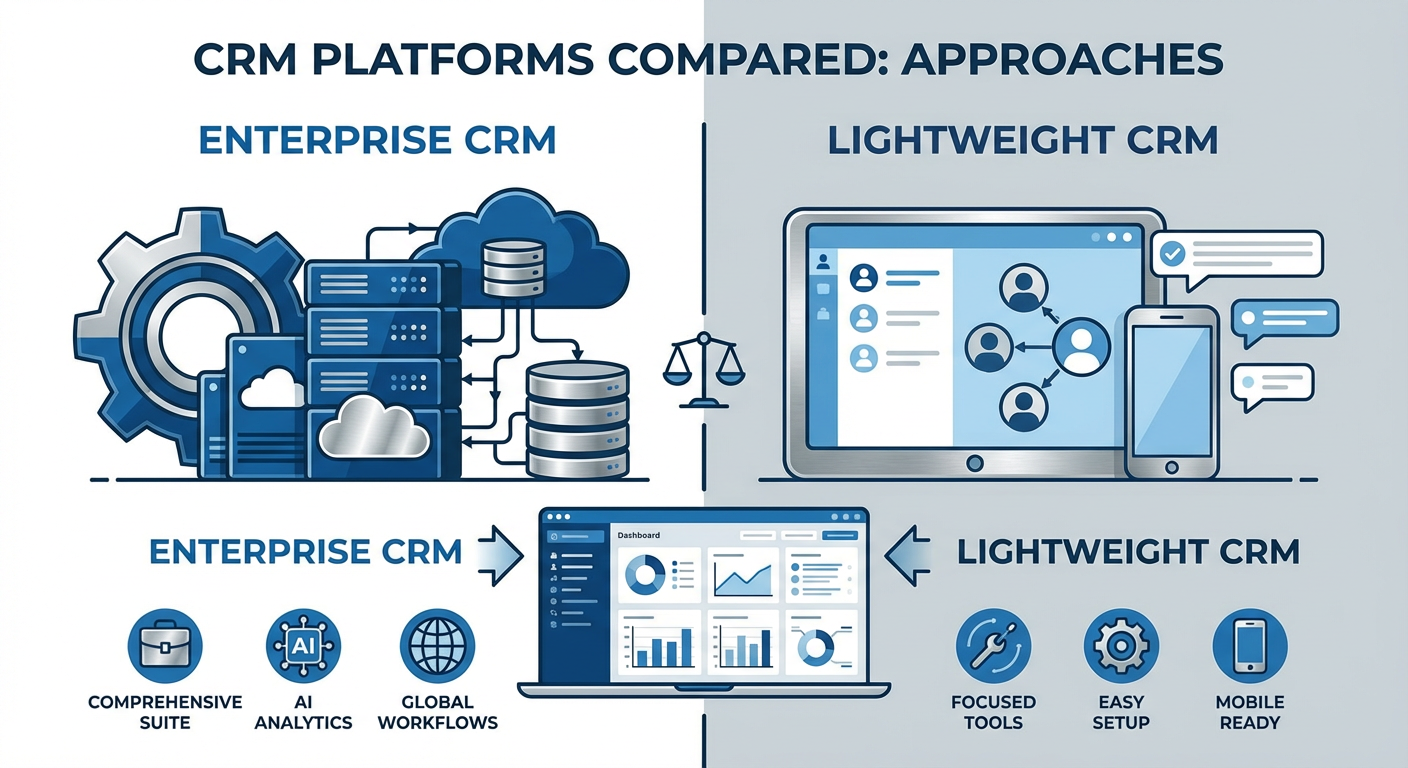
I spent three years on Salesforce. I liked maybe four months of it. The rest was fighting with page layouts, waiting on admin queues, and explaining to finance why our CRM bill kept climbing even though headcount hadn't changed. By the time we added CPQ, a managed package for territory routing, and two consultants to keep the thing running, our total cost of ownership was north of $380 per user per month — and that's before anyone on the team had logged a single call.
Salesforce is a beast of a platform. For large enterprises with dedicated RevOps teams, it earns its price tag. But for the other 90% of sales organizations — the ones where your "Salesforce admin" is a rep who drew the short straw — it's overkill. You're paying for 2,000 features to use 40 of them, and the 40 you actually need are buried under a configuration layer that requires a certification to navigate.
The most common reasons I hear from teams switching off Salesforce: the total cost is 3-5x what the per-seat price suggests once you add integrations, consulting, and maintenance. Implementation takes months instead of days. Reps hate using it, so data quality suffers. And for teams under 100 people, there are simpler tools that do 95% of what you need at 20% of the cost.
Here are nine alternatives I've either used directly or watched teams migrate to, ranked by where they make the most sense.
| # | Tool | Best For | Pricing |
|---|---|---|---|
| 1 | Cotera | AI-powered CRM intelligence layer | Free tier available |
| 2 | HubSpot | All-in-one CRM with free tier | Free, paid from $20/mo |
| 3 | Pipedrive | Pipeline-focused sales teams | From $14/mo |
| 4 | Zoho CRM | Budget-friendly Salesforce replacement | Free, paid from $14/mo |
| 5 | Close | Inside sales and cold calling | From $49/mo |
| 6 | Freshsales | Small teams wanting built-in phone and email | Free, paid from $9/mo |
| 7 | Monday Sales CRM | Teams already using Monday.com | From $12/mo |
| 8 | Attio | Modern UI with flexible data modeling | Free, paid from $29/mo |
| 9 | Copper | Google Workspace-native CRM | From $9/mo |
1. Cotera
Free tier available
- AI agents for deal intelligence, account enrichment, and data cleaning
- Works on top of your existing CRM — no rip-and-replace needed
- Lead enrichment that cross-references multiple sources automatically
- Custom agent builder for any sales workflow, no code required
- Pre-built Salesforce agents for teams still on SFDC
Here's the thing most people don't realize when shopping for Salesforce alternatives: the CRM itself isn't the hard part. It's the intelligence that sits on top of it. Salesforce charges you enterprise prices partly because of the ecosystem — AppExchange apps, Einstein AI, flow automations — that turn raw contact records into actionable insights. When teams switch to a cheaper CRM, they often lose that intelligence layer and end up with a clean, simple database that doesn't actually help them sell better.
Cotera solves this problem differently. Instead of replacing your CRM, it adds an AI layer on top of whatever you're already using. The Salesforce Deal Intelligence agent monitors your pipeline and flags deals that are stalling, missing next steps, or showing signs of going dark — things that Salesforce's native reporting can technically do but requires a half-day of report building to set up. The Account Enrichment agent fills in the gaps in your account records by pulling from multiple external sources: company news, hiring data, tech stack, funding history. No more half-empty account pages because reps don't bother filling in fields.
The Data Cleaner agent is the one that surprised me most. It scans your CRM for duplicates, outdated records, missing fields, and formatting inconsistencies, then fixes them or flags them for review. I've seen teams spend $50K+ on Salesforce data quality tools. This does 80% of that work for free.
For teams actively migrating away from Salesforce, Cotera works just as well on top of HubSpot, Pipedrive, or any other CRM on this list. And for teams who aren't ready to leave Salesforce but want more out of it without buying another managed package, the Lead Enrichment agent turns every new lead into a fully researched profile before a rep ever touches it. That's the kind of intelligence Salesforce charges Einstein AI prices for.
2. HubSpot
Free CRM, paid Sales Hub from $20/mo
- Free CRM with unlimited users and up to 1M contacts
- Built-in email tracking, meeting scheduling, and live chat
- Marketing, sales, and service hubs in one platform
- Visual deal pipeline with drag-and-drop stages
HubSpot is the most common Salesforce alternative for a reason: the free tier is genuinely usable. Not "free trial" usable — actually free, forever, with unlimited users. You get contact management, deal tracking, email templates, meeting links, and basic reporting without spending anything. For a five-person sales team that's been paying $75-150 per user per month on Salesforce, that math is hard to argue with.
Where HubSpot earns its keep over Salesforce is the learning curve. I've onboarded reps on both platforms. Salesforce onboarding takes two to four weeks before a rep is comfortable navigating it independently. HubSpot onboarding takes two to three days. The interface is intuitive in a way that Salesforce's simply isn't, and for teams without a dedicated admin, that difference in complexity compounds every single day.
The catch is the paid tiers. HubSpot's Sales Hub Professional ($100/user/month) and Enterprise ($150/user/month) start approaching Salesforce territory in pricing, and some features that Salesforce includes at the Professional level — like custom objects, advanced workflows, and calculated properties — only unlock at HubSpot's Enterprise tier. If you need deep customization, the pricing gap narrows faster than the marketing suggests.
My honest take: HubSpot is the best Salesforce alternative for teams under 50 reps who value simplicity over configurability. If you have a RevOps team that lives in admin panels building custom objects and automation rules, HubSpot will feel limiting. If your reps just need to track deals, log calls, and see their pipeline, HubSpot does that better than Salesforce at a fraction of the cost.
3. Pipedrive
From $14/user/month
- Visual pipeline management built for sales reps, not admins
- Activity-based selling methodology baked into the workflow
- AI sales assistant that flags deals needing attention
- Marketplace with 400+ integrations
Pipedrive was built by salespeople, and you can tell. The entire product is organized around the pipeline view — a visual board of deals moving through stages. Where Salesforce buries the pipeline behind reports and dashboards that someone has to build, Pipedrive makes it the default screen. Open the app, see your deals. Drag them between stages. Click one for context. That's it.
The activity-based approach is what sets Pipedrive apart philosophically. Instead of measuring output (revenue, win rates), Pipedrive pushes reps to focus on input (calls made, emails sent, meetings booked). The system nags you when a deal has no scheduled activity, which sounds annoying but actually works. Deals don't go dark because there's always a next step prompted by the system.
Compared to Salesforce, Pipedrive trades power for speed. You can't build the kind of complex automation, approval workflows, or multi-object relationships that Salesforce supports. But you also don't need a consultant to set up a new pipeline stage. A sales manager can configure Pipedrive in an afternoon. Configuring Salesforce takes that same manager three weeks and a budget line item for implementation.
At $14/user/month for the Essential plan, Pipedrive costs roughly what Salesforce charges for a single API call. The Professional plan at $49/user/month adds workflow automation, revenue forecasting, and group emailing — features that cover what most mid-market teams need from a CRM. Teams with more than 200 reps or complex multi-product sales motions will hit Pipedrive's ceiling. Everyone else will wonder why they were paying Salesforce prices.
4. Zoho CRM
Free for 3 users, paid from $14/user/month
- Feature set closest to Salesforce at a fraction of the price
- Canvas design studio for custom UI without code
- Zia AI assistant for lead scoring and anomaly detection
- Part of broader Zoho suite (40+ apps)
Zoho CRM is the closest thing to Salesforce that isn't Salesforce. Custom modules, workflow rules, approval processes, blueprints, multi-currency support, territory management — the feature checklist reads like someone went through Salesforce's pricing page and rebuilt everything at 20-30% of the cost. For teams that genuinely need Salesforce-level functionality but can't justify Salesforce-level pricing, Zoho is the first place to look.
The Canvas design studio is a feature Salesforce doesn't have a direct equivalent for. It lets you redesign CRM pages visually — drag fields around, change layouts, add conditional formatting — without writing code or dealing with Lightning components. I watched a sales ops manager rebuild their entire lead view in about 45 minutes. The same change in Salesforce would have been a half-day project involving a developer.
The trade-off is ecosystem. Salesforce's AppExchange has thousands of integrations. Zoho's marketplace is smaller, and some enterprise tools that have native Salesforce connectors only support Zoho through Zapier or generic APIs. If your tech stack depends on specific Salesforce-native integrations, check compatibility before switching.
Zoho's free tier supports three users, which works for very early-stage teams. The Professional plan at $23/user/month is where most teams land — it includes workflow automation, inventory management, and Google Workspace integration. Even the Enterprise plan at $40/user/month, which adds multi-user portals and custom functions, costs less than Salesforce's cheapest paid tier.
5. Close
From $49/user/month
- Built-in calling, SMS, and email — no integrations needed
- Power dialer and predictive dialer for high-volume calling
- Call recording and coaching built into the CRM
- Sequences that combine calls, emails, and SMS in one workflow
Close was built for inside sales teams that spend most of their day on the phone. The calling features are native — not a third-party integration bolted on, but actually part of the CRM. Click a contact, the phone rings, the call is recorded, notes are logged, and the next contact in your list auto-dials. For teams running 50-100 dials per day, the workflow elimination is real. In Salesforce, this same setup requires a telephony integration (Dialpad, RingCentral, or similar), a connector, and usually some custom configuration. In Close, it works out of the box.
The power dialer and predictive dialer are features you'd need Salesforce's High Velocity Sales add-on ($75/user/month on top of your CRM license) to match. Close includes them in the base product. For outbound-heavy teams, that one feature can save $75/user/month compared to Salesforce plus a dialer add-on.
Close's reporting is solid but not deep. You get activity metrics (calls made, emails sent, response rates), pipeline views, and basic forecasting. You won't get the kind of multi-dimensional reporting that Salesforce's report builder enables. If your VP of Sales needs a custom report cross-referencing lead source attribution with deal velocity by territory and rep tenure — yes, that's oddly specific, but I've built that exact report in Salesforce — Close won't get you there.
At $49/user/month for the Startup plan and $99/user/month for Professional with the power dialer, Close costs less than Salesforce plus any telephony integration. The target customer is clear: SMB inside sales teams doing high-volume outbound. If your sales motion is field sales, enterprise deals, or heavily relationship-driven, Close's phone-first design won't feel like the right fit.
6. Freshsales
Free for 3 users, paid from $9/user/month
- Built-in phone, email, and chat — no add-ons required
- AI lead scoring (Freddy AI) included in paid plans
- Visual sales pipeline with weighted forecasting
- Part of Freshworks suite with support and marketing tools
Freshsales does something that Salesforce and most enterprise CRMs have forgotten how to do: it stays out of the way. The interface is clean. Setup takes hours, not weeks. Built-in phone and email mean a new rep can start making calls and sending emails from the CRM on their first day without anyone configuring an integration.
The free tier supports three users with contact management, built-in phone, and email. The Growth plan at $9/user/month adds visual pipelines, AI contact scoring, and sales sequences. That's less than the cost of a single Salesforce license for an entire small team. For startups and small businesses that need a CRM but don't need (or want) anything approaching Salesforce's complexity, Freshsales hits the right balance.
Freddy AI, Freshworks' built-in assistant, handles lead scoring and deal insights. It's not as sophisticated as Salesforce's Einstein — fewer data points, less customization — but it's included in the $9/user/month plan where Einstein requires Salesforce's Enterprise tier or higher. For teams that want basic AI without paying enterprise prices, Freshsales delivers.
The honest downside: Freshsales gets less attention from Freshworks than their support product (Freshdesk). Updates are slower, the integration marketplace is limited compared to HubSpot or Salesforce, and the reporting tools are basic. If you outgrow Freshsales, you're looking at a migration, not an upgrade path. But for teams under 20 reps who need a working CRM yesterday and don't want to spend next quarter configuring it, Freshsales is one of the best options available.
7. Monday Sales CRM
From $12/user/month
- CRM built on Monday.com work management platform
- Fully customizable boards, columns, and automations
- Email sync with tracking and templates
- Dashboards that combine sales data with project data
Monday Sales CRM only makes sense if you already use Monday.com, but if you do, it makes a lot of sense. The CRM is built on the same board-based interface that Monday uses for project management, which means your team already knows how to use it. No onboarding. No training sessions. Just a new board type with CRM-specific columns and automations.
The flexibility is the selling point. In Salesforce, adding a custom field requires navigating Setup, choosing the right object, selecting the field type, setting permissions, and adding it to the page layout. In Monday, you add a column. That simplicity extends to automations (if deal stage changes to X, send email Y), dashboards (drag widgets, pick data sources), and views (Kanban, timeline, table, map). It's not more powerful than Salesforce — it's more accessible.
The limitation is depth. Monday Sales CRM handles contact management, deal tracking, activity logging, and basic automation. It does not handle territory management, CPQ, advanced forecasting, approval workflows, or any of the enterprise features that justify Salesforce's price tag. For teams where the CRM is "the place we track deals and contacts" rather than "the operating system for our revenue organization," Monday works well.
At $12/user/month, the price-to-functionality ratio is strong. Teams already paying for Monday.com for project management can add the CRM without a separate vendor, a separate login, or a separate bill. That consolidation is worth something.
8. Attio
Free for 3 users, paid from $29/user/month
- Relationship intelligence with automatic contact enrichment
- Flexible data model — custom objects without the Salesforce complexity
- Real-time multiplayer collaboration (like Figma for CRM)
- API-first architecture built for integrations
Attio is what a CRM looks like when you build it in 2023 instead of 1999. The interface feels more like Notion than Salesforce — clean, modern, fast. But the substance underneath is real. Custom objects, flexible relationships between records, automatic enrichment from email and calendar data, and a data model that bends to fit how your team actually works instead of forcing you into rigid objects.
The relationship intelligence feature is Attio's biggest differentiator. It reads your email and calendar, maps the connections between people and companies, and surfaces interaction history without anyone manually logging activities. In Salesforce, activity tracking depends entirely on reps remembering to log calls and emails. In Attio, it happens automatically. For teams whose Salesforce data was 60% empty because reps didn't log their activity, this alone is worth the switch.
Real-time collaboration sets Attio apart from every other CRM on this list. Multiple people can work in the same view simultaneously, see each other's cursors, and make changes that appear instantly. It sounds like a minor feature until you've sat in a pipeline review where five people are staring at the same Salesforce dashboard that refreshes every 30 seconds and shows different data depending on who's logged in.
Attio's main limitation is maturity. The feature set is growing fast, but some things that Salesforce users take for granted — advanced workflow automation, role-based permissions with granular control, territory management — aren't there yet or are still being built. Attio works best for teams under 50 who value a clean, modern experience and are willing to trade some enterprise features for a CRM their reps will actually enjoy using.
9. Copper
From $9/user/month
- Lives inside Gmail and Google Calendar natively
- Automatic contact creation from email interactions
- Pipeline management without leaving your inbox
- Google Workspace SSO and deep integration
Copper's pitch is simple: if your team lives in Google Workspace, your CRM should live there too. The Chrome extension embeds Copper directly into Gmail. When you open an email from a prospect, Copper shows their contact record, deal history, and related files in a sidebar. You can create contacts, update deals, log notes, and manage your pipeline without ever leaving your inbox.
For Salesforce users who spend half their day switching between tabs, this is a real quality-of-life improvement. The automatic contact creation is particularly useful — Copper detects new email addresses and offers to add them as contacts with company info pre-filled. In Salesforce, every new contact is a manual entry (or an integration with another tool that handles it). Copper removes that friction.
The downside is the ceiling. Copper is built for small teams using Google Workspace. If you're on Microsoft 365, Copper doesn't work. If you need multi-currency, advanced forecasting, CPQ, or territory management, Copper doesn't do that. And the reporting is basic — you get pipeline reports, activity reports, and leaderboards, but nothing close to Salesforce's report builder.
At $9/user/month for the Basic plan, Copper is priced for small businesses and startups. The Professional plan at $23/user/month adds workflow automation and bulk email. For Google Workspace teams under 30 reps who want a CRM that fits into their existing workflow rather than demanding its own, Copper is hard to beat. Just know that if your team grows past 50 reps or your sales process becomes more complex, you'll likely outgrow it.
How to Choose the Right Salesforce Alternative
Your reason for leaving Salesforce should guide your choice.
Paying too much for features you don't use? HubSpot's free tier covers the basics. Pipedrive at $14/user/month gives you a clean pipeline. Freshsales at $9/user/month includes phone and email. Any of these cut your CRM spend by 70-90% compared to Salesforce.
Tired of complexity and slow implementation? Pipedrive, Attio, and Copper are the simplest tools on this list. A sales manager can set up any of them in a single afternoon. No consultants required.
Need something that matches Salesforce's feature depth? Zoho CRM comes closest at 20-30% of the price. HubSpot's Enterprise tier is another option, though the pricing gap narrows at that level.
Running high-volume inside sales? Close has the best built-in dialer and calling features. You'll replace Salesforce plus your telephony integration with one tool at a lower combined price.
Already using Monday.com or Google Workspace? Monday Sales CRM and Copper integrate so tightly with those ecosystems that the CRM becomes invisible — which is what a CRM should be.
Want Salesforce-level intelligence without Salesforce-level cost? This is where Cotera fits. The Deal Intelligence and Account Enrichment agents give you the kind of AI-powered insights that Salesforce locks behind Einstein pricing. And they work on top of any CRM on this list, so you can pair Cotera with whatever platform fits your team best.
The right answer for most teams switching off Salesforce is a simpler CRM plus Cotera's intelligence layer. You get a clean, affordable CRM that reps actually use, plus AI agents that deliver the insights Salesforce charges enterprise prices for. That combination costs a fraction of Salesforce and covers 95% of what growing sales teams need.
Try These Agents
- Salesforce Deal Intelligence -- Monitor pipeline health and flag deals that need attention
- Salesforce Account Enrichment -- Enrich account records with company news, hiring data, and tech stack
- Salesforce Data Cleaner -- Find and fix duplicates, outdated records, and missing fields in your CRM
- Lead Enrichment Agent -- Turn any lead into a fully researched profile with contact info and signals