
How to Enrich Leads Automatically
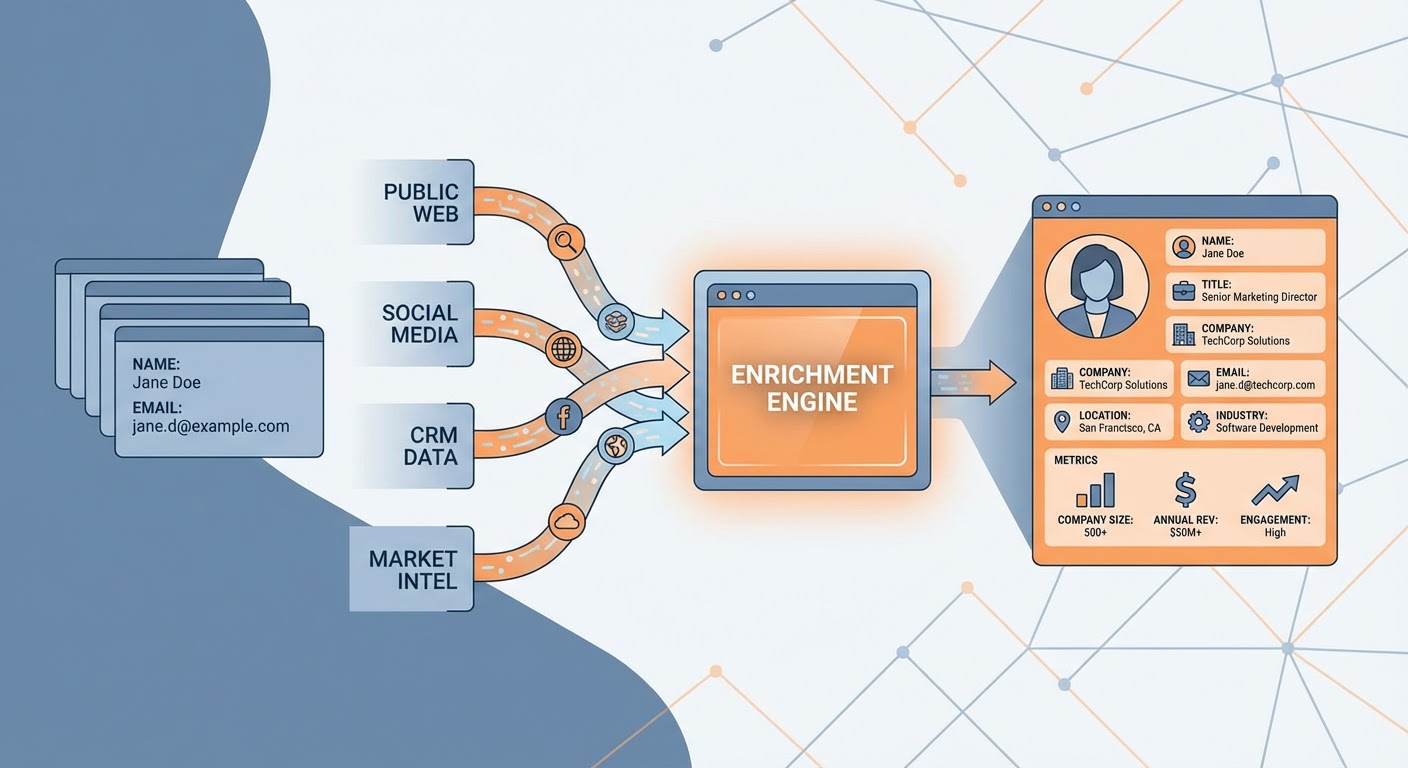
A marketing qualified lead comes in: first name, last name, email address. That's it. Now your SDR has to go research the company, find the prospect's title, figure out the company size, check if they're in your ICP, look up their tech stack, and find other stakeholders at the account. Thirty minutes per lead. If you're generating 50 leads a day, that's 25 hours of research time. Per day. Obviously nobody actually does all that research, which is why most SDRs are calling leads blind.
Lead enrichment fixes this by automatically attaching data to incoming leads — company information, contact details, technographics, firmographics, and intent signals. Instead of a name and email, your SDR gets a complete profile they can actually work with.
What Enrichment Data Actually Matters
Not all enrichment data is created equal. Some of it changes how your reps sell. Some of it just fills CRM fields that nobody looks at. Here's what I've found actually gets used by sales teams.
Company size and revenue range. This determines whether the lead is in your ICP before a rep picks up the phone. A lead from a 10-person startup gets a different conversation than one from a 5,000-person enterprise. If your product starts at $10K/year, knowing company size prevents your reps from spending 30 minutes on a call with someone who can't afford you.
Job title and seniority level. Self-explanatory, but the enrichment matters because people put creative titles on forms. "Growth hacker" could be an intern or a VP. Enrichment that normalizes to standard seniority levels (IC, manager, director, VP, C-suite) makes lead scoring actually work.
Tech stack. If your product integrates with Salesforce and the lead's company uses HubSpot, that's good to know before the call. If they use a competitor of yours, even better — you know they already understand the category and can skip the education phase.
Recent funding or hiring signals. A company that just raised $20M is in buying mode. One that just laid off 30% of their team is not. This data is the difference between "warm lead" and "lead that will waste your time."
The Enrichment Stack
A lead enrichment agent is the starting point. Feed it an email address or company domain and it returns enriched data — company overview, contact details, firmographic data. It replaces the manual research loop that SDRs do (poorly) for every new lead.
For deeper company research, Apollo lead research pulls from Apollo's database to add direct phone numbers, verified emails for other contacts at the same account, and org chart information. The multi-contact view is what turns a single lead into an account-based play. Your rep doesn't just call the person who filled out the form — they reach out to three or four stakeholders simultaneously.
HubSpot contact enrichment runs inside your CRM, so enriched data shows up right where reps work. No copy-pasting from a separate tool. The lead comes in, enrichment runs, and by the time a rep opens the record, it's already filled with company info, social profiles, and estimated revenue.
Enrichment Timing Matters
Most teams enrich leads after they come in, which works fine if your response time isn't critical. But if you're trying to respond to inbound leads within five minutes (which you should be — response rate drops 80% after five minutes), enrichment needs to happen instantly.
Set up real-time enrichment that fires the moment a form is submitted. The lead enters your CRM already enriched. Your SDR gets a Slack notification that says "New lead: Sarah Chen, VP Marketing at Acme Corp (200 employees, $30M revenue, Series B, uses Salesforce and Marketo)" instead of "New lead: Sarah, sarah@acme.com." Which notification would you rather receive before making a call?
The batch enrichment approach works for cleaning up your existing database. If you have 10,000 leads sitting in your CRM with just name and email, run a batch enrichment to fill in the gaps. I did this once and found that 30% of our "leads" were personal email addresses (gmail, yahoo) with no company association. We'd been wasting outreach on people who couldn't buy our product.
The Cost Comparison
ZoomInfo and similar enterprise enrichment platforms charge $15K-$50K per year. That gets you massive databases, real-time enrichment, and intent data. Worth it if you're running a large sales org. Painful if you're a 10-person startup.
The agent-based approach costs a fraction of that. A lead enrichment agent pulling from multiple free and low-cost data sources gives you 80% of the data quality at 10% of the cost. You're trading some data completeness for dramatic cost savings. For most teams under 20 reps, the agent approach is the right call.
The free option is manual enrichment using LinkedIn, company websites, and Google. I did this for a year. It's brutal but it works if you genuinely can't afford any tooling. The time cost is real though — budget at least 10 minutes per lead, and accept that your SDRs will hate you.
Try These Agents
- Lead Enrichment — Automatic lead data enrichment from multiple sources
- Apollo Lead Research — Deep contact and company data from Apollo
- HubSpot Contact Enrichment — In-CRM enrichment for HubSpot users
- Lead Enricher Qualifier — Enrich and score leads in one step