
Best Clay Alternatives in 2026: 9 Tools Compared
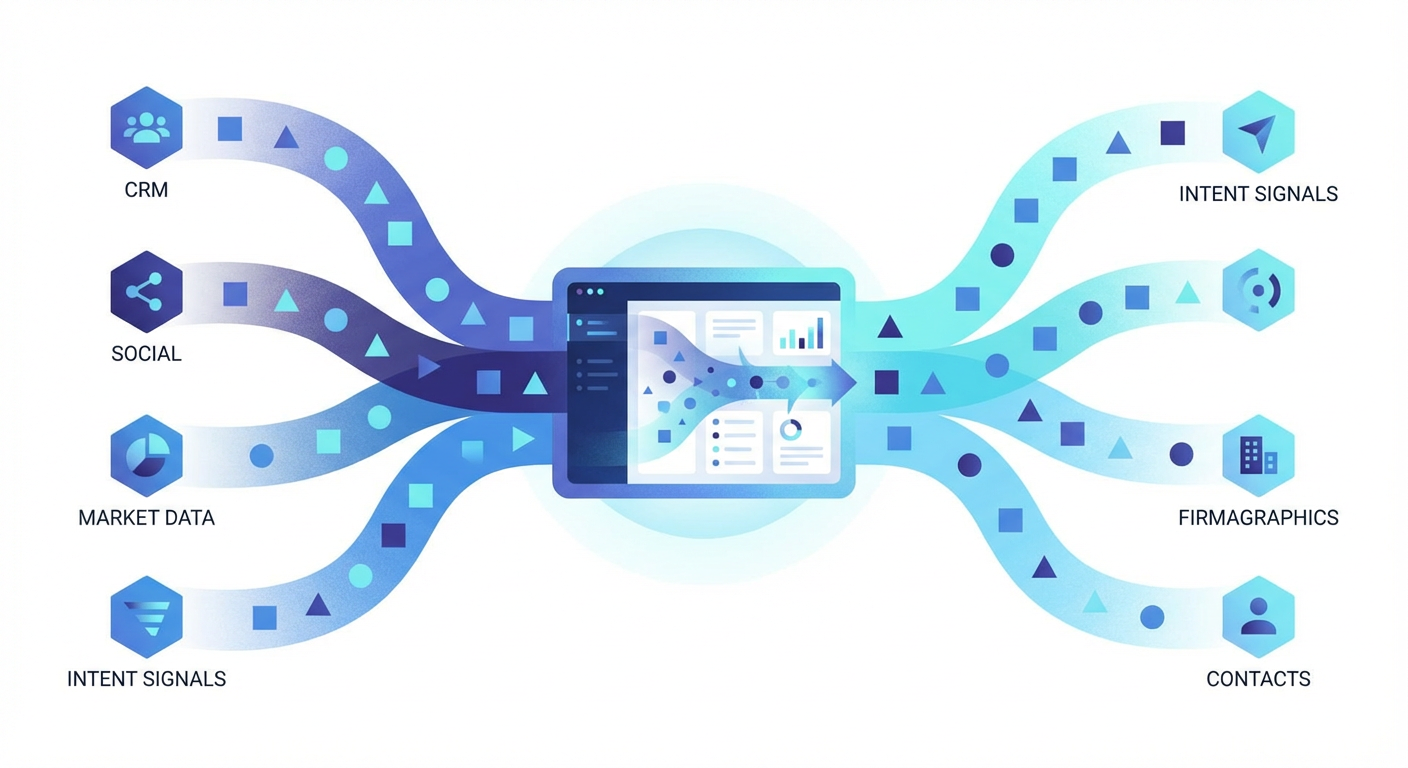
I spent the better part of six months building waterfall enrichment workflows in Clay. Column after column, HTTP request after HTTP request, chaining together ten different data providers to get a single clean record. When it worked, it felt like magic. When a provider changed their API response format on a Tuesday afternoon, the whole table broke and I spent two hours debugging JSON paths.
That is the Clay experience in a nutshell. Powerful, flexible, and fragile. Clay gives you a spreadsheet-like interface to build multi-step enrichment chains across 75+ data providers. You can do almost anything with it. But "can" and "should" are different questions, and the learning curve is steep enough that most teams I talk to are using maybe 20% of what Clay offers while paying for 100%.
I started looking for clay alternatives after my third enrichment table broke in a month. The Lead Enrichment Agent on Cotera was the first thing that clicked. Instead of building and maintaining my own enrichment logic, the agent does the cross-referencing and validation for me. No columns to configure. No API chains to debug. Just the enriched data. That shift from building workflows to getting results changed how I think about this entire category.
Here are nine tools I have tested as replacements, ranked by what they actually deliver.
| # | Tool | Best For | Pricing |
|---|---|---|---|
| 1 | Cotera | AI agent platform for data enrichment | Free tier available |
| 2 | Apollo.io | All-in-one prospecting and outreach | Free tier, paid from $49/mo |
| 3 | Clearbit | Native HubSpot enrichment | From $75/mo (with HubSpot) |
| 4 | Lusha | Quick contact lookups from LinkedIn | Free tier, paid from $49/mo |
| 5 | ZoomInfo | Enterprise-grade B2B database | Custom ($15K+/yr) |
| 6 | Instantly | Cold email infrastructure | From $37/mo |
| 7 | Phantombuster | LinkedIn scraping and automation | From $69/mo |
| 8 | Persana AI | AI-powered signal-based outreach | Free tier, paid from $68/mo |
| 9 | Cargo | Revenue orchestration workflows | From $250/mo |
1. Cotera
Free tier available
- AI agents that enrich leads across multiple data sources
- No workflow building required — describe what you need in plain English
- Cross-references and validates records automatically
- Decision-maker finder with role and seniority matching
- Company growth analysis with hiring and funding signals
Clay makes you the engineer. You decide which providers to query, in what order, how to parse responses, and what to do when data conflicts. Cotera makes the agent the engineer. You tell it what you want — "enrich these 200 leads with verified emails, company size, and recent funding data" — and it figures out the rest.
That is a real difference, not a rebrand of the same thing. I ran a list of 350 mid-market SaaS companies through both tools. In Clay, I built a five-step waterfall: Clearbit first, then Apollo for gaps, then Hunter for email verification, a People Data Labs call for firmographics, and a final dedup step. It took me about 45 minutes to set up and debug. Cotera's Lead Enrichment Agent took the same CSV, returned enriched records with source confidence scores, and flagged 23 records where the data conflicted across providers. Took about four minutes, and I didn't configure anything.
The Find Decision Maker agent is another one I use constantly. Give it a company and a target persona — "VP of Engineering or Head of Platform" — and it finds the right person, their verified email, and recent activity. In Clay, I would build this as a LinkedIn search column piped into an enrichment step piped into a verification step. In Cotera, it is one prompt. The Company Growth Analyzer does something similar for account research: feed it a company name and it pulls together hiring trends, funding history, tech stack changes, and competitive positioning into a single brief.
The free tier is genuinely usable for small teams. Where Clay's free plan gives you 100 credits per month (enough to test, not enough to work), Cotera's free tier lets you run enough agents to see whether the approach works for your workflow before you pay anything.
2. Apollo.io
Free tier, paid from $49/mo
- 275M+ contacts with email and phone data
- Built-in email sequences and dialer
- Advanced search filters with 65+ attributes
- CRM integration with Salesforce and HubSpot
- Intent data and job change alerts
Apollo is the tool people switch to when Clay feels like overkill. Where Clay is a blank canvas that requires you to build everything, Apollo is an opinionated product that ships with a contact database, email sequencing, a dialer, and analytics all in one box. For teams that just want to find leads and email them, Apollo is simpler and faster to get running than Clay.
The database is Apollo's real strength. 275 million contacts, searchable by 65+ filters including technographics, hiring signals, and funding data. Clay can access similar data through its provider integrations, but you have to build the query logic yourself. Apollo gives you a search bar and a filter panel. The trade-off is flexibility: Clay can combine data from dozens of sources in creative ways. Apollo gives you Apollo's data, and that is it.
Where Apollo falls short is data accuracy at the edges. Email bounce rates run 5-7% on average, and phone numbers for contacts outside of well-funded tech companies are unreliable. The all-in-one model also means you are locked into Apollo's email sequencer, which is functional but not best-in-class. Teams that send more than a few thousand cold emails per month usually outgrow it. At $49/month for the Basic plan, though, the value per dollar is hard to beat in this category.
3. Clearbit
From $75/mo (requires HubSpot)
- 100+ firmographic and technographic data points
- Real-time enrichment on form fills and CRM records
- Website visitor identification (Clearbit Reveal)
- Native HubSpot integration with automatic field mapping
Clearbit is now Breeze Intelligence, rebranded after HubSpot acquired it in late 2023. If your CRM is HubSpot, Clearbit is the path of least resistance for enrichment. New contacts get enriched automatically as they enter your CRM. Form fills get shortened because Clearbit already knows the company data. Website visitors get identified by IP and matched to accounts. All of it happens inside HubSpot without any external tool or CSV export.
The data quality is strong for firmographics. Company size, revenue range, industry, tech stack, funding status — Clearbit fills in these fields reliably for mid-market and enterprise companies. Where it gets thinner is contact-level data. Clearbit was never really a "find me this person's email" tool the way Apollo or Lusha are. It enriches records you already have rather than helping you discover new contacts. That is a meaningful gap if your problem is building prospect lists from scratch, which is what most Clay users are doing.
The pricing gets uncomfortable fast. The minimum is $75/month ($30 for HubSpot Starter plus $45 for 100 Breeze Intelligence credits), but 100 credits per month does not go far. Mid-market teams typically spend $1,000 to $5,000 per month once they scale up credit usage. And if you are not on HubSpot, Clearbit is essentially unavailable as a standalone product now. That HubSpot lock-in is a real constraint.
4. Lusha
Free tier, paid from $49/mo
- Chrome extension for one-click LinkedIn enrichment
- Strong direct dial coverage for US contacts
- GDPR and CCPA compliance built in
- CRM push with automatic field mapping
Lusha does the thing Clay users spend the most time building: finding a person's direct phone number and email from their LinkedIn profile. The Chrome extension sits on top of LinkedIn, and when you view a profile, it shows you verified contact data in about two seconds. No waterfall logic, no API calls, no column formulas. Click, get data, push to CRM.
Direct dial accuracy is where Lusha earns its spot on this list. I tested Lusha against Apollo and Clay (using a Hunter plus Clearbit waterfall) on 200 US-based contacts. Lusha returned valid direct dials for 47% of contacts. Apollo hit 31%. My Clay waterfall got 39%. For phone-first outreach teams, that gap adds up to more conversations per day. Lusha's phone data comes from a proprietary community-sourced model where users contribute contact info in exchange for free credits, which gives them coverage that pure scraping tools miss.
The limitation is scope. Lusha is a lookup tool, not an enrichment platform. It does not do company research, technographic data, hiring signals, or intent data. Clay does all of those things. If your workflow starts and ends with "get me this person's contact info," Lusha is faster and more accurate. If you need deeper enrichment, you will need Lusha plus something else.
5. ZoomInfo
Custom pricing (typically $15K+/year)
- Largest B2B database with 95%+ email accuracy
- Bombora-powered intent data
- Org charts and buying committee mapping
- Real-time CRM enrichment with automated updates
ZoomInfo is what you buy when you stop trying to piece together a stack and just want one database that works. The data accuracy is the best in the market. Emails bounce at roughly 2% compared to 5-7% for Apollo and Clay's typical waterfall outputs. Phone numbers connect more often. Company data is updated more frequently. If you grade enrichment tools purely on output quality, ZoomInfo wins.
Intent data is the other reason enterprise teams choose ZoomInfo over Clay. Powered by Bombora, ZoomInfo shows you which target accounts are actively researching topics related to your product. Clay can access some intent data through third-party providers, but the integration is manual and the data is not as granular. ZoomInfo gives you intent scores, trending topics, and buying committee insights in a single dashboard. In my testing, leads from intent-flagged accounts converted to pipeline at roughly 2x the rate of standard outbound lists.
The price is the problem. ZoomInfo starts at $15,000 per year and frequently lands in the $25,000 to $60,000 range for mid-market teams once you add seats, API access, and intent data modules. Clay's Growth plan at $495/month ($5,940/year) is meaningfully cheaper. For teams doing less than $5M in annual revenue, ZoomInfo is hard to justify unless outbound is your primary growth channel and data quality directly drives closed revenue.
6. Instantly
From $37/mo
- Unlimited email accounts and warmup
- Mailbox rotation for deliverability protection
- B2B lead database (SuperSearch)
- A/B testing and campaign analytics
Instantly and Clay solve different problems that often show up together. Clay enriches your leads. Instantly sends them cold emails. Most Clay users I know already use Instantly (or something like it) for the actual outreach, because Clay does not have a sending layer.
Instantly's sending infrastructure is best-in-class for cold email. Unlimited mailbox connections, automated warmup, smart rotation across sending domains, and inbox placement rates in the 83-86% range in my testing. Compare that to Apollo's built-in sequencer, which sits around 70-75% inbox placement. If you are sending more than 5,000 cold emails per month, the deliverability difference between Instantly and a mediocre sequencer compounds fast.
Instantly added a lead database called SuperSearch in 2024, but it is not a Clay replacement. The data is thinner, the enrichment options are limited, and you cannot build multi-step waterfall logic. Think of Instantly as the best possible complement to Clay or Cotera, not a replacement. Enrich your leads somewhere else, then push them into Instantly for sending. At $37/month for the Growth plan, the price is right for that specific job.
7. Phantombuster
From $69/mo
- Pre-built automations for LinkedIn, Twitter, and Google Maps
- Cloud-based execution — no browser required
- AI-powered LinkedIn message personalization
- Direct CRM integrations with HubSpot and Salesforce
Phantombuster is the duct tape tool. It scrapes LinkedIn profiles, extracts emails from search results, pulls company lists from Google Maps, and pushes everything into a spreadsheet or CRM. Clay can do all of this through its own LinkedIn and web scraping integrations, but Phantombuster has been doing it since 2016 and the pre-built "Phantoms" (their term for automation templates) are more reliable for specific use cases.
The LinkedIn Profile Scraper is the Phantom I use most. Give it a Sales Navigator search URL and it extracts profile data for every result — name, title, company, location, and profile URL — then runs those through email finding. For building raw prospect lists from LinkedIn, it is faster to set up than building the equivalent Clay table. The cloud-based execution means you do not need to keep your computer on or a browser open. Start the Phantom, close your laptop, come back to a spreadsheet.
Where Phantombuster gets tricky is the pricing model. You pay for execution time, slots, and credits — three separate meters running at once. The Starter plan at $69/month gives you 20 hours of execution time and 5 concurrent slots. If you hit the limit on any one of those three metrics, your automations stop, even if the other two have headroom. I've been rate-limited at 60% credit usage because I ran out of execution hours. It is confusing, and the bill can spike unexpectedly if you are running automations on large lists.
8. Persana AI
Free tier, paid from $68/mo
- AI agents for automated prospecting and outreach
- 75+ data sources with 700M+ contacts
- Job change, funding, and hiring signal detection
- Multi-channel engagement across email and LinkedIn
Persana AI positions itself as the AI-native alternative to Clay's spreadsheet-based approach. Instead of building enrichment tables manually, Persana uses AI agents to handle prospecting, enrichment, and outreach in a more automated workflow. The signal detection is the feature that separates it from Clay: Persana monitors for job changes, funding rounds, new hires, and technology adoptions, then triggers outreach when a signal fires.
The 700 million contact database gives Persana coverage that rivals Apollo and ZoomInfo on paper. In practice, the accuracy varies. Well-known companies and senior roles return clean data. Smaller companies and mid-level contacts are more hit-or-miss, which is true of every database in this category. The AI-generated personalization for outreach messages is decent — better than generic templates, not as good as a human writer who has actually researched the prospect.
The free tier with 50 credits is enough to test the workflow. The Starter plan at $68/month gives you 24,000 credits per year, which is reasonable for individual contributors. The credit model (1 email = 1 credit, 1 phone number = 10 credits) means phone-heavy workflows burn through credits ten times faster, which catches people off guard. If your primary use case is email enrichment, Persana is cost-effective. If you need phone numbers at volume, the math gets worse quickly.
9. Cargo
From $250/mo
- Visual workflow builder for multi-step enrichment
- AI-powered lead scoring and qualification
- 100+ tool integrations for data orchestration
- CRM sync with automated routing rules
Cargo is the tool that feels most like Clay. It is a visual workflow builder for revenue teams, designed to orchestrate multi-step data enrichment, lead scoring, and CRM automation. If you like Clay's approach but want something with a cleaner interface and less debugging, Cargo is worth a look.
The workflow builder uses a node-based canvas instead of Clay's spreadsheet metaphor. You drag out a trigger (new lead in CRM, form fill, list import), connect enrichment steps, add scoring logic, and route the output to Salesforce or HubSpot. For people who think visually, this can be easier to build and debug than Clay's column-based approach. The AI scoring is a nice addition — Cargo can automatically tier leads based on the enriched data, which is something you would need to build manually in Clay.
The downside is cost and maturity. Cargo starts at $250/month for 2,500 credits, which is more expensive than Clay's Launch plan at $185/month for the same credit count. The integration library, while it covers 100+ tools, is not as deep as Clay's 75+ native data provider integrations. And the community is smaller, so when something breaks you are more dependent on Cargo's support team rather than finding a solution in a Slack community or YouTube tutorial. For teams that have outgrown Clay's complexity but want the same workflow-first approach, Cargo is the closest alternative. For everyone else, the price and smaller ecosystem make it a harder sell.
How to Choose
It depends on where your enrichment workflow breaks down.
Spending too much time building and debugging Clay tables? Cotera removes the engineering entirely. Describe what you need, get enriched data back. No columns, no waterfalls, no broken JSON paths.
Just want a database with built-in outreach? Apollo gives you contacts plus email sequences plus a dialer at $49/month. It is the simplest replacement for Clay if you do not actually need custom enrichment logic.
Already on HubSpot and want enrichment inside your CRM? Clearbit (Breeze Intelligence) is the native option. The data flows in automatically. But the pricing scales fast and you are locked to HubSpot.
Need accurate phone numbers for cold calling? Lusha has the best direct dial coverage. Pair it with Cotera or Apollo for the rest of your enrichment.
Data accuracy above everything else? ZoomInfo. You will pay $15K+ per year, but the bounce rates are half of what you get from Clay's typical waterfall outputs.
Sending thousands of cold emails per month? Use Instantly for sending. It is not an enrichment tool — it is where your enriched leads go to get emailed.
And if you want the enrichment without the workflow engineering, that is what Cotera was built for. The agent model means you spend time on selling instead of on building and maintaining data pipelines. Most teams I talk to end up using two or three tools: one for data, one for outreach, and one for intelligence.
Try These Agents
- Lead Enrichment Agent — Cross-reference multiple data sources to enrich and verify contact records automatically
- Apollo Bulk Enrichment — Enrich contact lists in bulk using Apollo data with AI-powered validation
- Find Decision Maker — Identify the right person to contact at any target company by role and seniority
- Company Growth Analyzer — Pull together hiring trends, funding data, and competitive positioning for target accounts